Account Contact
Your Cart
Pay the courier with no extra fees.
Need help? DistriNode AI can handle any task on our site.

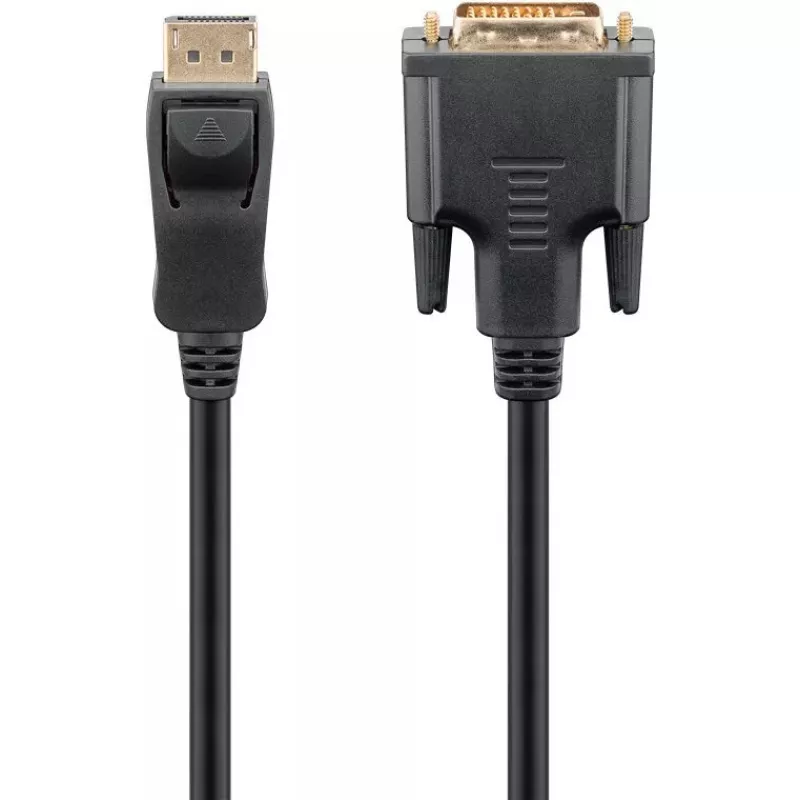
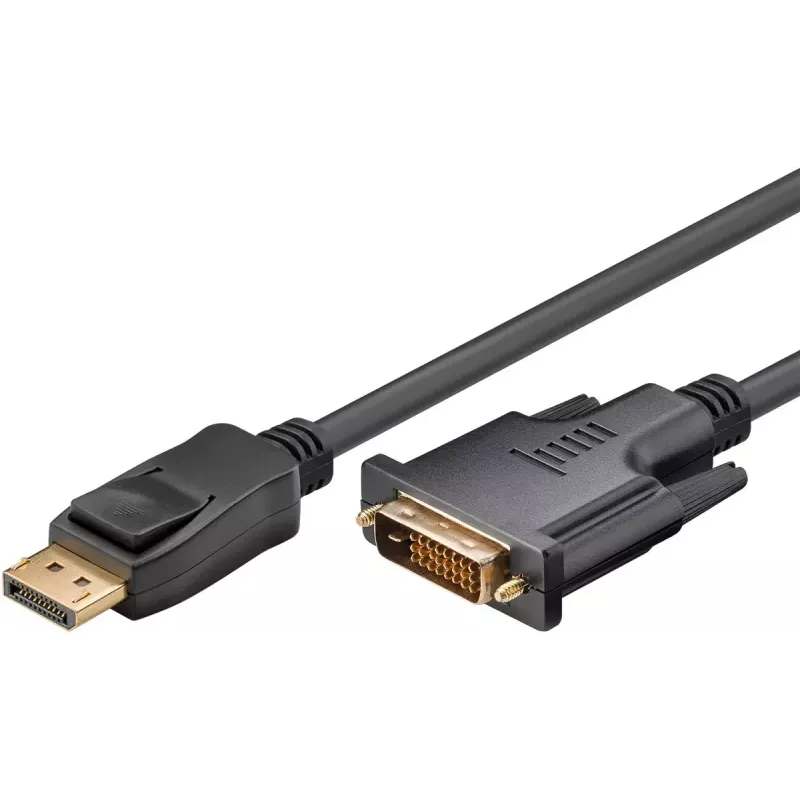
Goobay DisplayPort/DVI-D Adapter Cable 1.2 gold-plated 1 m

Goobay DisplayPort/DVI-D Adapter Cable 1.2 gold-plated 1 m
R334
The Goobay DisplayPort/DVI-D Adapter Cable 1.2 (1 m) is a single-cable solution for connecting a DisplayPort-equipped PC or laptop to a DVI-D monitor or projector. It features gold-plated DisplayPort and DVI-D (24+1 pin Dual-Link) connectors and a 7.3 mm diameter jacket that provides durability and ... Read More
Stock 4 Code 1458749 Brand GOOBAY Model 51960 Warranty 2 Years

Shipping & Returns

Estimated delivery Tuesday, October 6
You will be kept updated through our detailed tracking system
Payment options
EFTPayFastBank CardSnapScanZapperGoogle PayApple PayMobicredMoreTymePay on Arrival

The Goobay DisplayPort/DVI-D Adapter Cable 1.2 (1 m) is a single-cable solution for connecting a DisplayPort-equipped PC or laptop to a DVI-D monitor or projector. It features gold-plated DisplayPort and DVI-D (24+1 pin Dual-Link) connectors and a 7.3 mm diameter jacket that provides durability and flexibility for typical desktop and AV setups.

Advantages

The cable supports straightforward digital video transmission from DisplayPort to DVI-D without external power or drivers. Gold-plated contacts reduce corrosion and improve signal reliability. The 1 m length and flexible 7.3 mm cable make routing behind desks or AV furniture convenient while maintaining a stable connection.

Suitable for

  • Connecting a desktop PC or laptop with DisplayPort output to a DVI-D monitor
  • Connecting to DVI-D projectors for presentations
  • Upgrading or replacing monitor cables in home or office workstations

Key specifications

  • Brand: GOOBAY
  • Model / MPN: 51960
  • Connector 1: DisplayPort male
  • Connector 2: DVI-D male Dual-Link (24+1 pin)
  • Cable length: 1 m
  • Cable diameter: 7.3 mm
  • Product colour: Black
  • Gold-plated connectors

How to use

Plug the DisplayPort end into the DisplayPort output on the computer or laptop and insert the DVI-D end into the DVI-D input on the monitor or projector. Ensure both devices are powered on and select the correct input on the display. No additional software or power supply is required; the cable transmits digital video only.

Recommendations

Use the 1 m cable for short runs between nearby devices to avoid excess cable slack. For displays requiring audio or higher feature sets (such as DP++ or MST), confirm device compatibility because this cable carries only video signal from DisplayPort to DVI-D.
Key Highlights
  • Connecting a desktop PC or laptop with DisplayPort output to a DVI-D monitor
  • Connecting to DVI-D projectors for presentations
  • Upgrading or replacing monitor cables in home or office workstations
  • Brand: GOOBAY
  • Model / MPN: 51960
  • Connector 1: DisplayPort male
  • Connector 2: DVI-D male Dual-Link (24+1 pin)
  • Cable length: 1 m
  • Cable diameter: 7.3 mm
  • Product colour: Black
  • Gold-plated connectors
Specifications
AWG wire size
28
Cable diameter
7.3 mm
Cable length
1 m
Cable shielding
Aluminium mylar foil
Conductor material
Copper
Connector 1
DisplayPort
Connector 1 form factor
Straight
Connector 1 gender
Male
Connector 2
DVI-D
Connector 2 form factor
Straight
Connector 2 gender
Female
Connector contacts plating
Gold
DisplayPort version
1.2
Jacket material
Acrylonitrile butadiene styrene (ABS), Polyvinyl chloride (PVC)
Maximum resolution
1920 x 1080
Product colour
Black
Quantity per pack
1 pc(s)
Supported video modes
1080p

Leaflet

Open Leaflet
Price history over the last 6 months
Goobay DisplayPort/DVI-D Adapter Cable 1.2 gold-plated 1 m
Current
R334
Lowest
R290
Highest
R345
Change 24H
+R40   +14%
Week
+R43   +15%
Month
+R42   +14%

Popular products in this category

WhatsApp
Hi, I’m DistriNode’s AI assistant. I can help you find products, compare options, create quote PDFs, or open support requests.