Account Contact
Your Cart
Pay the courier with no extra fees.
Need help? DistriNode AI can handle any task on our site.

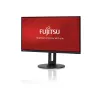
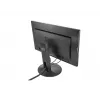
Fujitsu Displays B27-9 TS FHD computer monitor 68.6 cm (27 inch) 1920 x 1080 pixels Full HD LCD Black

Fujitsu Displays B27-9 TS FHD computer monitor 68.6 cm (27 inch) 1920 x 1080 pixels Full HD LCD Black
36 mo.
Fujitsu Displays B27-9 TS FHD computer monitor 68.6 cm (27 inch) 1920 x 1080 pixels Full HD LCD Black
R7,513
The FUJITSU Display B27-9 TS FHD is a 27-inch Full HD (1920 x 1080) IPS LCD monitor designed for office environments and SAP applications. It delivers consistent picture quality with a nearly bezel-free housing and an ergonomic 5-in-1 adjustable stand that supports height adjustment, tilt, swivel an... Read More
Stock 50 Code 1186916 Brand Fujitsu Model S26361-K1692-V160 Warranty 3 Years

Shipping & Returns

Estimated delivery Tuesday, October 6
You will be kept updated through our detailed tracking system
Payment options
EFTPayFastBank CardSnapScanZapperGoogle PayApple PayMobicredMoreTymePay on Arrival

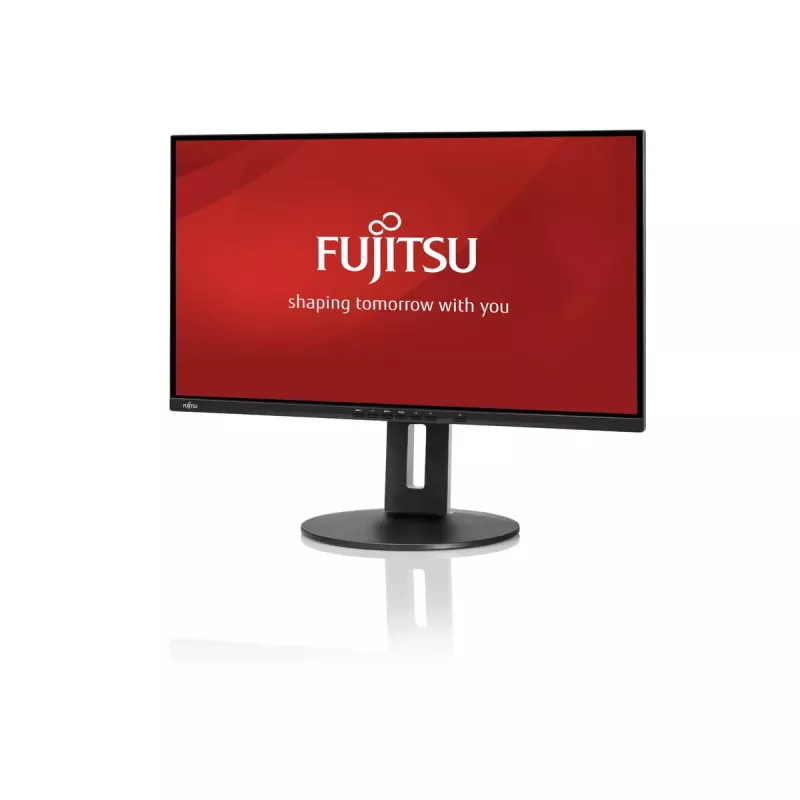
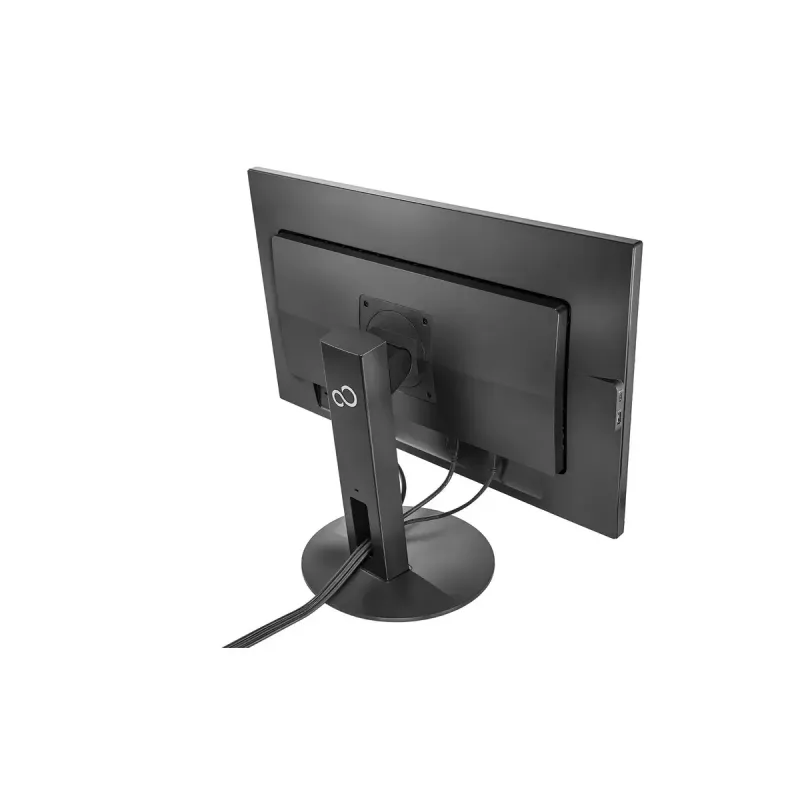
The FUJITSU Display B27-9 TS FHD is a 27-inch Full HD (1920 x 1080) IPS LCD monitor designed for office environments and SAP applications. It delivers consistent picture quality with a nearly bezel-free housing and an ergonomic 5-in-1 adjustable stand that supports height adjustment, tilt, swivel and pivot. Integrated features include speakers, a USB 3.1 Gen 1 hub with Type-A and Type-C connectivity, and multiple video inputs (DisplayPort, HDMI, VGA) for broad compatibility.

Advantages

The monitor offers a 27" IPS panel with wide 178° viewing angles and vivid colors, a 5 ms response time, and a typical brightness of 250 cd/m². The almost frameless design simplifies multi-monitor setups. The ergonomic stand (150 mm height range, 35° backward tilt, 345° swivel, 90° pivot) and VESA mounting option allow flexible placement. Built-in speakers and a USB hub reduce desk clutter and provide simple connectivity.

Suitable for

  • Office work and business applications
  • SAP and enterprise software use
  • Multi-monitor workstations
  • General productivity, spreadsheets and document editing

Key specifications

  • Display: 27" (68.6 cm) IPS LCD
  • Resolution: Full HD 1920 x 1080
  • Response time: 5 ms
  • Viewing angles: 178° / 178°
  • Brightness (typical): 250 cd/m²
  • Contrast ratio (typical): 1000:1
  • Pixel pitch: 0.311 x 0.311 mm
  • Inputs: DisplayPort, HDMI, VGA
  • USB: USB 3.1 Gen 1 hub (3x Type-A downstream, 1x Type-C downstream)
  • Built-in speakers: Yes
  • Stand: 5-in-1 adjustable (height, tilt, swivel, pivot) and VESA mount support
  • Color: Black
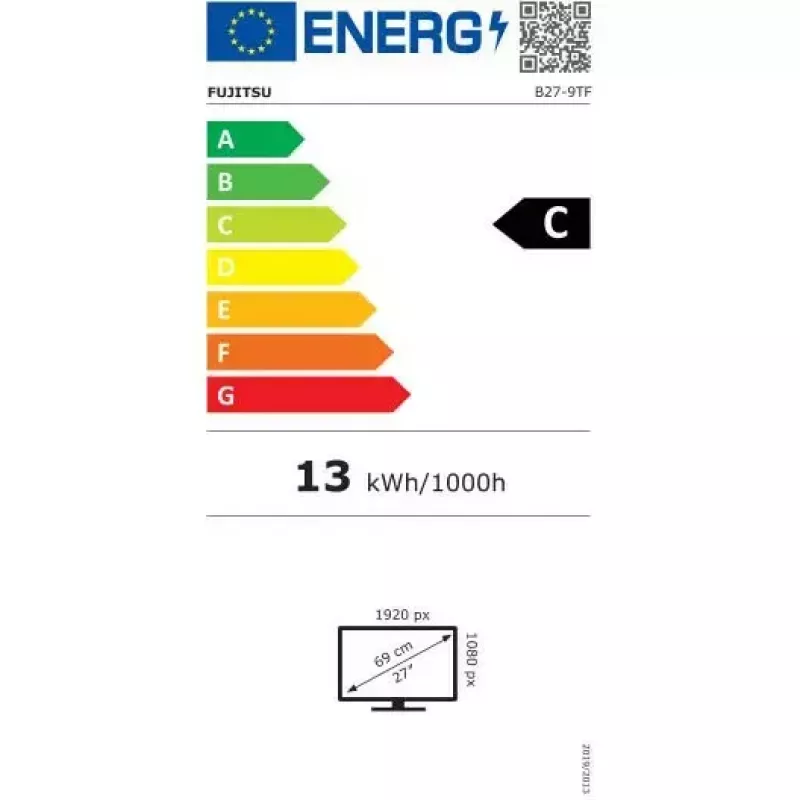
  • Energy class (SDR): C; Energy consumption: 13 kWh/1000 h

How to use

Position the display on a stable desk or mount it using a compatible VESA arm. Connect a video source via DisplayPort, HDMI or VGA and plug USB devices into the integrated hub; use the Type-C downstream port for compatible hosts or peripherals. Adjust the screen height, tilt, swivel and pivot to a comfortable ergonomic position; pivot the panel for portrait orientation when needed. Configure on-screen settings with the monitor controls or Fujitsu DisplayView software for quick adjustments.

Recommendations

For sustained office use, set brightness and color temperature to comfortable levels, take regular breaks to reduce eye fatigue, and use the stand adjustments or a VESA mount to maintain neutral neck and wrist posture.
Key Highlights
  • Office work and business applications
  • SAP and enterprise software use
  • Multi-monitor workstations
  • General productivity, spreadsheets and document editing
  • Display: 27" (68.6 cm) IPS LCD
  • Resolution: Full HD 1920 x 1080
  • Response time: 5 ms
  • Viewing angles: 178° / 178°
  • Brightness (typical): 250 cd/m²
  • Contrast ratio (typical): 1000:1
  • Pixel pitch: 0.311 x 0.311 mm
  • Inputs: DisplayPort, HDMI, VGA
  • USB: USB 3.1 Gen 1 hub (3x Type-A downstream, 1x Type-C downstream)
  • Built-in speakers: Yes
  • Stand: 5-in-1 adjustable (height, tilt, swivel, pivot) and VESA mount support
  • Color: Black
  • Energy class (SDR): C; Energy consumption: 13 kWh/1000 h
Specifications
AC input frequency
50 - 60
AC input voltage
100 - 240
Adjustable height (max)
150 mm
Audio input
Yes
Backlight type
LED
Built-in speaker(s)
Yes
Built-in USB hub
Yes
Cable lock slot
Yes
Cable lock slot type
Kensington
Cables included
AC, DisplayPort, USB Type-A to USB Type-B
Certification
ENERGY STAR 8.0, TCO Certified Displays 8.0, EPEAT Bronze (dedicated regions), Zero bright and dark pixel faults, Subpixel faults according to ISO9241-307 (Pixel fault class I), TÜV Flicker Free Certified, TÜV Low Blue Light Certified
Contrast ratio (dynamic)
20000000:1
Contrast ratio (typical)
1000:1
Depth (with stand)
275 mm
Depth (without stand)
63.5 mm
Display brightness (typical)
250 cd/m²
Display diagonal
27 "
Display number of colours
16.78 million colours
Display resolution
1920 x 1080
Display technology
LCD
DisplayPort version
1.2
DisplayPorts quantity
1
DVI port
No
Energy consumption (SDR) per 1000 hours
13 kWh
Energy efficiency class (SDR)
C
Energy efficiency scale
A to G
European Product Registry for Energy Labelling (EPREL) code
356759
Flicker-free technology
Yes
Harmonized System (HS) code
85285210
HD type
Full HD
HDMI
Yes
HDMI ports quantity
1
HDMI version
1.4
Headphone connectivity
3.5 mm
Headphone out
Yes
Headphone outputs
1
Height (with stand)
384.9 mm
Height (without stand)
362.2 mm
Height adjustment
Yes
Horizontal scan range
30 - 82
LED indicators
Y
Market positioning
Business
Maximum refresh rate
75 Hz
Native aspect ratio
16:9
Number of speakers
2
Number of upstream ports
1
On Screen Display (OSD) languages
ARA, CHI (SIMPL), CHI (TR), CZE, DAN, DEU, DUT, ENG, ESP, FIN, FRE, ITA, JPN, NOR, POL, POR, RUS, SWE, TUR
Operating relative humidity (H-H)
10 - 85
Operating temperature (T-T)
5 - 35
Package depth
228 mm
Package height
470 mm
Package weight
9610 g
Package width
735 mm
Panel type
IPS
Pivot
Yes
Pivot angle
0 - 90
Pixel pitch
0.311 x 0.311
Power consumption (average)
13 W
Power consumption (max)
15 W
Power consumption (off)
0.14 W
Power consumption (standby)
0.19 W
Power consumption (typical)
12.6 W
Power plug type
Type E
Product colour
Black
Quick start guide
Yes
Response time
5 ms
RMS rated power
4 W
Rotating
Yes
Screen shape
Flat
Supported graphics resolutions
640 x 480 (VGA), 800 x 600 (SVGA), 1024 x 768 (XGA), 1280 x 1024 (SXGA), 1280 x 720 (HD 720), 1440 x 900 (WXGA+), 1600 x 900, 1680 x 1050 (WSXGA+), 1920 x 1200 (WUXGA)
Sustainability certificates
EPEAT Bronze, ENERGY STAR
Swivel angle range
0 - 345
Swivelling
Yes
Tilt adjustment
Yes
Tilt angle range
-5 - 35
Touchscreen
No
USB Type-A downstream ports quantity
3
USB Type-C downstream ports quantity
1
Vertical scan range
48 - 76
VESA mounting
Yes
VGA (D-Sub) ports quantity
1
Viewable size, horizontal
597 mm
Viewable size, vertical
336 mm
Viewing angle, horizontal
178 °
Viewing angle, vertical
178 °
Weight (with stand)
7560 g
Weight (without stand)
5000 g
Width (with stand)
611.3 mm
Width (without stand)
611.3 mm

Leaflet

Open Leaflet

Energy label

Open Energy label
Energy label

Document

Open Document
Price history over the last 6 months
Fujitsu Displays B27-9 TS FHD computer monitor 68.6 cm (27 inch) 1920 x 1080 pixels Full HD LCD Black
Current
R7,513
Lowest
R3,687
Highest
R8,063
Change 24H
+R3,802   +102%
Week
+R3,807   +103%
Month
+R3,817   +103%

Popular products in this category

WhatsApp
Hi, I’m DistriNode’s AI assistant. I can help you find products, compare options, create quote PDFs, or open support requests.