Account Contact
Your Cart
Pay the courier with no extra fees.
Need help? DistriNode AI can handle any task on our site.

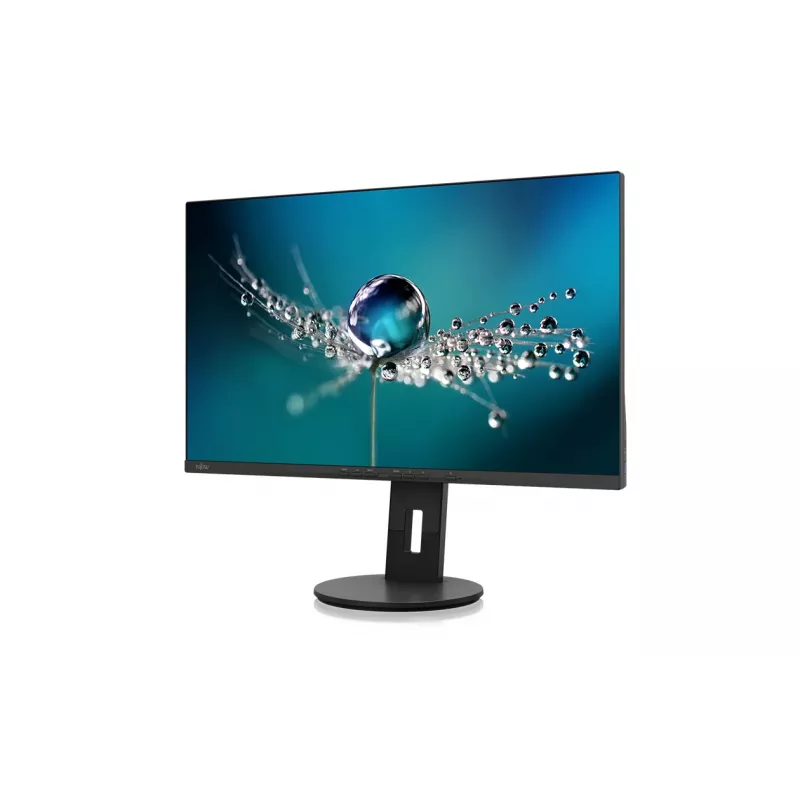
Fujitsu B2711 TS QHD computer monitor 68.6 cm (27 inch) 2560 x 1440 pixels Quad HD LED Black

Fujitsu B2711 TS QHD computer monitor 68.6 cm (27 inch) 2560 x 1440 pixels Quad HD LED Black
R7,495
The Fujitsu monitor features a user-optimized housing with the world's first right-hand USB hub for a tidier and more ergonomic cable routing. The factory pre-calibrated panel delivers high color accuracy for single- and multi-monitor setups. A low-blue-light panel reduces harmful blue wavelengths w... Read More
Stock 4 Code 131758 Brand Fujitsu Model S26361-K1702-V160 Warranty 2 Years

Shipping & Returns

Estimated delivery Monday, October 5
You will be kept updated through our detailed tracking system
Payment options
EFTPayFastBank CardSnapScanZapperGoogle PayApple PayMobicredMoreTymePay on Arrival

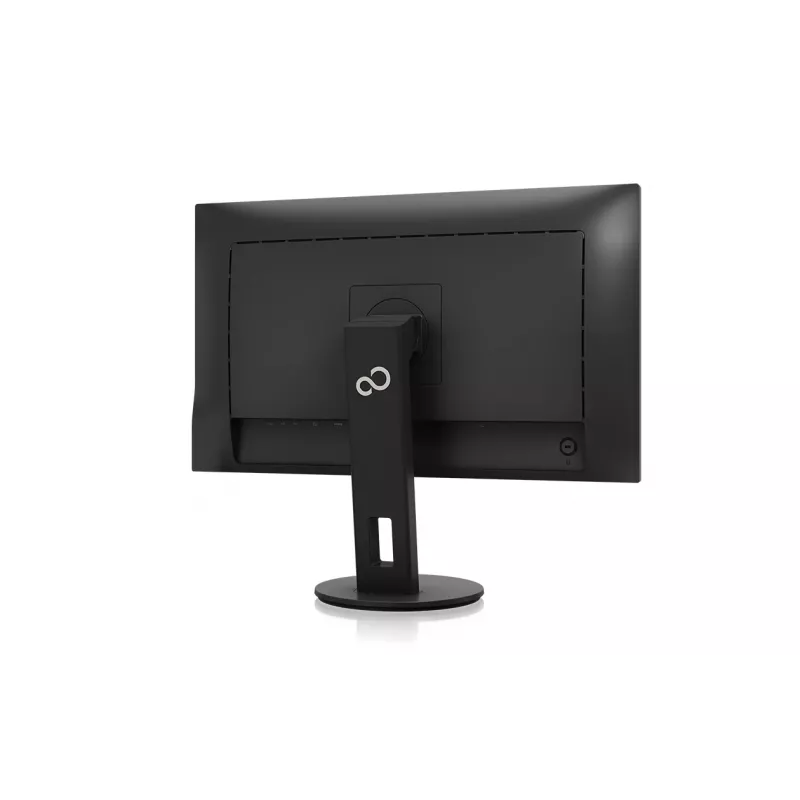
The Fujitsu monitor features a user-optimized housing with the world's first right-hand USB hub for a tidier and more ergonomic cable routing. The factory pre-calibrated panel delivers high color accuracy for single- and multi-monitor setups. A low-blue-light panel reduces harmful blue wavelengths without altering color reproduction, while the integrated auto-brightness sensor adapts screen luminance to ambient light to save energy and reduce eye strain. An integrated presence sensor increases data protection by triggering Windows password lock when the user temporarily leaves the workstation. The monitor includes a mix of modern digital interfaces (DisplayPort and HDMI) and legacy connections (DVI and VGA), making it widely compatible. The 6-in-1 stand base provides an integrated cable guide and a backpack support for mini desktop PCs. Packaging is foam-free and made predominantly from recycled cardboard, and DisplayView™ software allows remote configuration and administrative management. Firmware updates can be applied by the user to extend product lifecycle.

Advantages

The right-hand USB hub supports ergonomic cable management and simplifies desk layout. Factory pre-calibrated color ensures consistent color accuracy across single and multi-monitor environments. Low-blue-light technology protects the eyes without compromising color fidelity. Auto-brightness and presence sensors reduce energy use and enhance data security by auto-locking the system when the user is absent. Multiple input options (DisplayPort, HDMI, DVI, VGA) increase compatibility with various devices. The 6-in-1 stand integrates cable routing and mini-PC support, and firmware updates plus DisplayView™ software enable long-term maintainability and remote management.

Key specifications

  • User-optimized housing with right-hand USB hub
  • Factory pre-calibrated display for high color accuracy
  • Low blue light panel (retina protection) without color loss
  • Integrated auto-brightness sensor
  • Integrated presence sensor for automatic Windows password lock
  • Interfaces: DisplayPort, HDMI, DVI, VGA
  • 6-in-1 stand base with cable guide and mini-PC backpack support
  • Foam-free, predominantly recycled cardboard packaging
  • DisplayView™ software for remote configuration
  • User-installable firmware updates to prolong lifecycle

How to use

Place the monitor on a stable desk and route cables through the integrated cable guide in the 6-in-1 stand. Connect source devices using DisplayPort, HDMI, DVI or VGA as appropriate, and plug peripherals into the right-hand USB hub for convenient access. Enable the auto-brightness and presence sensors in the monitor settings to allow automatic brightness adjustment and automatic Windows lock on temporary absence. Install DisplayView™ software on your management workstation to configure display settings remotely and apply firmware updates when available to maintain up-to-date functionality.

Recommendations

For best results use the monitor with calibrated graphics or office setups and keep firmware and DisplayView™ software updated. Route all cables through the stand guide to preserve ergonomics and ensure the presence sensor is not obstructed to maintain reliable auto-lock functionality.
Key Highlights
  • User-optimized housing with right-hand USB hub
  • Factory pre-calibrated display for high color accuracy
  • Low blue light panel (retina protection) without color loss
  • Integrated auto-brightness sensor
  • Integrated presence sensor for automatic Windows password lock
  • Interfaces: DisplayPort, HDMI, DVI, VGA
  • 6-in-1 stand base with cable guide and mini-PC backpack support
  • Foam-free, predominantly recycled cardboard packaging
  • DisplayView™ software for remote configuration
  • User-installable firmware updates to prolong lifecycle
Specifications
AC input frequency
50 - 60 Hz
AC input voltage
100 - 240 V
Adjustable height (max)
15 cm
Anti-glare screen
Yes
Built-in camera
No
Built-in speaker(s)
Yes
Built-in USB hub
Yes
Cable lock slot
Yes
Cable lock slot type
Kensington
Colour gamut
100%
Colour gamut standard
sRGB
Contrast ratio (typical)
1000:1
Depth (with stand)
220.5 mm
Depth (without stand)
65.7 mm
Display brightness (typical)
350 cd/m²
Display diagonal
68.6 cm (27")
Display number of colours
16.7 million colours
Display resolution
2560 x 1440 pixels
Display technology
LED
DisplayPort version
1.2
DisplayPorts quantity
1
DVI port
Yes
HD type
Quad HD
HDMI
Yes
HDMI ports quantity
1
HDMI version
1.4
Headphone connectivity
3.5 mm
Headphone out
Yes
Height (with stand)
512.2 mm
Height (without stand)
362.7 mm
Height adjustment
Yes
Horizontal scan range
30 - 100 kHz
Market positioning
Office
Native aspect ratio
16:9
Number of speakers
2
Number of upstream ports
1
Operating relative humidity (H-H)
10 - 85%
Operating temperature (T-T)
5 - 35 °C
Package depth
226 mm
Package height
480 mm
Package weight
9.9 kg
Package width
690 mm
Panel type
IPS
Pixel pitch
0.233 x 0.233 mm
Power consumption (off)
0.18 W
Power consumption (PowerSave)
0.23 W
Product colour
Black
Response time
5 ms
RMS rated power
2 W
Screen shape
Flat
Surface hardness
3H
Swivel angle range
0 - 345°
Tilt angle range
-5 - 35°
Touchscreen
No
USB Type-A downstream ports quantity
3
USB Type-C downstream ports quantity
1
Vertical scan range
48 - 76 Hz
VESA mounting
Yes
Viewable size, horizontal
59.7 cm
Viewable size, vertical
33.6 cm
Viewing angle, horizontal
178°
Viewing angle, vertical
178°
Weight (with stand)
7.46 kg
Weight (without stand)
5.37 kg
Width (with stand)
613.6 mm
Width (without stand)
613.6 mm

Leaflet

Open Leaflet
Price history over the last 6 months
Fujitsu B2711 TS QHD computer monitor 68.6 cm (27 inch) 2560 x 1440 pixels Quad HD LED Black
Current
R7,495
Lowest
R3,277
Highest
R7,778
Change 24H
-R283   -4%
Week
+R4,206   +128%
Month
+R4,186   +126%

Popular products in this category

WhatsApp
Hi, I’m DistriNode’s AI assistant. I can help you find products, compare options, create quote PDFs, or open support requests.