Account Contact
Your Cart
Pay the courier with no extra fees.
Need help? DistriNode AI can handle any task on our site.

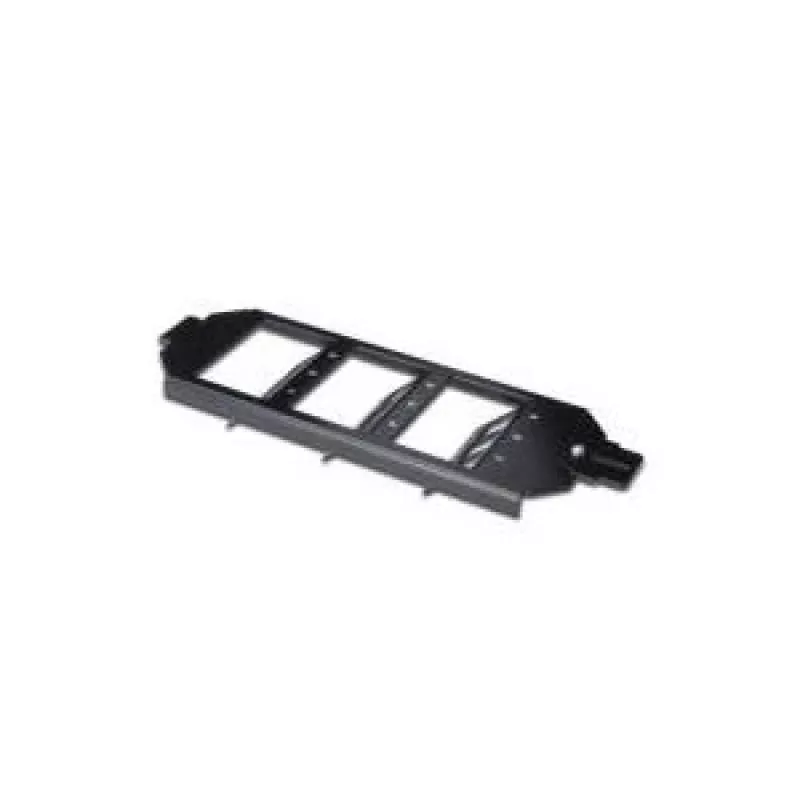
Frame set for Keystone Modules Digitus AN-25179

Frame set for Keystone Modules Digitus AN-25179
R464
Frame set suitable for Ackermann GES 9, R7, R9. The DIGITUS® frame set for Keystone Modules is a metal adapter designed to hold standard keystone inserts. Available in versions for 6 or 9 keystone modules, the frame set provides a compact, durable mounting solution in black finish and is compatible ... Read More
Stock 80 Code 1488144 Brand DIGITUS Model AN-25179 Warranty 2 Years

Shipping & Returns

Estimated delivery Thursday, October 8
You will be kept updated through our detailed tracking system
Payment options
EFTPayFastBank CardSnapScanZapperGoogle PayApple PayMobicredMoreTymePay on Arrival

Frame set suitable for Ackermann GES 9, R7, R9. The DIGITUS® frame set for Keystone Modules is a metal adapter designed to hold standard keystone inserts. Available in versions for 6 or 9 keystone modules, the frame set provides a compact, durable mounting solution in black finish and is compatible with common Ackermann mounting systems.

Advantages

The metal construction offers stability and long-term durability while the black finish provides a neutral appearance that fits typical network installations. The frame set is supplied as a single piece per pack and is compatible with a range of standard keystone modules, facilitating flexible configuration of data and voice connections.

Suitable for

  • Mounting keystone jacks (RJ45, RJ11, multimedia) in Ackermann wall or frame systems
  • Small patch panels and outlet assemblies requiring 6 or 9 module capacity
  • Office, server room or residential network installations

Key specifications

  • Brand: DIGITUS
  • Manufacturer part number (MPN): AN-25179
  • EAN: 4016032302780
  • Material: metal
  • Color: black
  • Module capacity: 6 or 9 keystone modules (2-level or 3-level versions)
  • Pack quantity: 1 piece
  • Package width: 75 mm
  • Package depth: 220 mm
  • Country of origin: China

How to use

Install the frame set into a compatible Ackermann mounting opening (GES 9, R7, R9) following the mounting system guidance. Snap or screw standard keystone modules into the frame slots according to the required configuration (6-module 2-level or 9-module 3-level). After inserting keystone jacks, secure wiring and perform standard connectivity checks to verify correct installation.

Recommendations

Use compatible DIGITUS or industry-standard keystone modules and ensure the selected Ackermann mounting variant matches the frame version. Avoid overtightening mounting screws and verify module orientation before final fixation.
Key Highlights
  • Mounting keystone jacks (RJ45, RJ11, multimedia) in Ackermann wall or frame systems
  • Small patch panels and outlet assemblies requiring 6 or 9 module capacity
  • Office, server room or residential network installations
  • Brand: DIGITUS
  • Manufacturer part number (MPN): AN-25179
  • EAN: 4016032302780
  • Material: metal
  • Color: black
  • Module capacity: 6 or 9 keystone modules (2-level or 3-level versions)
  • Pack quantity: 1 piece
  • Package width: 75 mm
  • Package depth: 220 mm
  • Country of origin: China
Specifications
Brand compatibility
Any brand
Certification
ISO/IEC 11801 2nd Ed., EN 50173-1, EIA/TIA 568-C
Country of origin
China
Harmonized System (HS) code
85389099
Material
Metal
Operating temperature (T-T)
-20 - 70
Package depth
220 mm
Package height
25 mm
Package volume
412.5 cm³
Package weight
190 g
Package width
75 mm
Product colour
Black
Product design
Conventional
Quantity per pack
1 pc(s)
Socket type
Keystone module
Sockets quantity
9

Leaflet

Open Leaflet
Price history over the last 6 months
Frame set for Keystone Modules Digitus AN-25179
Current
R464
Lowest
R298
Highest
R468
Change 24H
+R23   +5%
Week
+R28   +6%
Month
+R26   +6%

Popular products in this category

WhatsApp
Hi, I’m DistriNode’s AI assistant. I can help you find products, compare options, create quote PDFs, or open support requests.