Account Contact
Your Cart
Pay the courier with no extra fees.
Need help? DistriNode AI can handle any task on our site.

DVI-A to VGA Adapter ACT AP1003

DVI-A to VGA Adapter ACT AP1003
R473
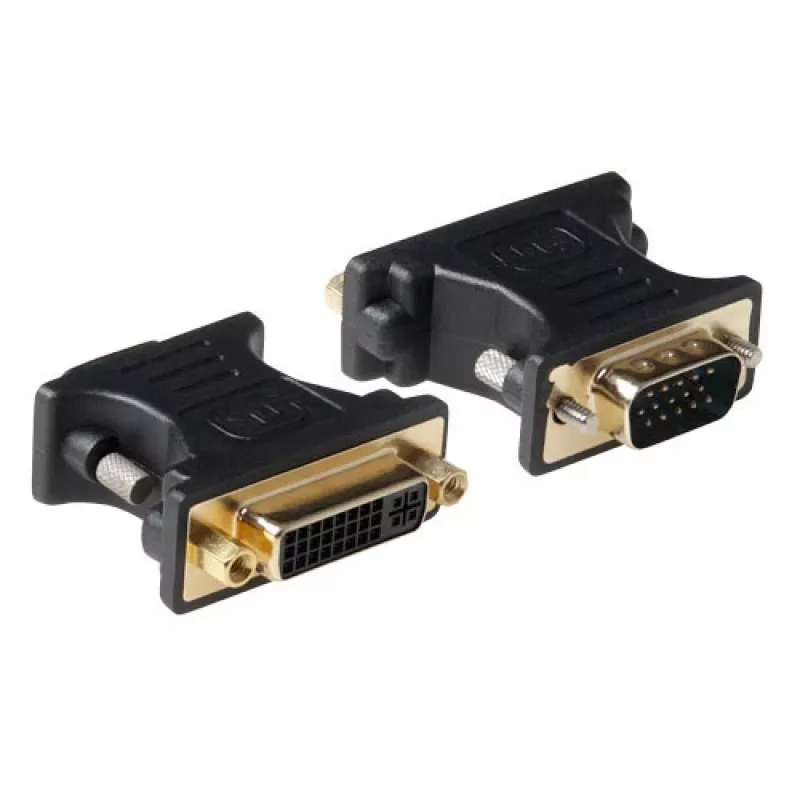
The ACT DVI-A to VGA Adapter AP1003 enables direct analog video connection between DVI-A output devices and VGA displays. It has a DVI-A female connector on one end and a VGA male connector on the other, presented in a compact black housing. The adapter passes analog RGB signals without conversion, ... Read More
Stock 356 Code 2245896 Brand ACT Model AP1003 Warranty 2 Years

Shipping & Returns

Estimated delivery Tuesday, October 6
You will be kept updated through our detailed tracking system
Payment options
EFTPayFastBank CardSnapScanZapperGoogle PayApple PayMobicredMoreTymePay on Arrival

The ACT DVI-A to VGA Adapter AP1003 enables direct analog video connection between DVI-A output devices and VGA displays. It has a DVI-A female connector on one end and a VGA male connector on the other, presented in a compact black housing. The adapter passes analog RGB signals without conversion, making it suitable for connecting older VGA monitors to graphics cards or devices that provide DVI-A analog output.

Advantages

This adapter provides a simple, passive solution for analog video compatibility, preserving signal integrity when both source and display support analog RGB via DVI-A/VGA. Its compact black design makes it easy to install in tight spaces and reduces cable clutter. Because it is a passive adapter, it requires no external power or drivers and works immediately when connected to compatible ports.

Suitable for

  • Connecting a DVI-A equipped graphics card to a VGA monitor
  • Using legacy VGA displays with devices that output analog via DVI-A
  • Simple workstation or office setups requiring analog video compatibility

Key specifications

  • Connector 1: DVI-A female (analog RGB)
  • Connector 2: VGA male (DB-15)
  • Signal type: Analog video (RGB)
  • Colour: Black
  • Form factor: Passive adapter, no power required

How to use

Connect the DVI-A female side of the adapter to the DVI-A output on your computer or video device, then plug a VGA cable from the adapter's VGA male connector into the VGA input of your monitor. Ensure both devices are powered off when making the physical connection, then power them on and select the correct input on the display if required. Because the adapter is passive, no additional configuration or drivers are normally needed as long as the source provides an analog DVI-A signal.

Recommendations

Confirm that your source device outputs analog signals on its DVI port (DVI-A). This adapter will not convert digital-only DVI-D or HDMI signals to VGA. For best results use a high-quality VGA cable and avoid excessive cable lengths to minimise signal degradation.

Key Highlights
  • Connecting a DVI-A equipped graphics card to a VGA monitor
  • Using legacy VGA displays with devices that output analog via DVI-A
  • Simple workstation or office setups requiring analog video compatibility
  • Connector 1: DVI-A female (analog RGB)
  • Connector 2: VGA male (DB-15)
  • Signal type: Analog video (RGB)
  • Colour: Black
  • Form factor: Passive adapter, no power required
Specifications
Connector 1
DVI-A
Connector 1 gender
Male
Connector 2
VGA
Connector 2 gender
Female
Product colour
Black

Leaflet

Open Leaflet
Price history over the last 6 months
DVI-A to VGA Adapter ACT AP1003
Current
R473
Lowest
R462
Highest
R473
Change 24H
+R9   +2%
Week
—   
Month
—   

Popular products in this category

WhatsApp
Hi, I’m DistriNode’s AI assistant. I can help you find products, compare options, create quote PDFs, or open support requests.