Account Contact
Your Cart
Pay the courier with no extra fees.
Need help? DistriNode AI can handle any task on our site.

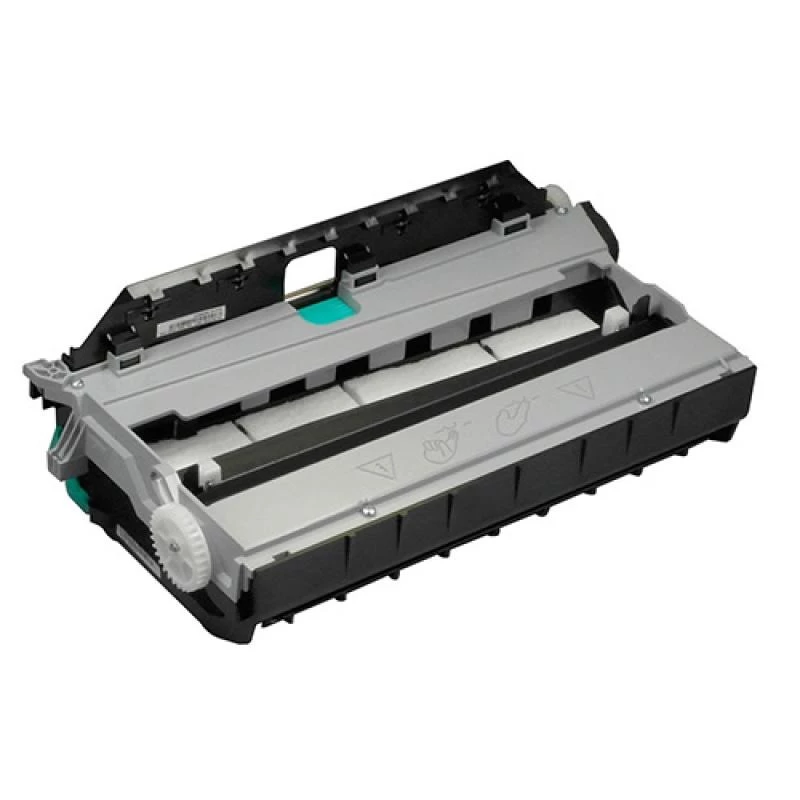
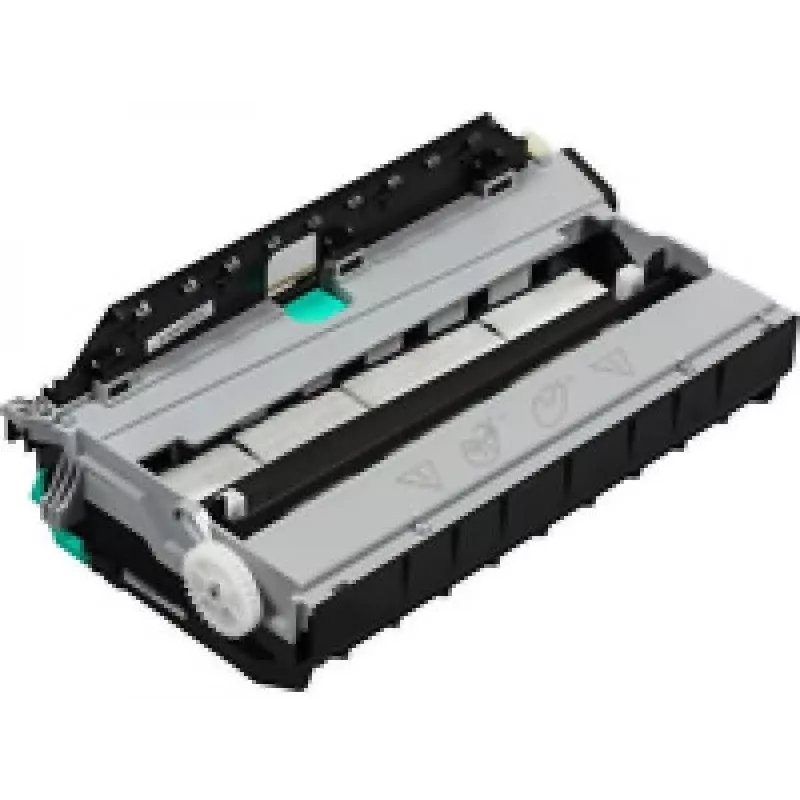
Duplex Module 6 Cot HP Duplex Module 6 Cot

Duplex Module 6 Cot HP Duplex Module 6 Cot
R2,145
The HP Duplex Module 6 Cot is an optional printer accessory designed to enable automatic double-sided printing on compatible OfficeJet Pro X451 and X476 series devices. It integrates with the printer’s paper path to flip sheets during the print cycle, streamlining workflows and reducing the need for... Read More
Stock 6 Code 8042 Brand HP Model CN598-67004 Warranty 2 Years

Shipping & Returns

Estimated delivery Thursday, October 1
You will be kept updated through our detailed tracking system
Payment options
EFTPayFastBank CardSnapScanZapperGoogle PayApple PayMobicredMoreTymePay on Arrival

The HP Duplex Module 6 Cot is an optional printer accessory designed to enable automatic double-sided printing on compatible OfficeJet Pro X451 and X476 series devices. It integrates with the printer’s paper path to flip sheets during the print cycle, streamlining workflows and reducing the need for manual page refeeding. Installation is intended to be straightforward and the module works with the printer’s existing print drivers to maintain consistent print quality and layout alignment for duplex documents.

Advantages

The duplex module reduces paper consumption and supports faster single-pass workflows by handling the automatic reversal and refeeding of pages. It preserves print alignment and margins by working with the printer firmware and drivers, helping to produce reliably formatted two-sided documents. The accessory is designed for simple user installation and minimal maintenance, which helps decrease downtime in busy office environments.

Suitable for

  • Offices that regularly produce duplex reports, manuals or booklets
  • Businesses aiming to reduce paper usage and printing costs
  • Workgroups using OfficeJet Pro X451dn, X451dw, X476dn MFP or X476dw MFP printers
  • Environments requiring consistent duplex alignment for multi-page documents

Key specifications

  • Function: Automatic duplex (double-sided) printing module
  • Compatibility: Designed for specific OfficeJet Pro X451 and X476 series models
  • Integration: Connects to the printer’s rear paper path to flip and feed pages automatically
  • Installation: Tool-free or minimal-tool installation process tailored to the printer chassis
  • Maintenance: Low-maintenance design with serviceability aligned to printer service procedures

How to use

Turn off the printer and follow the manufacturer’s installation guide to attach the duplex module to the rear of the printer’s paper path. After securing the module, power on the device and verify that the printer firmware or driver recognizes the accessory. Select duplex printing in the print driver settings when sending print jobs from a computer or use the printer control panel to enable two-sided output. Perform a test duplex print to confirm correct alignment and paper handling before running large print jobs.

Recommendations

Use standard office paper within the printer’s supported weight range to ensure reliable duplex feeding. Avoid heavily textured, damp, or very lightweight papers that may cause jams or misfeeds. Periodically inspect paper path rollers and clean according to the printer maintenance instructions to maintain consistent duplex performance.

Key Highlights
  • Offices that regularly produce duplex reports, manuals or booklets
  • Businesses aiming to reduce paper usage and printing costs
  • Workgroups using OfficeJet Pro X451dn, X451dw, X476dn MFP or X476dw MFP printers
  • Environments requiring consistent duplex alignment for multi-page documents
  • Function: Automatic duplex (double-sided) printing module
  • Compatibility: Designed for specific OfficeJet Pro X451 and X476 series models
  • Integration: Connects to the printer’s rear paper path to flip and feed pages automatically
  • Installation: Tool-free or minimal-tool installation process tailored to the printer chassis
  • Maintenance: Low-maintenance design with serviceability aligned to printer service procedures
Specifications
Compatibility
OfficeJet Pro X451dn, OfficeJet Pro X451dw, OfficeJet Pro X476dn MFP, OfficeJet Pro X476dw MFP, OfficeJet Pro X551dw, OfficeJet Pro X576dw MFP

Leaflet

Open Leaflet
Price history over the last 6 months
Duplex Module 6 Cot HP Duplex Module 6 Cot
Current
R2,145
Lowest
R1,551
Highest
R2,265
Change 24H
+R579   +37%
Week
+R584   +37%
Month
+R581   +37%

Popular products in this category

WhatsApp
Hi, I’m DistriNode’s AI assistant. I can help you find products, compare options, create quote PDFs, or open support requests.