Account Contact
Your Cart
Pay the courier with no extra fees.
Need help? DistriNode AI can handle any task on our site.

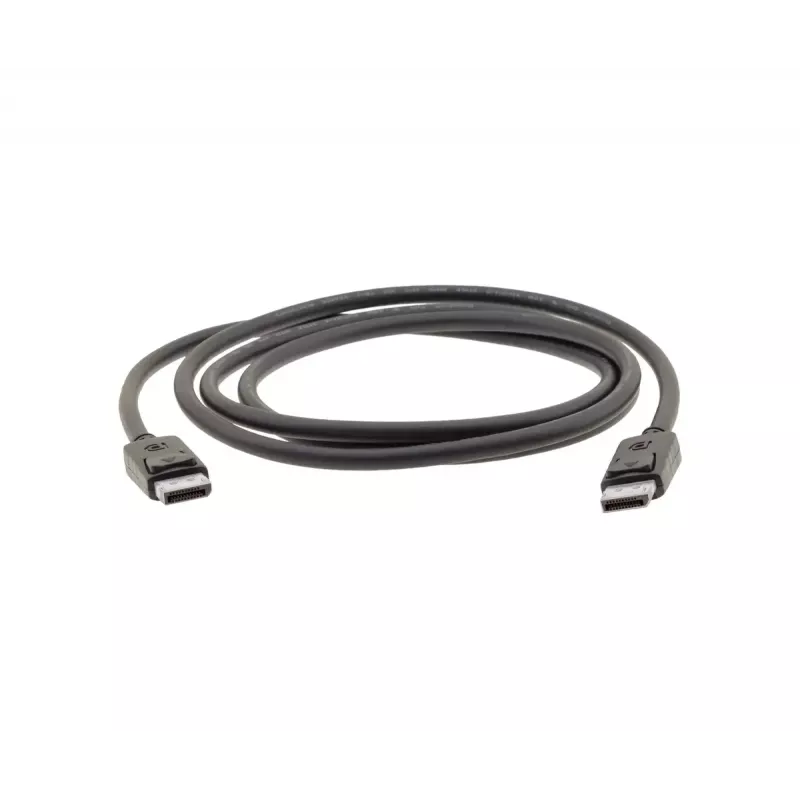
DisplayPort Cable Kramer Electronics C-DP 7.6 m

DisplayPort Cable Kramer Electronics C-DP 7.6 m
R1,222
The Kramer Electronics C-DP DisplayPort cable (7.6 m) is a high-resolution cable designed for transmitting video and audio between DisplayPort-equipped devices. It conforms to the DisplayPort 1.2 standard and supports resolutions up to 4K@60Hz (4:4:4), delivering reliable performance for monitors, p... Read More
Stock 5 Code 2575767 Brand KRAMER ELECTRONICS Model 97-0617025 Warranty 2 Years

Shipping & Returns

Estimated delivery Tuesday, October 6
You will be kept updated through our detailed tracking system
Payment options
EFTPayFastBank CardSnapScanZapperGoogle PayApple PayMobicredMoreTymePay on Arrival

The Kramer Electronics C-DP DisplayPort cable (7.6 m) is a high-resolution cable designed for transmitting video and audio between DisplayPort-equipped devices. It conforms to the DisplayPort 1.2 standard and supports resolutions up to 4K@60Hz (4:4:4), delivering reliable performance for monitors, projectors and other compatible sources and displays.

Advantages

The C-DP cable supports HBR2 bandwidth up to 21.6 Gbps and is triple-shielded to reduce electromagnetic interference and preserve signal integrity over its 7.6 m length. With DisplayPort connectors on both ends and robust construction, it provides consistent digital video and audio transmission suitable for professional and home installations.

Suitable for

  • Connecting PCs or laptops to monitors with DisplayPort inputs
  • Linking media players, graphics cards or workstations to projectors
  • Setups requiring 4K@60Hz video distribution over a single cable

Key specifications

  • Standard: DisplayPort 1.2
  • Maximum resolution: 4K@60Hz (4:4:4)
  • Bandwidth: HBR2 up to 21.6 Gbps
  • Length: 7.6 m
  • Connectors: DisplayPort male on both ends
  • Shielding: Triple-shielded for improved noise immunity
  • Brand: Kramer Electronics; MPN: 97-0617025; EAN: 7291063086763

How to use

Connect one DisplayPort connector to the source device (PC, laptop, graphics card or media player) and the other connector to the display device (monitor or projector). Ensure both devices support DisplayPort input/output and set the display resolution and refresh rate on the source to 4K@60Hz if supported. Avoid sharp bends and excessive tension on the cable to maintain connection quality.

Recommendations

For optimum results, use the cable with DisplayPort 1.2-compatible equipment and keep cable runs free from strong electromagnetic sources. If using long runs in professional AV installations, verify source and display capabilities for 4K@60Hz and, when possible, test the setup before final installation.
Key Highlights
  • Connecting PCs or laptops to monitors with DisplayPort inputs
  • Linking media players, graphics cards or workstations to projectors
  • Setups requiring 4K@60Hz video distribution over a single cable
  • Standard: DisplayPort 1.2
  • Maximum resolution: 4K@60Hz (4:4:4)
  • Bandwidth: HBR2 up to 21.6 Gbps
  • Length: 7.6 m
  • Connectors: DisplayPort male on both ends
  • Shielding: Triple-shielded for improved noise immunity
  • Brand: Kramer Electronics; MPN: 97-0617025; EAN: 7291063086763
Specifications
Cable length
7.6 m
Connector 1
DisplayPort
Connector 1 gender
Male
Connector 2
DisplayPort
Connector 2 gender
Male
DisplayPort Content Protection (DPCP)
Yes
DisplayPort version
1.2
Harmonized System (HS) code
84733080
HDCP
Yes
Latching connectors
Yes
Magnetically shielded
Yes
Number of shielding layers
3
Plug and Play
Yes
Product colour
Black
Quantity per pack
1 pc(s)

Leaflet

Open Leaflet
Price history over the last 6 months
DisplayPort Cable Kramer Electronics C-DP 7.6 m
Current
R1,222
Lowest
R1,207
Highest
R2,339
Change 24H
+R11   +1%
Week
-R257   -17%
Month
-R1,047   -46%

Popular products in this category

WhatsApp
Hi, I’m DistriNode’s AI assistant. I can help you find products, compare options, create quote PDFs, or open support requests.