Account Contact
Your Cart
Pay on delivery – no extra fees
Need help? Ask our AI

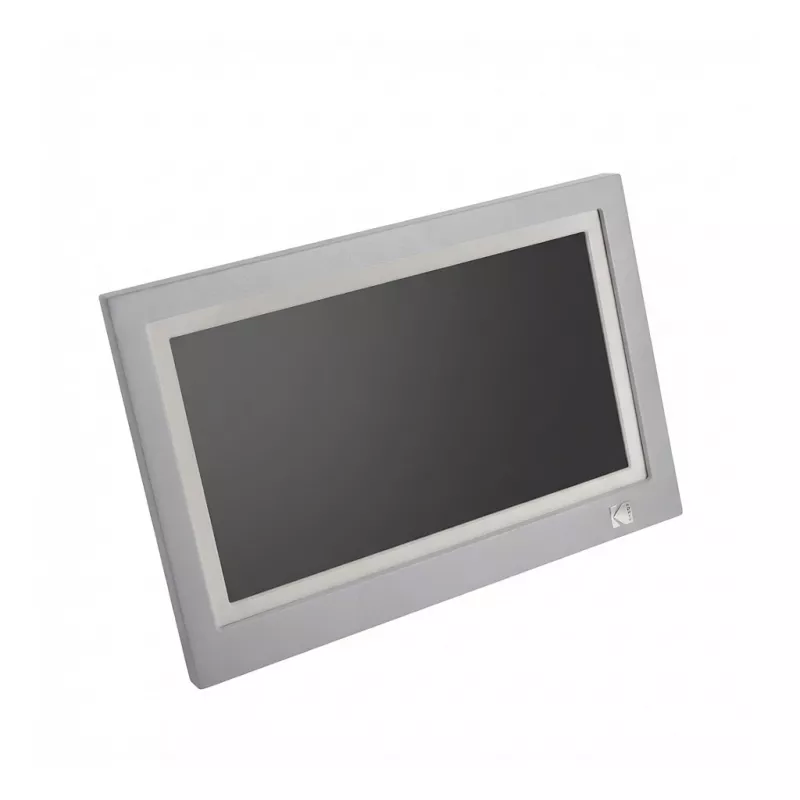
Digital photo frame Kodak RWF-116B — WiFi, 11.6 inch display, Grey/White

Digital photo frame Kodak RWF-116B — WiFi, 11.6 inch display, Grey/White
R2,371
Kodak RWF-116B is a WiFi-enabled digital photo frame with an 11.6" display in a grey and white housing. The device presents high-resolution images and slideshows over a wireless network, allowing seamless transfer of photos from smartphones, tablets or cloud services. Its slim profile and neutral co... Read More
Stock 80 Code 1397971 Brand KODAK Model RWF-116GR Warranty 2 Years

Shipping & Returns

Estimated delivery Monday, October 26
You will be kept updated through our detailed tracking system
Payment options
EFTPayFastBank CardSnapScanZapperGoogle PayApple PayMobicredMoreTymePay on Arrival

Kodak RWF-116B is a WiFi-enabled digital photo frame with an 11.6" display in a grey and white housing. The device presents high-resolution images and slideshows over a wireless network, allowing seamless transfer of photos from smartphones, tablets or cloud services. Its slim profile and neutral color scheme make it suitable for tabletop placement or wall mounting in home and office environments.

Advantages

The Kodak RWF-116B supports wireless connectivity for direct photo transfer and remote sharing, reducing the need for physical media. The 11.6" display provides clear image reproduction with comfortable viewing angles, while the grey and white enclosure integrates unobtrusively into different interiors. Built-in slideshow management and simple controls enable continuous display of photo albums without constant user intervention.

Suitable for

  • Displaying family photos and personal albums in living rooms or bedrooms
  • Showing product images, promotions or portfolios in small offices and reception areas
  • Remote sharing of images with relatives or colleagues via WiFi
  • Continuous slideshow presentation of event or travel photos

Key specifications

  • Display size: 11.6 inches
  • Connectivity: WiFi for wireless photo transfer and cloud access
  • Housing colour: grey and white
  • Mounting options: tabletop placement and wall mounting
  • Media handling: supports slideshows and album playback

How to use

Connect the Kodak RWF-116B to a local WiFi network using the on-screen setup menu, then link your smartphone, tablet or cloud account following the device prompts. Add photos via the companion app or network upload, arrange albums and configure slideshow settings such as transition time and display order. Place the frame on a stable surface or mount it on the wall at a comfortable viewing height and plug into a power outlet for continuous operation.

Recommendations

For stable wireless performance, position the frame within range of your WiFi router and avoid strong sources of interference. Use the companion app or supported cloud services to back up and organize images before transfer. If the frame will be on continuous display, adjust brightness and sleep schedule to reduce power consumption and prolong the lifespan of the panel.

Key Highlights
  • Displaying family photos and personal albums in living rooms or bedrooms
  • Showing product images, promotions or portfolios in small offices and reception areas
  • Remote sharing of images with relatives or colleagues via WiFi
  • Continuous slideshow presentation of event or travel photos
  • Display size: 11.6 inches
  • Connectivity: WiFi for wireless photo transfer and cloud access
  • Housing colour: grey and white
  • Mounting options: tabletop placement and wall mounting
  • Media handling: supports slideshows and album playback
Price history over the last 6 months
Digital photo frame Kodak RWF-116B — WiFi, 11.6 inch display, Grey/White
Current
R2,371
Lowest
R2,148
Highest
R2,958
Change 24H
+R197   +9%
Week
+R212   +10%
Month
+R223   +10%

Popular products in this category

WhatsApp
Hi, I’m DistriNode’s AI assistant. I can help you find products, compare options, create quote PDFs, or open support requests.