Account Contact
Your Cart
Pay the courier with no extra fees.
Need help? DistriNode AI can handle any task on our site.

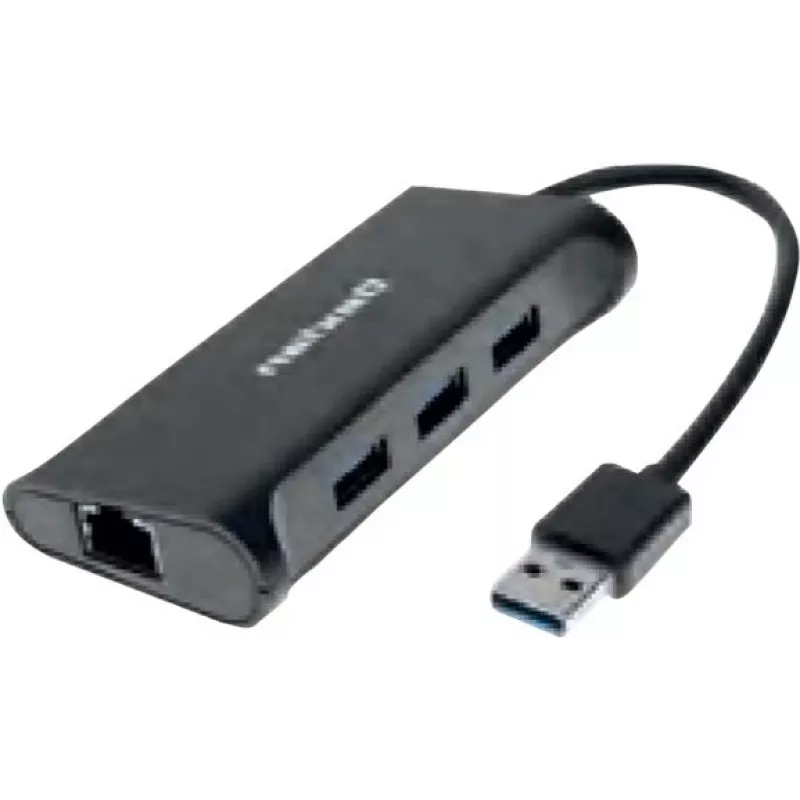
Dexlan docking hub 310723 — 3× SuperSpeed USB 3.0 ports, 1× Gigabit Ethernet (10/100/1000)

Dexlan docking hub 310723 — 3× SuperSpeed USB 3.0 ports, 1× Gigabit Ethernet (10/100/1000)
R842
The Dexlan docking hub 310723 is a compact adapter that expands a computer’s connectivity by providing three SuperSpeed USB 3.0 ports and one Gigabit Ethernet port (10/100/1000). Designed for laptops and desktops with limited ports, this docking hub enables high-speed wired network access and fast U... Read More
Stock 25 Code 2200596 Brand DEXLAN Model 310723 Warranty 2 Years

Shipping & Returns

Estimated delivery Wednesday, October 7
You will be kept updated through our detailed tracking system
Payment options
EFTPayFastBank CardSnapScanZapperGoogle PayApple PayMobicredMoreTymePay on Arrival

The Dexlan docking hub 310723 is a compact adapter that expands a computer’s connectivity by providing three SuperSpeed USB 3.0 ports and one Gigabit Ethernet port (10/100/1000). Designed for laptops and desktops with limited ports, this docking hub enables high-speed wired network access and fast USB connections for external drives, input devices and peripheral equipment. Its small footprint and plug-and-play operation make it suitable for home offices, workstations and mobile setups where stable Ethernet and additional USB interfaces are required.

Advantages

This Dexlan docking hub delivers reliable Gigabit network performance and SuperSpeed USB 3.0 data rates on three downstream ports, allowing simultaneous connection of several peripherals. The device supports straightforward, driver-free setup on most modern operating systems and reduces cable clutter by centralizing network and USB connections. Its compact design and durable housing make it convenient for transport and regular use.

Suitable for

Key specifications

How to use

Connect the docking hub to your computer using the supplied upstream cable or connector. Plug an Ethernet cable into the Gigabit Ethernet port to establish a wired network connection and insert USB devices into the available SuperSpeed USB 3.0 ports. Most systems will recognize the hub automatically and assign network and USB device interfaces without additional driver installation. Verify network settings in the operating system’s network control panel if a manual configuration is required.

Recommendations

For reliable Gigabit performance use a category 5e or higher Ethernet cable and connect to a Gigabit-capable switch or router. When transferring large files, place external storage on a single dedicated USB 3.0 port to avoid sharing bandwidth with multiple high-throughput devices. Keep the hub on a flat, ventilated surface and avoid exposing it to moisture or extreme temperatures.

Key Highlights
  • Connecting a laptop to a wired Gigabit Ethernet network
  • Adding external USB 3.0 storage drives for fast file transfers
  • Attaching keyboards, mice and printers where built-in ports are insufficient
  • Temporary docking in shared workspaces or meeting rooms
  • Improving network stability for video calls and large downloads
  • USB ports: 3 × SuperSpeed USB 3.0 downstream ports (5 Gbps theoretical transfer rate)
  • Network: 1 × Gigabit Ethernet port supporting 10/100/1000 Mbps
  • Form factor: compact external docking hub suitable for desktop or mobile use
  • Connectivity: single upstream cable/interface to host device (host connector type depends on model)
  • Compatibility: works with common desktop and laptop operating systems that support USB networking and USB 3.0
Price history over the last 6 months
Dexlan docking hub 310723 — 3× SuperSpeed USB 3.0 ports, 1× Gigabit Ethernet (10/100/1000)
Current
R842
Lowest
R827
Highest
R842
Change 24H
+R13   +2%
Week
—   
Month
—   

Popular products in this category

WhatsApp
Hi, I’m DistriNode’s AI assistant. I can help you find products, compare options, create quote PDFs, or open support requests.