Account Contact
Your Cart
Pay the courier with no extra fees.
Need help? DistriNode AI can handle any task on our site.

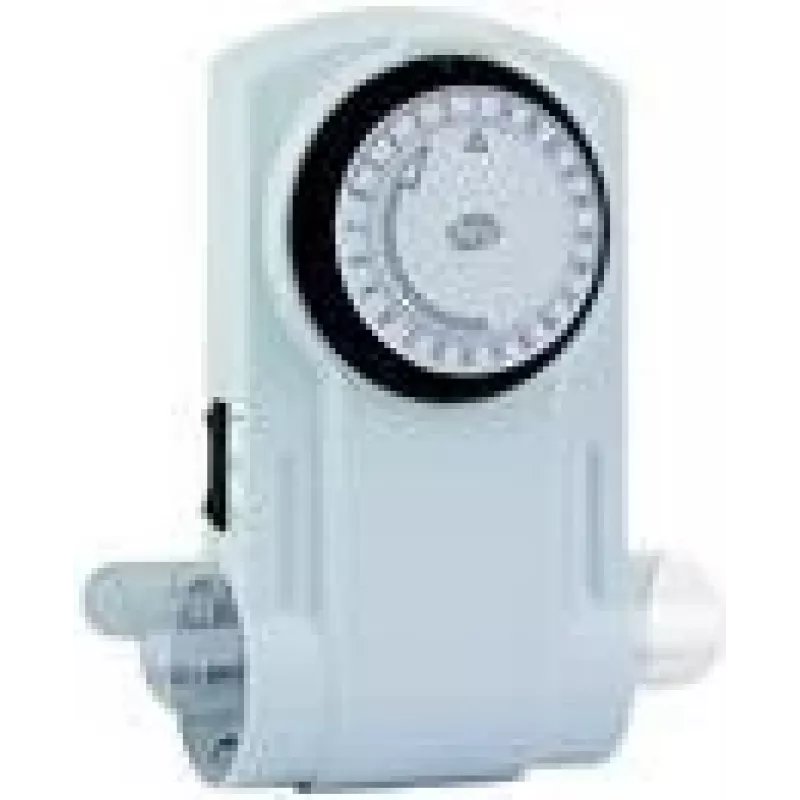
Daily timer REV 0025600103 Black White

Daily timer REV 0025600103 Black White
R470
The REV 0025600103 Black White daily timer is an analog plug-in timer intended for controlling mains-powered devices on a daily schedule. Designed for 230 V AC and 50 Hz, it enables simple time-based switching of appliances up to a rated power. The compact black-and-white housing offers a neutral ap... Read More
Stock 10 Code 1399272 Brand REV Model 0025600103 Warranty 2 Years

Shipping & Returns

Estimated delivery Thursday, October 15
You will be kept updated through our detailed tracking system
Payment options
EFTPayFastBank CardSnapScanZapperGoogle PayApple PayMobicredMoreTymePay on Arrival

The REV 0025600103 Black White daily timer is an analog plug-in timer intended for controlling mains-powered devices on a daily schedule. Designed for 230 V AC and 50 Hz, it enables simple time-based switching of appliances up to a rated power. The compact black-and-white housing offers a neutral appearance suitable for home or office power outlets while providing a mechanical dial and pointer for straightforward daily programming.

Advantages

This daily timer combines analog simplicity with mains compatibility to provide reliable on/off switching for everyday devices. Its design supports common household loads and a clear dial layout that makes setting daily on and off periods quick and intuitive. The neutral color scheme integrates well with a variety of interiors and the mechanical mechanism does not require batteries or software, reducing maintenance.

Suitable for

  • Automating lighting such as lamps and accent lights
  • Controlling small kitchen appliances and coffee makers within rated power
  • Scheduling fans, heaters or other seasonal devices within the specified load
  • Basic daily on/off control for home office equipment and chargers

Key specifications

  • Supply voltage: 230 V AC
  • Frequency: 50 Hz
  • Maximum switched power: 1800 W
  • Control type: Analog dial with mechanical segments
  • Colour: Black and white housing
  • Mounting: Plug-in unit for standard mains outlets

How to use

Plug the timer into a standard 230 V wall outlet and connect the appliance to the timer's socket. Rotate the dial to align the current time with the indicator, then set the on/off segments or tabs on the dial according to the desired daily schedule. Ensure the total power of the connected device does not exceed the rated maximum. The mechanical dial will switch the supply to the connected appliance on and off according to the set daily program.

Recommendations

Use the device only with appliances whose combined power remains below the specified maximum. Avoid connecting devices with high inrush currents that can exceed switching capacity. For continuous or safety-critical loads, consider timed control in combination with appropriate protective devices and follow local electrical regulations.

Key Highlights
  • Automating lighting such as lamps and accent lights
  • Controlling small kitchen appliances and coffee makers within rated power
  • Scheduling fans, heaters or other seasonal devices within the specified load
  • Basic daily on/off control for home office equipment and chargers
  • Supply voltage: 230 V AC
  • Frequency: 50 Hz
  • Maximum switched power: 1800 W
  • Control type: Analog dial with mechanical segments
  • Colour: Black and white housing
  • Mounting: Plug-in unit for standard mains outlets
Specifications
AC input frequency
50
AC input voltage
230
Control type
Buttons, Rotary
Display type
Analog
Maximum power
1800 W
Product colour
Black, White
Timer type
Daily timer
Price history over the last 6 months
Daily timer REV 0025600103 Black White
Current
R470
Lowest
R459
Highest
R993
Change 24H
+R7   +1%
Week
+R8   +2%
Month
+R10   +2%

Popular products in this category

WhatsApp
Hi, I’m DistriNode’s AI assistant. I can help you find products, compare options, create quote PDFs, or open support requests.