Account Contact
Your Cart
Pay the courier with no extra fees.
Need help? DistriNode AI can handle any task on our site.

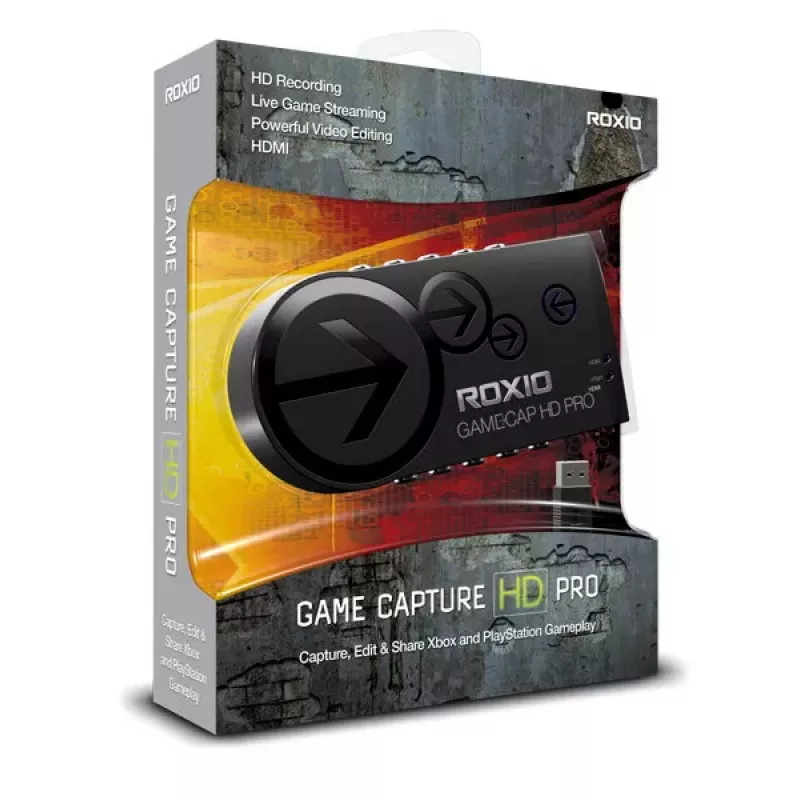
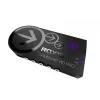
Video capturing device Roxio Game Capture HD Pro

Video capturing device Roxio Game Capture HD Pro
R2,204
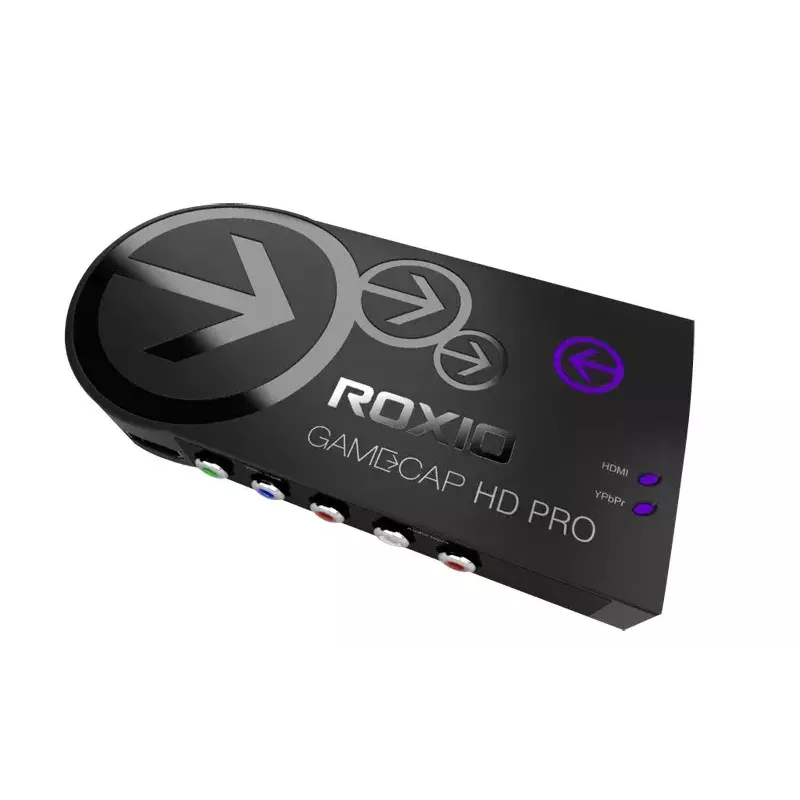
The Roxio Game Capture HD Pro is a USB 2.0 video capturing device for recording, editing and streaming gameplay from consoles and PCs. It supports HDMI and component inputs and records H.264-encoded video in resolutions up to 1080i/1080p (device supports multiple modes including 480p, 576p, 720p, 10... Read More
Stock 3 Code 2175985 Brand COREL Model RGCHDPR1MLEU Warranty 2 Years

Shipping & Returns

Estimated delivery Monday, October 5
You will be kept updated through our detailed tracking system
Payment options
EFTPayFastBank CardSnapScanZapperGoogle PayApple PayMobicredMoreTymePay on Arrival

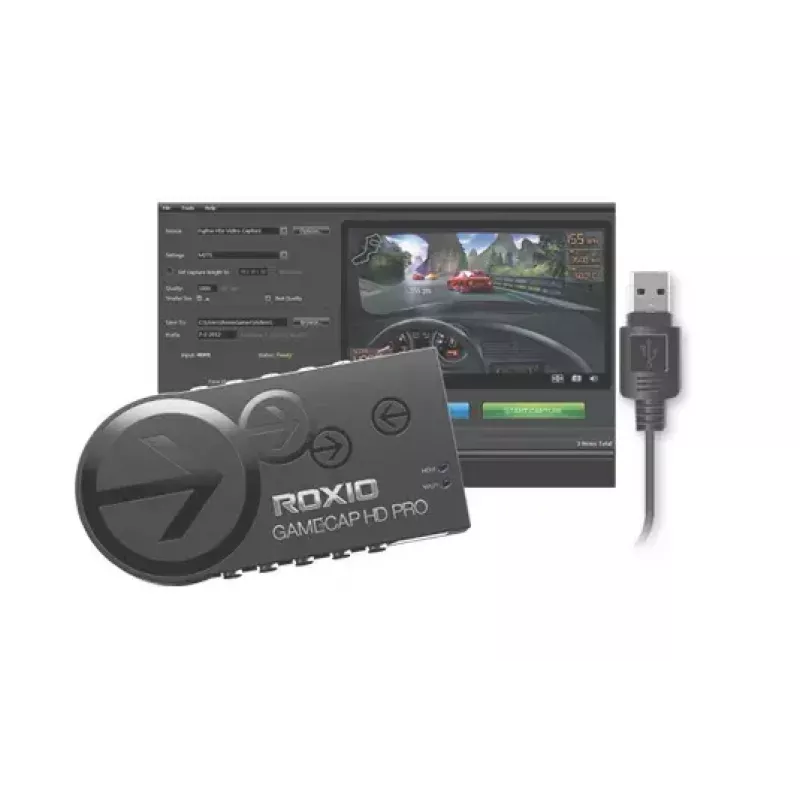
The Roxio Game Capture HD Pro is a USB 2.0 video capturing device for recording, editing and streaming gameplay from consoles and PCs. It supports HDMI and component inputs and records H.264-encoded video in resolutions up to 1080i/1080p (device supports multiple modes including 480p, 576p, 720p, 1080i and 1080p). The package includes the capture device, USB cable, Roxio recording and video editing software, and a getting started guide; an HDMI cable must be provided by the user. The device requires no external power and works with Windows operating systems.

Advantages

Roxio Game Capture HD Pro captures gameplay in HD with minimal latency and no external power supply. It integrates live streaming tools with automatic bandwidth testing for YouTube and Twitch, and bundles editing software that supports H.264 files, multiple transitions, picture-in-picture layouts, audio tracks and text overlays for post-production. One-click sharing to YouTube and Facebook is available directly from the included software.

Suitable for

Key specifications

How to use

Connect the Roxio Game Capture HD Pro to your PC via the supplied USB cable and connect your console or PC video output to the device using HDMI or component cables. Install the included Roxio recording and video editing software on a Windows PC, follow the Getting Started guide to configure input and recording settings, and choose the desired resolution and encoding options. For live streaming, run the streaming feature in the software, allow the auto bandwidth test to complete, and sign in to your YouTube or Twitch account to start streaming.

Recommendations

For stable HD capture and streaming, use a direct USB connection to the PC, ensure your PC meets Roxio software requirements, and provide a high-quality HDMI cable for the cleanest digital signal. Close unnecessary applications during capture and use the included editing tools to export finished videos to compatible formats before sharing.
Key Highlights
  • Recording console gameplay (via HDMI or component)
  • Capturing PC gameplay from graphics cards with HDMI output
  • Live streaming gameplay and commentary to YouTube or Twitch
  • Editing and personalizing game videos with transitions and overlays
  • Interface: USB 2.0
  • Video inputs: HDMI, Component
  • Supported resolutions: 480p, 576p, 720p, 1080i, 1080p
  • Encoding: H.264
  • Included: Capture device, USB cable, Roxio recording and editing software, Getting Started guide
  • OS compatibility: Windows
  • MPN: RGCHDPR1MLEU
  • EAN: 0735163139303
Specifications
Analog signal format system
NTSC
Audio (L/R) in
2
Audio formats supported
AAC, MP3, WAV, WMA
Bundled software
Roxio Game Capture
Cables included
USB
Capturing from
Game console
Component video (YPbPr/YCbCr) in
1
Component video (YPbPr/YCbCr) out
1
Composite video in
0
Export audio formats supported
AAC, MP3, WAV, WMA
Export image formats supported
BMP, GIF, JPG, PNG, TIF
Export video formats supported
AVI, DIVX, MP4, WMV
Firewire (IEEE 1394) ports
0
Harmonized System (HS) code
85176990
HDMI in
1
Headphone outputs
0
Host interface
USB 2.0
Image formats supported
BMP, GIF, JPG, PNG, TIF
Import audio formats supported
AAC, MP3, WAV, WMA
Import image formats supported
BMP, GIF, JPG, PNG, TIF
Import video formats supported
AVI, DIVX, MOV, MP4, WMV
Internal
No
Language version
DEU, DUT, ENG, ESP, ITA
LED indicators
Y
Minimum processor
Intel Core 2 Duo/AMD Athlon x2 64
Minimum RAM
2048 MB
Minimum storage drive space
10 GB
Number of HDMI outputs
1
Power supply type
USB
Quick installation guide
Yes
S-Video inputs quantity
0
Supported video modes
480p, 576p, 720p, 1080i, 1080p
USB port
Yes
USB ports quantity
1
USB version
2.0
Video compression formats
AVI, MOV, MP4, WMV
Windows operating systems supported
Windows 10, Windows 10 Education, Windows 10 Education x64, Windows 10 Enterprise, Windows 10 Enterprise x64, Windows 10 Home, Windows 10 Home x64, Windows 10 IOT Core, Windows 10 IoT Enterprise, Windows 10 Pro, Windows 10 Pro x64, Windows 10 x64, Windows 7, Windows 7 Enterprise, Windows 7 Enterprise x64, Windows 7 Home Basic, Windows 7 Home Basic x64, Windows 7 Home Premium, Windows 7 Home Premium x64, Windows 7 Professional, Windows 7 Professional x64, Windows 7 Starter, Windows 7 Starter x64, Windows 7 Ultimate, Windows 7 Ultimate x64, Windows 8, Windows 8 Enterprise, Windows 8 Enterprise x64, Windows 8 Pro, Windows 8 Pro x64, Windows 8 x64, Windows Vista Business, Windows Vista Business x64, Windows Vista Enterprise, Windows Vista Enterprise x64, Windows Vista Home Basic, Windows Vista Home Basic x64, Windows Vista Home Premium, Windows Vista Home Premium x64, Windows Vista Ultimate, Windows Vista Ultimate x64, Windows Vista x64, Windows XP Home, Windows XP Home x64, Windows XP Professional, Windows XP Professional x64
Price history over the last 6 months
Video capturing device Roxio Game Capture HD Pro
Current
R2,204
Lowest
R2,157
Highest
R2,273
Change 24H
+R13   +1%
Week
+R39   +2%
Month
+R26   +1%

Popular products in this category

WhatsApp
Hi, I’m DistriNode’s AI assistant. I can help you find products, compare options, create quote PDFs, or open support requests.