Account Contact
Your Cart
Pay the courier with no extra fees.
Need help? DistriNode AI can handle any task on our site.

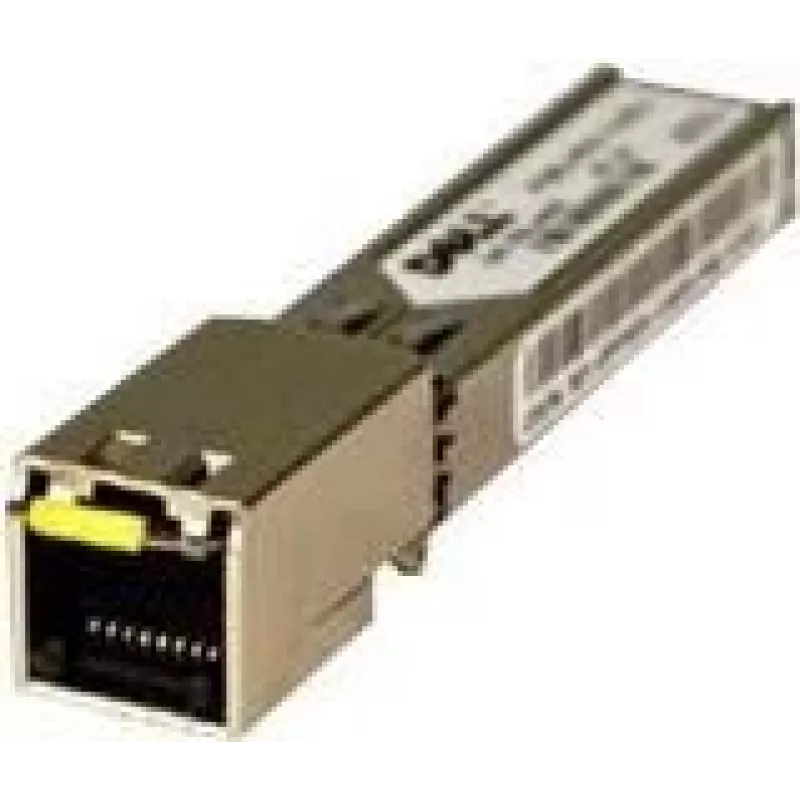
Copper mini-GBIC/SFP transceiver module DELL 407-BBOS Gigabit Ethernet

Copper mini-GBIC/SFP transceiver module DELL 407-BBOS Gigabit Ethernet
R1,921
The Dell 407-BBOS Copper mini-GBIC/SFP transceiver module provides Gigabit Ethernet connectivity for network expansion and high-speed data transmission. This hot-pluggable SFP module uses a copper interface (RJ-45) to connect to existing copper cabling and supports diagnostic monitoring of key opera... Read More
Stock 19 Code 2456067 Brand DELL Model PF911 Warranty 2 Years

Shipping & Returns

Estimated delivery Tuesday, October 6
You will be kept updated through our detailed tracking system
Payment options
EFTPayFastBank CardSnapScanZapperGoogle PayApple PayMobicredMoreTymePay on Arrival

The Dell 407-BBOS Copper mini-GBIC/SFP transceiver module provides Gigabit Ethernet connectivity for network expansion and high-speed data transmission. This hot-pluggable SFP module uses a copper interface (RJ-45) to connect to existing copper cabling and supports diagnostic monitoring of key operating parameters. It is compatible with a range of Dell Networking switches, enabling straightforward integration into Dell network environments.

Advantages

This mini-GBIC/SFP transceiver offers hot-pluggable installation for minimal downtime and a copper RJ-45 interface for simple connection to standard Ethernet cabling. The module includes an enhanced digital diagnostic monitoring interface that provides real-time access to device parameters such as transceiver temperature, laser bias current, transmitted and received optical power, and supply voltage, helping with monitoring and troubleshooting.

Suitable for

  • Expanding Gigabit Ethernet ports on Dell Networking switches
  • Replacing or upgrading existing SFP copper modules
  • Short-reach network links using standard Cat5e/Cat6 cabling
  • Environments requiring real-time transceiver diagnostics

Key specifications

  • Model: Dell 407-BBOS (mini-GBIC/SFP)
  • Interface type: Copper mini-GBIC / SFP (RJ-45)
  • Application: Gigabit Ethernet
  • Form factor: Hot-pluggable SFP
  • Diagnostics: Enhanced digital diagnostic monitoring (real-time access to temperature, bias current, transmitted/received power, supply voltage)
  • Compatibility: Compatible with various Dell Networking N- and X-series switches (see compatible models)

How to use

Power down the switch if recommended by your device documentation, insert the mini-GBIC/SFP module into an available SFP slot until it clicks into place, and connect a standard RJ-45 copper Ethernet cable to the module. Verify link status on the switch management interface and use the switch diagnostics or management software to read transceiver monitoring data. For hot-pluggable capable devices, the module can be inserted or removed without powering down, following the switch vendor's hot-swap procedures.

Recommendations

Use Cat5e or better copper cabling for Gigabit links, confirm compatibility with your specific Dell switch model (for example N2024, N2048, N3024, N3048, N4032F, N4064/F, and X1018 series), and consult switch firmware or release notes for any module compatibility requirements.
Key Highlights
  • Expanding Gigabit Ethernet ports on Dell Networking switches
  • Replacing or upgrading existing SFP copper modules
  • Short-reach network links using standard Cat5e/Cat6 cabling
  • Environments requiring real-time transceiver diagnostics
  • Model: Dell 407-BBOS (mini-GBIC/SFP)
  • Interface type: Copper mini-GBIC / SFP (RJ-45)
  • Application: Gigabit Ethernet
  • Form factor: Hot-pluggable SFP
  • Diagnostics: Enhanced digital diagnostic monitoring (real-time access to temperature, bias current, transmitted/received power, supply voltage)
  • Compatibility: Compatible with various Dell Networking N- and X-series switches (see compatible models)
Specifications
Compatible products
- Dell Networking C1048P - Dell Networking N3024ET-ON - Dell Networking N3024EF-ON - Dell Networking N4064 - PowerEdge T140 - PowerEdge XR2 - PowerEdge T330 - PowerEdge R200 - PowerEdge T620 - PowerEdge R510 - PowerEdge R330 - Dell Networking S5212F-ON - PowerEdge R610 - PowerEdge C6320 - Dell Networking X1052 - PowerVault NX400 - PowerEdge R720XD - PowerEdge R520 - Dell Networking N3048 - PowerEdge FC830 - PowerEdge R730xd XL - PowerEdge R300 - PowerEdge R720 - Dell Networking N4000 Series - PowerConnect 7024F - Dell Networking N2048 - PowerConnect M6220 - Dell Networking S4048-ON - PowerEdge R940xa - Dell Networking X1026 - PowerEdge R630 - Dell Networking N3024F - PowerEdge R230 - PowerEdge R640 - PowerEdge R805 - PowerEdge R420 - PowerEdge R515 - PowerEdge R230XL - PowerEdge R7425 - PowerEdge R815 - PowerEdge VRTX - PowerEdge R440 - PowerConnect 3524 - PowerEdge C4130 - Dell Networking S5296F-ON - Dell Networking N2024P - PowerVault NX3200 - PowerEdge R910 - PowerEdge R415 - PowerEdge T430 - Dell Networking N3024P - PowerEdge R930 - PowerEdge FX2 - PowerEdge R330XL - PowerEdge R940 - PowerVault NX440 - PowerEdge R730 - Dell Networking N3000 Series - Dell Networking S6100 - PowerEdge C6420 - PowerEdge C4140 - Dell Networking S5248F-ON - PowerVault NX3000 - Poweredge R830 - Dell Networking N1500 Series - PowerEdge R710 - PowerEdge R820 - PowerEdge T710 - PowerEdge R6415 - PowerConnect 8100 - PowerEdge T420 - PowerEdge T640 - PowerEdge M640 - PowerEdge T340 - PowerVault NX3300 - PowerEdge R920 - Dell Networking X1018 - PowerEdge M640 VRTX - PowerConnect 3548 - PowerConnect 7024 - PowerEdge FC430 - PowerEdge FC630 - PowerEdge R320 - PowerVault DL2200 - PowerEdge R900 - PowerEdge T130 - Dell Networking N4032 - Dell Networking S4048T-ON - PowerEdge 2950 III - PowerEdge T410 - PowerEdge R715 - PowerEdge T630 - PowerEdge R430 - Dell Networking N3048P - Dell Networking N3024 - Dell Networking Z9100 - PowerEdge R740XD - PowerEdge R7415 - Dell Networking S5232F-ON - PowerEdge R240 - Dell Networking N4032F - PowerEdge C6320P - PowerEdge R810 - PowerEdge FC640 - PowerEdge R340 - Dell Networking S5224F-ON - PowerEdge R730XD - Dell Networking N2024 - PowerConnect M8024K - PowerEdge R530 - Dell Networking N2000 Series - PowerEdge R540 - Dell Networking N2048P - PowerEdge R905 - PowerEdge R410 - Dell Networking N4064F - Dell Networking C9010 - PowerEdge R840 - PowerEdge R620 - PowerEdge R740 - PowerEdge T440 - PowerEdge R740xd2 - Dell Networking N3048ET-ON
Copper ethernet cabling technology
1000BASE
Ethernet interface type
Gigabit Ethernet
Ethernet LAN (RJ-45) ports
1
Harmonized System (HS) code
85369010
Hot-Plug support
Yes
Interface type
mini-GBIC/SFP
Networking standards
IEEE 802.3ab, IEEE 802.3z
Operating temperature (T-T)
0 - 85
SFP transceiver type
Copper

Leaflet

Open Leaflet
Price history over the last 6 months
Copper mini-GBIC/SFP transceiver module DELL 407-BBOS Gigabit Ethernet
Current
R1,921
Lowest
R1,901
Highest
R1,921
Change 24H
+R14   +1%
Week
—   
Month
—   

Popular products in this category

WhatsApp
Hi, I’m DistriNode’s AI assistant. I can help you find products, compare options, create quote PDFs, or open support requests.