Account Contact
Your Cart
Pay the courier with no extra fees.
Need help? DistriNode AI can handle any task on our site.

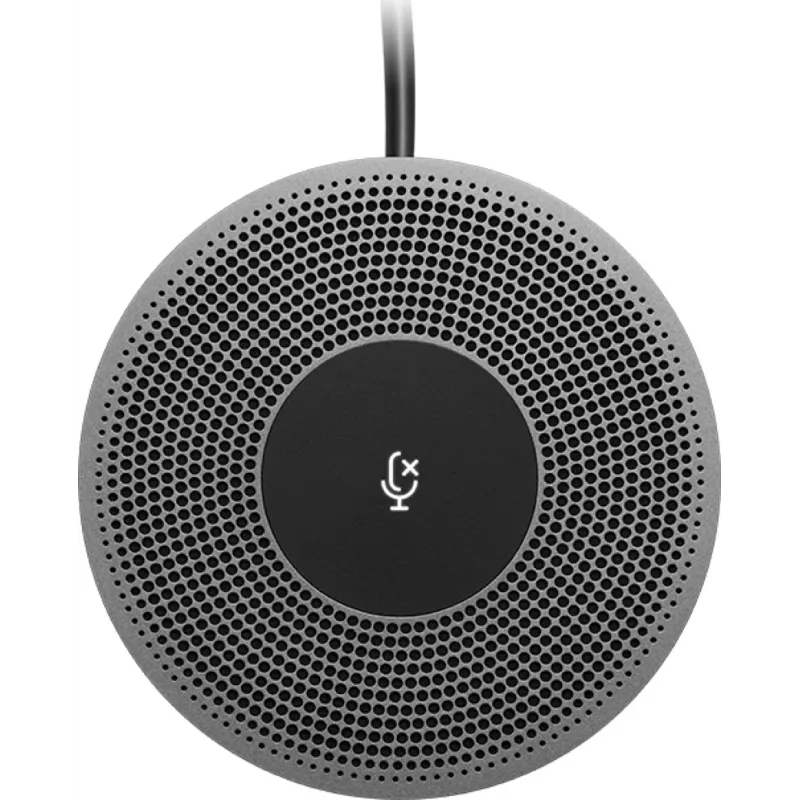
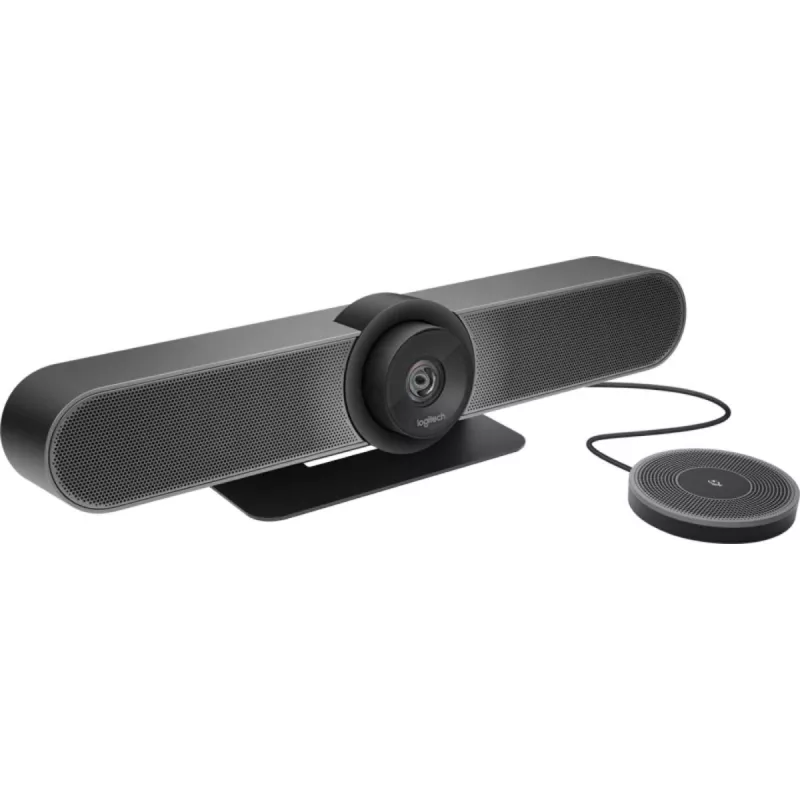
Conference microphone Logitech Expansion Mic for MeetUp

Conference microphone Logitech Expansion Mic for MeetUp
R2,933
Logitech Expansion Mic for MeetUp increases microphone coverage for small meeting spaces. While MeetUp’s built-in beamforming microphones are optimized for clear pickup up to 2.4 metres (8 feet), adding the Expansion Mic extends usable range to 4.2 metres (14 feet). The accessory helps ensure partic... Read More
Stock 50 Code 25483 Brand LOGITECH Model 989-000405 Warranty 2 Years

Shipping & Returns

Estimated delivery Wednesday, October 7
You will be kept updated through our detailed tracking system
Payment options
EFTPayFastBank CardSnapScanZapperGoogle PayApple PayMobicredMoreTymePay on Arrival

Logitech Expansion Mic for MeetUp increases microphone coverage for small meeting spaces. While MeetUp’s built-in beamforming microphones are optimized for clear pickup up to 2.4 metres (8 feet), adding the Expansion Mic extends usable range to 4.2 metres (14 feet). The accessory helps ensure participants are heard whether seated at a table, along a wall or standing. An indicator light provides visual status for mute, active call and Bluetooth pairing.

Advantages

The Expansion Mic for MeetUp expands audio pickup area without changing the main device, allowing flexible huddle room layouts. It preserves MeetUp’s beamforming performance while adding reach, helping remote participants hear all speakers. The integrated indicator light delivers simple visual feedback for mute, call activity and Bluetooth® wireless pairing.

Key specifications

  • Extended pickup range: up to 4.2 metres (14 feet)
  • Built to complement MeetUp’s built-in beamforming microphones (optimized for up to 2.4 metres / 8 feet)
  • Indicator light shows mute status, active call and Bluetooth pairing
  • Compatible accessory for Logitech MeetUp conferencing camera

How to use

Connect the Expansion Mic to the Logitech MeetUp system following the manufacturer’s cable and port instructions. Position the mic in the room to cover participants who are beyond the built-in microphone range—up to 4.2 metres (14 feet) from the MeetUp unit. Use the indicator light to verify mute state, call activity or Bluetooth pairing when setting up or during a meeting.

Recommendations

Place the Expansion Mic centrally relative to distant participants and avoid placing it near noisy equipment. Verify indicator light statuses during a test call to confirm correct connectivity and mute behavior before important meetings.

Key Highlights
  • Extended pickup range: up to 4.2 metres (14 feet)
  • Built to complement MeetUp’s built-in beamforming microphones (optimized for up to 2.4 metres / 8 feet)
  • Indicator light shows mute status, active call and Bluetooth pairing
  • Compatible accessory for Logitech MeetUp conferencing camera
Specifications
Cable length
6 m
Compatible products
Logitech MeetUp
Connectivity technology
Wired
Diameter
83 mm
Harmonized System (HS) code
85181000
Height
13.4 mm
Master (outer) case gross weight
1960 g
Master (outer) case height
203 mm
Master (outer) case length
181 mm
Master (outer) case width
167 mm
Microphone mute
Yes
Microphone weight
302 g
Number of products included
1 pc(s)
Package depth
171 mm
Package height
187 mm
Package weight
445 g
Package width
37 mm
Packaging content
Expansion microphone User documentation 2-year manufacturer’s guarantee
Plug and Play
Yes
Product colour
Black, Grey
Type
Conference microphone

Leaflet

Open Leaflet
Price history over the last 6 months
Conference microphone Logitech Expansion Mic for MeetUp
Current
R2,933
Lowest
R2,912
Highest
R3,466
Change 24H
+R21   +1%
Week
-R292   -9%
Month
-R124   -4%

Popular products in this category

WhatsApp
Hi, I’m DistriNode’s AI assistant. I can help you find products, compare options, create quote PDFs, or open support requests.