Account Contact
Your Cart
Pay the courier with no extra fees.
Need help? DistriNode AI can handle any task on our site.

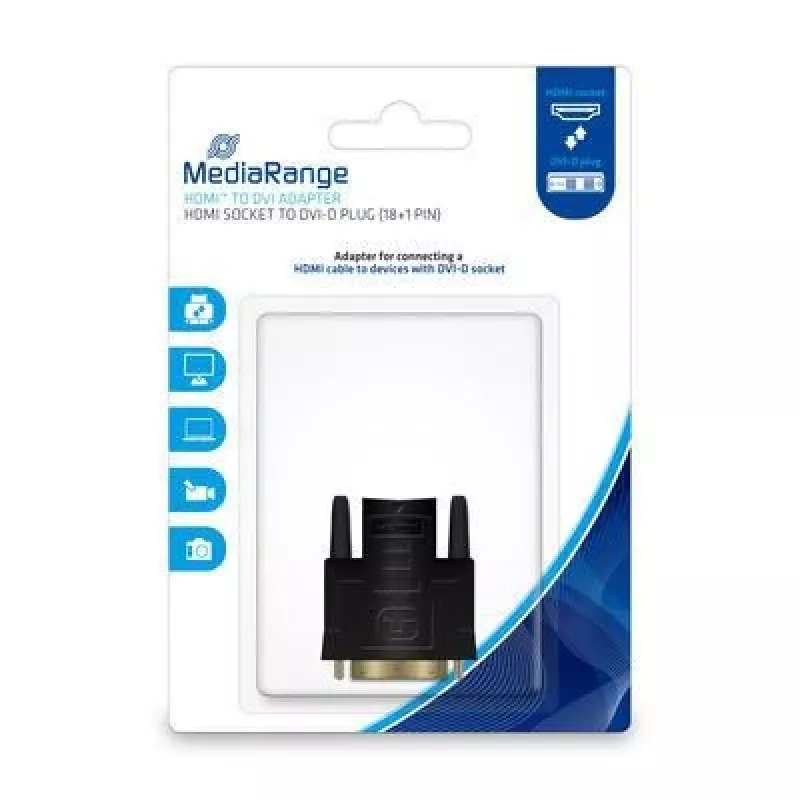
Cable Gender Changer MediaRange MRCS170

Cable Gender Changer MediaRange MRCS170
R324
MediaRange MRCS170 is a DVI-D to HDMI gender changer designed for connecting devices with DVI-D and HDMI interfaces. The adapter has gold-plated contacts to support reliable signal transfer and corrosion resistance, and its black housing fits standard AV setups.AdvantagesThe gold-plated 18+1 pin con... Read More
Stock 5 Code 1205402 Brand MEDIARANGE Model MRCS170 Warranty 2 Years

Shipping & Returns

Estimated delivery Thursday, October 8
You will be kept updated through our detailed tracking system
Payment options
EFTPayFastBank CardSnapScanZapperGoogle PayApple PayMobicredMoreTymePay on Arrival

MediaRange MRCS170 is a DVI-D to HDMI gender changer designed for connecting devices with DVI-D and HDMI interfaces. The adapter has gold-plated contacts to support reliable signal transfer and corrosion resistance, and its black housing fits standard AV setups.

Advantages

The gold-plated 18+1 pin connector improves conductivity and reduces oxidation. Compact gender changer design makes it easy to add compatibility between DVI-D and HDMI ports without bulky cables. A durable build offers stable connections for displays and graphics devices.

Suitable for

  • Connecting a DVI-D source to an HDMI input
  • Adapting HDMI cables to DVI-D devices
  • Use with monitors, graphics cards and AV equipment that accept DVI-D or HDMI

Key specifications

  • Model: MediaRange MRCS170
  • Connector 1: DVI-D (18+1 pin)
  • Connector 2: HDMI (socket/plug configuration)
  • Contacts: Gold-plated
  • Colour: Black
  • Brand: MediaRange
  • MPN: MRCS170 · EAN: 4260459615637

How to use

Plug the DVI-D plug into the DVI-D port of your source device and connect an HDMI cable to the HDMI socket of the adapter, or insert the HDMI plug into an HDMI port and connect a DVI-D cable as needed. Ensure both devices are powered off when making connections to avoid signal issues. After connecting, power the devices and select the appropriate input on your display.

Recommendations

For best results use high-quality HDMI or DVI-D cables and avoid forcing connectors; note that this passive adapter carries digital video signals only and does not convert analog DVI-A or VGA signals nor transmit audio if the source does not output audio over DVI/HDMI.
Key Highlights
  • Connecting a DVI-D source to an HDMI input
  • Adapting HDMI cables to DVI-D devices
  • Use with monitors, graphics cards and AV equipment that accept DVI-D or HDMI
  • Model: MediaRange MRCS170
  • Connector 1: DVI-D (18+1 pin)
  • Connector 2: HDMI (socket/plug configuration)
  • Contacts: Gold-plated
  • Colour: Black
  • Brand: MediaRange
  • MPN: MRCS170 · EAN: 4260459615637
Specifications
Connector 1
DVI-D
Connector 1 gender
Male
Connector 2
HDMI
Connector 2 gender
Female
Connector contacts plating
Gold
Product colour
Black

Leaflet

Open Leaflet
Price history over the last 6 months
Cable Gender Changer MediaRange MRCS170
Current
R324
Lowest
R312
Highest
R648
Change 24H
+R9   +3%
Week
+R6   +2%
Month
+R5   +2%

Popular products in this category

WhatsApp
Hi, I’m DistriNode’s AI assistant. I can help you find products, compare options, create quote PDFs, or open support requests.