Account Contact
Your Cart
Pay the courier with no extra fees.
Need help? DistriNode AI can handle any task on our site.

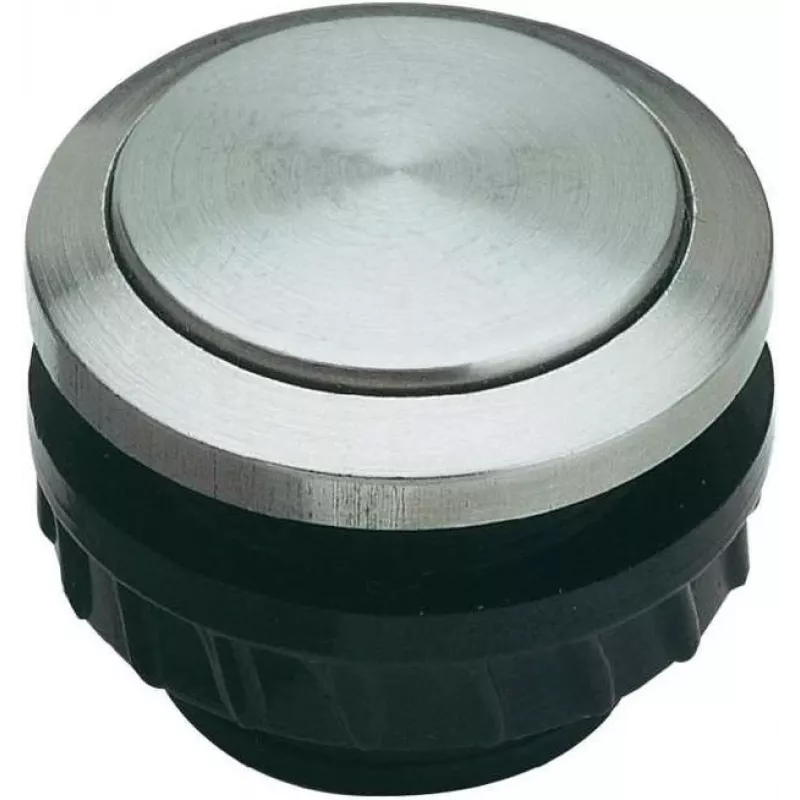
Button Grothe 62060 intercom system accessory

Button Grothe 62060 intercom system accessory
R553
The Grothe 62060 intercom system accessory is a compact call button designed for use with compatible Grothe intercom panels. Finished in black and stainless steel, the button measures 16.8 mm in width and depth and is supplied as a single unit. Its construction is intended to combine a discreet appe... Read More
Stock 112 Code 2216779 Brand GROTHE Model 62060 Warranty 2 Years

Shipping & Returns

Estimated delivery Tuesday, October 6
You will be kept updated through our detailed tracking system
Payment options
EFTPayFastBank CardSnapScanZapperGoogle PayApple PayMobicredMoreTymePay on Arrival

The Grothe 62060 intercom system accessory is a compact call button designed for use with compatible Grothe intercom panels. Finished in black and stainless steel, the button measures 16.8 mm in width and depth and is supplied as a single unit. Its construction is intended to combine a discreet appearance with mechanical durability for routine use in residential or light commercial entry systems.

Advantages

The button offers a slim profile and neutral finish that integrates with a range of intercom panel designs. Its stainless steel components resist corrosion and wear, while the black trim provides visual contrast for easy identification. The small footprint makes it suitable for panels with limited space, and the single-unit packaging allows straightforward replacement or addition to existing Grothe installations.

Suitable for

  • Replacement of a worn or damaged call button on Grothe intercom panels
  • Upgrading the appearance of an intercom station with a stainless steel accent
  • Installation in compact intercom housings where space is limited

Key specifications

  • Color/finish: black with stainless steel element
  • Dimensions: 16.8 mm width × 16.8 mm depth
  • Quantity: pack of one
  • Intended use: accessory button for compatible intercom systems
  • Material properties: corrosion-resistant metal components with durable housing

How to use

Install the button in the matching cutout of the compatible Grothe intercom panel, following the panel manufacturer's installation instructions. Ensure power is disconnected to the intercom unit before replacing or installing the accessory. Secure the button into place and verify mechanical operation by pressing to confirm proper tactile response and alignment with the panel's contact mechanism. After installation, restore power and test the button's electrical function within the intercom system.

Recommendations

For reliable performance, use the button in environments that do not exceed the environmental limits specified by the intercom system manufacturer. Clean the stainless steel surface with a soft cloth and non-abrasive cleaner to maintain appearance; avoid aggressive chemicals that could affect seals or the finish. If unsure about compatibility or installation steps, consult the Grothe product documentation or a qualified installer.

Key Highlights
  • Replacement of a worn or damaged call button on Grothe intercom panels
  • Upgrading the appearance of an intercom station with a stainless steel accent
  • Installation in compact intercom housings where space is limited
  • Color/finish: black with stainless steel element
  • Dimensions: 16.8 mm width × 16.8 mm depth
  • Quantity: pack of one
  • Intended use: accessory button for compatible intercom systems
  • Material properties: corrosion-resistant metal components with durable housing
Specifications
Brand compatibility
Grothe
Depth
16.8 mm
Material
Stainless steel
Operating temperature (T-T)
-20 - 60
Product colour
Black, Stainless steel
Product type
Button
Quantity per pack
1 pc(s)
Width
16.8 mm
Price history over the last 6 months
Button Grothe 62060 intercom system accessory
Current
R553
Lowest
R543
Highest
R592
Change 24H
-R39   -7%
Week
—   
Month
—   

Popular products in this category

WhatsApp
Hi, I’m DistriNode’s AI assistant. I can help you find products, compare options, create quote PDFs, or open support requests.