Account Contact
Your Cart
Pay the courier with no extra fees.
Need help? DistriNode AI can handle any task on our site.

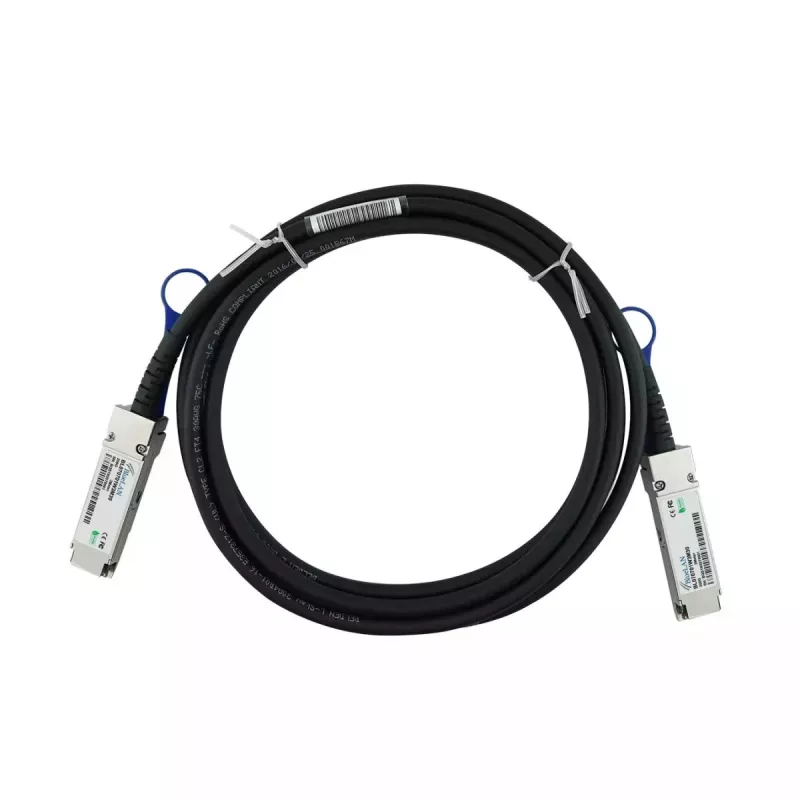
BlueOptics 4Z57A14185-BL InfiniBand Fibre Optic Cable 2m QSFP56 Male-Male

BlueOptics 4Z57A14185-BL InfiniBand Fibre Optic Cable 2m QSFP56 Male-Male
R2,882
The BlueOptics 4Z57A14185-BL InfiniBand Fibre Optic Cable 2m QSFP56 Male-Male is a 2‑metre high-speed connection option designed for short-reach links in data centers and high-performance computing environments. Featuring QSFP56 male connectors at both ends, the cable supports InfiniBand and related... Read More
Stock 90 Code 2568738 Brand BLUEOPTICS Model 4Z57A14185-BL Warranty 2 Years

Shipping & Returns

Estimated delivery Wednesday, October 7
You will be kept updated through our detailed tracking system
Payment options
EFTPayFastBank CardSnapScanZapperGoogle PayApple PayMobicredMoreTymePay on Arrival

The BlueOptics 4Z57A14185-BL InfiniBand Fibre Optic Cable 2m QSFP56 Male-Male is a 2‑metre high-speed connection option designed for short-reach links in data centers and high-performance computing environments. Featuring QSFP56 male connectors at both ends, the cable supports InfiniBand and related high-bandwidth protocols and is intended for direct device-to-device connections where low latency and reliable transmission are required.

Advantages

This QSFP56-to-QSFP56 cable delivers a compact, factory-terminated solution that reduces installation complexity and eliminates the need for separate transceivers. The 2 m length is suited to rack-to-rack or within-rack interconnects, offering consistent signal integrity for high-throughput applications. The passive construction provides low power consumption and minimal latency compared with active conversion solutions.

Suitable for

  • Short-reach links between switches and routers in data centre racks
  • Interconnects for HPC nodes and GPU clusters
  • Connections between storage systems and host adapters supporting QSFP56

Key specifications

  • Connector type: QSFP56 male to QSFP56 male
  • Length: 2 metres
  • Protocol support: InfiniBand and compatible high-speed data protocols
  • Use case: short-reach direct attach connections for high-throughput, low-latency links

How to use

Ensure both devices support QSFP56 interfaces and the intended protocol (InfiniBand or other supported high-speed standard). Insert each QSFP56 male connector firmly into the corresponding QSFP56 port until the latch engages. Verify the link state and configuration on connected devices and apply any required port settings or firmware compatibility steps recommended by the hardware vendor. For removal, release the connector latch and pull straight out without bending the cable sharply.

Recommendations

Install the cable in short, unobstructed routes inside racks or between adjacent racks to maintain signal integrity. Avoid tight bends and mechanical stress at the connector ends, and confirm hardware compatibility and firmware versions before deployment.

Key Highlights
  • Short-reach links between switches and routers in data centre racks
  • Interconnects for HPC nodes and GPU clusters
  • Connections between storage systems and host adapters supporting QSFP56
  • Connector type: QSFP56 male to QSFP56 male
  • Length: 2 metres
  • Protocol support: InfiniBand and compatible high-speed data protocols
  • Use case: short-reach direct attach connections for high-throughput, low-latency links
Specifications
AWG wire size
30
Cable length
2 m
Connector 1
QSFP56
Connector 2
QSFP56
Data transfer rate
200 Gbit/s
InfiniBand protocol
Yes
Operating temperature (T-T)
0 - 70
Package weight
160 g
Product colour
Black, Silver
Weight
0.15 kg
Price history over the last 6 months
BlueOptics 4Z57A14185-BL InfiniBand Fibre Optic Cable 2m QSFP56 Male-Male
Current
R2,882
Lowest
R2,843
Highest
R2,996
Change 24H
+R6   +0%
Week
+R33   +1%
Month
+R11   +0%

Popular products in this category

WhatsApp
Hi, I’m DistriNode’s AI assistant. I can help you find products, compare options, create quote PDFs, or open support requests.