

RAM and SSD prices in 2026 have behaved like nothing South African PC buyers have seen before, and the question everyone asks before Black Friday is simple: buy now or wait? The honest answer depends less on guessing the next price move and more on what you actually need, what platform you already own and how long you plan to keep the machine. This guide explains why memory and storage keep getting more expensive, what the latest industry forecasts really say, how those forecasts filter down to prices on a South African shelf, and how to choose between a DDR4 and a DDR5 platform if you are building a budget PC right now.
We stick to verified sources and avoid quoting product prices, because they move daily and are always shown live in our categories. Instead, you will get decision rules you can apply to your own situation, a clear comparison of the two memory platforms, a checklist and answers to the questions we hear most often from customers in Johannesburg, Cape Town, Durban and everywhere in between.
What is actually happening in the memory market
Memory chips come in two big families that matter for a PC buyer. DRAM is the working memory in RAM modules, laptops, graphics cards and phones. NAND Flash is the storage inside SSDs, memory cards and USB drives. Both are made by a small group of manufacturers, and both are being pulled hard towards artificial intelligence data centres in 2026.
The research firm TrendForce published its fourth-quarter outlook on 30 September 2026. According to the TrendForce 4Q26 memory price forecast, conventional DRAM contract prices are projected to rise 10–15% quarter on quarter, while NAND Flash contract prices are expected to increase 15–20%. TrendForce writes that DRAM suppliers continue to prioritise advanced-process capacity for high-performance server products, keeping the overall market undersupplied, although the pace of increases is expected to moderate compared with earlier in the year.
That moderation is relative. Earlier in 2026 the jumps were far steeper: in February TrendForce revised its first-quarter outlook to conventional DRAM contract prices of +90–95% and NAND Flash of +55–60% quarter on quarter, with PC DRAM expected to rise by more than 100%. In other words, the fourth quarter is not a return to normal, it is a slower climb from an already very high base.
Why AI servers take memory away from home PCs
AI accelerators use a special, stacked type of memory called HBM, and AI and cloud servers also need huge amounts of ordinary server DRAM and enterprise SSDs. In its September 2026 HBM outlook, TrendForce explains that HBM and conventional DRAM are competing for limited advanced-process and wafer capacity, keeping memory supply tight through 2027. Every wafer that becomes server or HBM memory is a wafer that does not become a desktop RAM stick.
Manufacturers follow the margin. Micron, one of the three largest DRAM makers, even announced on 3 December 2025 that it would exit the Crucial consumer business, continuing consumer shipments until the end of February 2026, in order to improve supply for larger strategic customers in faster-growing segments. Micron stated it would continue warranty service and support for Crucial products.
NAND and SSDs are under the same pressure
SSDs are affected because enterprise SSD demand is exploding. TrendForce projects enterprise SSD bit demand to grow by more than 80% year on year in 2026, and expects enterprise SSDs to be the only memory category whose price growth accelerates in the fourth quarter. Interestingly, the same release notes that for client SSDs (the ones that go into ordinary PCs) suppliers have adopted a more flexible pricing stance, because PC makers are holding inventory and buying cautiously. That is one of the few mildly positive signals for consumers.
Contract prices are not shop prices
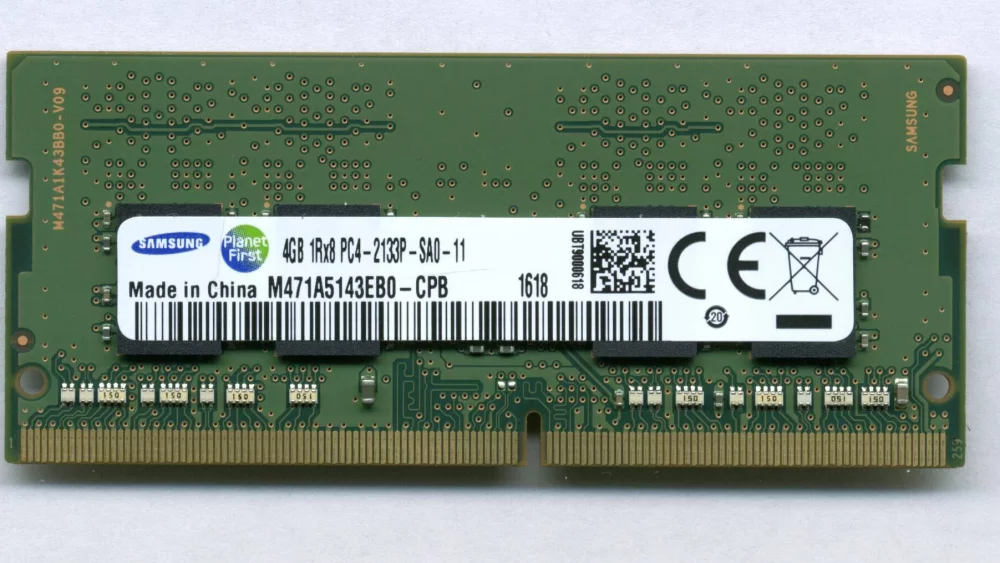
Headlines that say “RAM up 15%” usually refer to contract prices. These are the prices that large buyers such as PC makers and memory module brands negotiate with chip manufacturers, typically per quarter. They are not the price you see on a product page in South Africa, and confusing the two leads to bad buying decisions.
Between a contract price and a retail price there are several layers: the module or SSD brand, international distribution, shipping and import costs, the local distributor, the retailer and VAT. Each layer holds inventory bought at an earlier price. That is why retail prices tend to lag contract prices, sometimes by weeks and sometimes by months, and why they do not move by the same percentage.
| Price type | Who pays it | What it tells you |
|---|---|---|
| Contract price | PC makers, module and SSD brands buying chips from manufacturers | The direction of costs in the supply chain over the coming months |
| Spot price | Traders and smaller buyers on the open market | Short-term mood; very volatile, can move against the contract trend |
| Distributor price | Retailers buying stock locally | Reflects contract costs plus freight, exchange rate and stock age |
| Retail price | You, the end buyer | Everything above plus VAT, margin and promotions |
The practical lesson: a forecast of +10–15% for contract DRAM does not mean a specific RAM kit will cost exactly that much more in December. It means the cost pressure behind that kit is still pointing upwards, so a dramatic price collapse before the holidays is unlikely.
The South African angle: rand, imports and allocation
Almost every memory module and SSD sold in South Africa is imported and priced in US dollars somewhere along the chain. When the rand weakens, local prices rise even if global prices stand still; when the rand strengthens, you would normally expect some relief. In 2026, however, the global shortage has overpowered currency effects.
In a March 2026 report, TechCentral described the component price shock hitting South African buyers. Local retailers interviewed by the publication said the rand’s strength had not brought relief, with one retailer estimating that most of the pricing pressure was driven by global factors and a smaller share by exchange-rate volatility. The managing director of one local store told TechCentral that the expected gains from a stronger rand had been wiped out by global shortages.
For a South African buyer the rand is the second variable, not the first. Global memory supply sets the direction; the exchange rate decides how hard the change hits locally.
This has a practical consequence. If you see a good price on stock that a retailer already holds, that price reflects older costs. New shipments arriving after another quarter of contract increases, and possibly a weaker rand, are unlikely to be cheaper.
What the outlook for 2027 looks like
Several industry voices point in the same direction. Micron said during its fiscal 2026 earnings call, as reported by Tom’s Hardware, that it sees demand exceeding supply in both 2027 and 2028, with greater tightness than in 2026, and that it has no line of sight to when supply and demand will return to balance.
Module makers are worried too. The CEO of Taiwanese memory brand Apacer said in July 2026 that DRAM chip supply to independent module makers could drop by more than 70% in 2027, as manufacturers reserve output for HBM, server memory and large AI customers. He also estimated that roughly 60% of DRAM capacity is now directed towards server-related applications.
TrendForce adds a PC-specific warning in its 30 September release: PC makers continue to buy aggressively because they expect DRAM supply to stay tight in 2027, and PC DRAM supply could decline in 2027 as more capacity shifts to server applications. None of these are guarantees, and forecasts can be wrong, but we found no credible source predicting a sharp fall in consumer memory prices in the near term.
Black Friday and Christmas: what to realistically expect
Black Friday in South Africa has become a serious shopping event, and many people delay upgrades until late November. In a normal year that is a sensible strategy for memory and storage. In 2026 it is more nuanced.
Promotions still happen, but from a higher base
Retailers and brands will still run promotions, but a discount on a product whose base price has risen sharply during the year may leave you paying more than you would have paid a year ago. Compare the promotional price with the price history you have seen yourself, not with the “was” price on the label.
Stock matters more than the percentage
When supply is tight, popular RAM kits and SSD capacities can sell out. A deal on a 2 TB drive is useless if the size you need is gone. If your build depends on a specific capacity or speed, securing it earlier can be worth more than waiting for a possible discount.
Complete systems can hide memory costs
Pre-built PCs and laptops are priced months in advance, and TrendForce notes that PC brands are reducing SSD capacities in mainstream models to lower costs. When comparing holiday deals on complete systems, check the RAM and SSD sizes carefully, not only the processor and the price.
Buy now or wait: decision rules that work
Nobody can time the memory market perfectly. What you can do is make a decision that will not feel wrong in six months, whichever way prices move. These rules have served our customers well.
| Your situation | Sensible move | Why |
|---|---|---|
| Your PC is too slow for work or study today | Buy what you need now | Lost productivity costs more than a possible future discount |
| You run out of RAM regularly (heavy swapping, freezes) | Upgrade RAM now, within your current platform | A RAM upgrade is the cheapest big speed boost |
| Your SSD is almost full | Buy an additional or larger SSD now | A full SSD slows down and limits updates |
| You want a new PC “some time next year” | Set a budget and watch prices, but do not expect a crash | Forecasts point to tight supply in 2027 |
| You want to speculate on lower prices | Do not buy more than you need | Stockpiling memory rarely pays off for home users |
Rule 1: buy for the next three to four years, not for the next three months
If you need to buy, buy the capacity you will need for the whole life of the system. Upgrading twice is more expensive than buying correctly once, especially in a market where modules may be harder to find later.
Rule 2: upgrade inside your current platform first
If you already own a working DDR4 system, adding memory RAM or a faster SSD is almost always cheaper than moving to a new platform, which means a new motherboard, processor and memory at the same time.
Rule 3: split the purchase if the budget is tight
You can buy the components that are under the most price pressure (memory and storage) first and add the rest later. A good SSD and enough RAM can be moved to a new build if they are compatible, so check memory type before buying.
DDR4 or DDR5 for a budget PC in 2026?
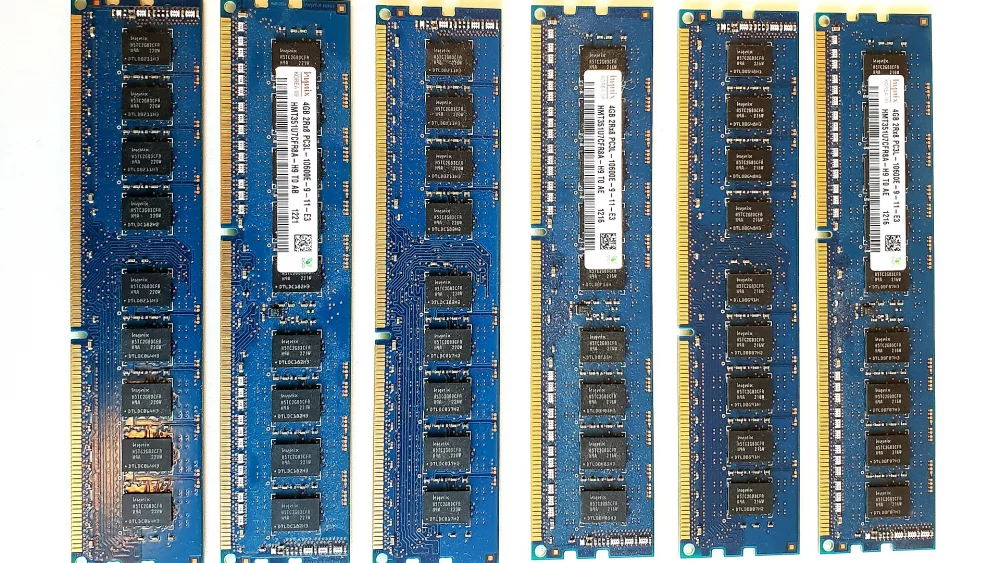
This is where many South African builders get stuck. DDR4 is the older standard, DDR5 the current one. They are not interchangeable: a motherboard supports one type or the other, and a DDR5 module does not physically fit into a DDR4 slot. So the choice of memory is really a choice of platform: processor socket, motherboard and memory together.
The DDR4 route
AMD describes its Socket AM4 platform as using DDR4 memory and PCIe 4.0 for NVMe and graphics. Intel’s 12th, 13th and 14th generation desktop processors on the LGA 1700 socket support both DDR4 and DDR5, but each motherboard is built for one type, so you choose at the motherboard stage. The DDR4 route can make sense if you already own DDR4 modules or if the total platform cost is clearly lower.
The DDR5 route
AMD’s Socket AM5 platform uses DDR5 only. AMD states that all AM5 motherboards are compatible with all AM5 processors from the Ryzen 7000, 8000 and 9000 series, although a BIOS update may be needed for newer chips on 600-series boards. Intel’s newer desktop platform (LGA 1851) is also DDR5-only. DDR5 is the path that stays upgradeable.
Is DDR4 still cheaper?
Not automatically. In 2025, Samsung, SK hynix and Micron began winding down DDR4 production to free capacity for DDR5 and HBM, and Tom’s Hardware reported that this led to a period in which DDR4 kits cost more than DDR5. Today the relationship changes from month to month, so always compare the complete platform price on the day you buy.
How much performance do you give up with DDR4?
For office work, web browsing, school projects and media, the difference between DDR4 and DDR5 is rarely noticeable in daily use. For gaming it can be. In July 2026 Tom’s Hardware retested Intel LGA 1700 processors with DDR4 and DDR5 and found roughly 11–14% lower gaming performance with DDR4 on average, with some games dropping by more than 20%. The tests used a top-end graphics card at 1080p to expose CPU and memory differences, so with a budget graphics card the gap will usually be smaller.
Rule of thumb: for a home or office PC, DDR4 is perfectly adequate. For a gaming PC you plan to upgrade over the years, DDR5 is the safer long-term bet.
Budget build comparison: DDR4 platform vs DDR5 platform
Here is how the two approaches compare conceptually. We deliberately leave out prices; check live prices for processors CPUs, motherboards and memory on the day you build.
| Aspect | DDR4 platform (AM4 or LGA 1700 DDR4 board) | DDR5 platform (AM5, LGA 1851 or LGA 1700 DDR5 board) |
|---|---|---|
| Typical use | Office, home, light gaming, reuse of existing RAM | Gaming, content creation, longer-term upgrades |
| Upgrade path | Limited; the platform is mature | Better; AMD states AM5 boards support Ryzen 7000/8000/9000 |
| Memory availability | Big manufacturers have wound down DDR4 production | Main focus of production, but supply is tight |
| Fast storage | PCIe 4.0 NVMe on AM4 | PCIe 5.0 on select AM5 boards |
| Gaming performance | Lower with fast GPUs | Higher, especially with powerful CPUs |
| Best when | You already own DDR4 modules or need the lowest entry cost | You buy everything new and keep the PC for years |
Example scenario: the student PC
A student needs a reliable PC for assignments, video calls and some casual games. If a family member can donate DDR4 modules, a DDR4 board and processor plus a new SSD is a very sensible build. If everything is bought new, compare the total platform price; if the difference is small, DDR5 gives more years of upgrades.
Example scenario: the first gaming build
For a gamer who plans to upgrade the graphics card later, DDR5 on AM5 is the more future-proof choice. Starting with a sensible amount of RAM and a good SSD, then upgrading the GPU, keeps the platform relevant for longer.
How much RAM and SSD capacity to buy right now
When prices are high, it is tempting to buy the minimum. That can be a false saving. Running out of RAM makes a PC feel slow no matter how fast the processor is, and a nearly full SSD slows down and complicates system updates.
RAM capacity guidelines
For basic office and browsing use, 16 GB remains a comfortable baseline today. For gaming, multitasking and creative work, 32 GB gives more breathing room. Buy RAM as a matched kit of two modules so the system runs in dual-channel mode, and check the motherboard’s supported memory list if you plan to add modules later.
SSD capacity guidelines
For a typical home PC, 1 TB is a practical minimum because operating system updates, apps and photos add up quickly. Gamers usually need 2 TB or more. Browse the solid state drives SSD category and compare price per terabyte, not just the sticker price; larger drives sometimes offer better value per terabyte. For backups or moving files between computers, an external solid state drive is a flexible option that does not require opening the case.
SSD buying tips while NAND prices rise
SSD prices have climbed for most of 2026, but storage choices offer more flexibility than RAM. You do not need the fastest drive to have a fast PC.
PCIe generation matters less than you think
For everyday use, a good PCIe 4.0 NVMe drive feels just as quick as a PCIe 5.0 model. Faster drives make sense for heavy file work; for most budget builds, putting the money towards capacity is smarter.
Keep an older SSD as secondary storage
If you upgrade, keep your previous SSD as a second drive for games or files, or place it in an enclosure as portable storage. This is one of the easiest ways to stretch storage capacity in an expensive market.
Upgrading an existing PC instead of building new
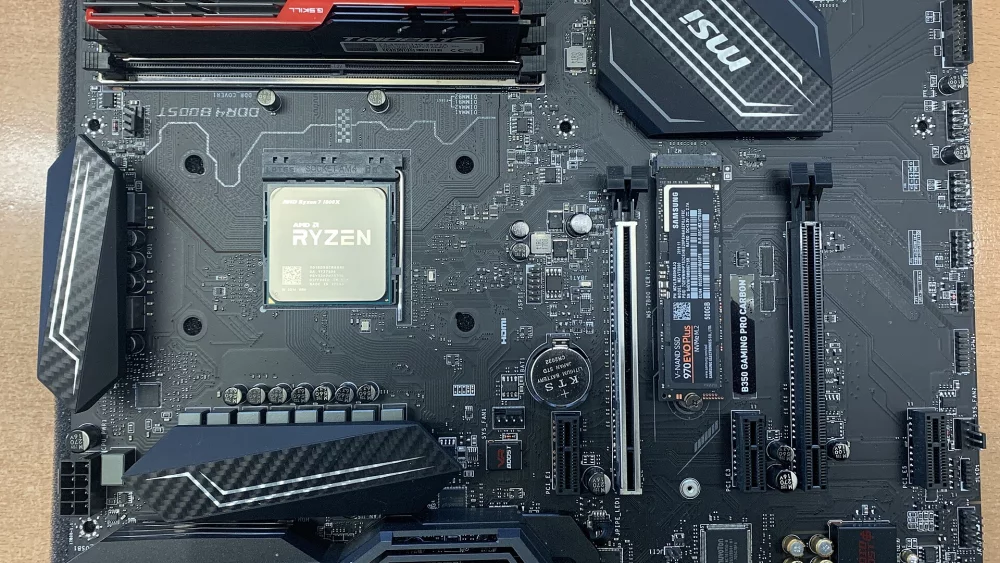
For many readers the best answer in 2026 is not to build a new PC at all. If your processor is still adequate, a RAM upgrade and an SSD can transform an older system. Check which memory type your motherboard uses (DDR4 or DDR5), how many slots are free and the maximum supported capacity. Then decide whether to add modules or replace them with a larger kit.
A working PC with more RAM and a fresh SSD is often a better investment in 2026 than a brand-new budget PC with too little memory and storage.
When mixing modules, matching speed and timings reduces compatibility issues. If you cannot find identical modules, replacing the whole set with a new matched kit is the more reliable option.
Common mistakes to avoid
- Confusing contract price forecasts with the price you will pay in a shop.
- Waiting for Black Friday for a component you urgently need, then finding it out of stock.
- Buying DDR5 modules for a DDR4 motherboard, or the other way around; they are not interchangeable.
- Choosing a DDR4 platform for a brand-new gaming PC only because memory looked cheaper on one day.
- Buying the smallest SSD to save money and running out of space within months.
- Mixing RAM modules with different speeds and timings without checking compatibility.
- Stockpiling memory as an investment; home users rarely benefit from it.
- Comparing holiday deals on complete PCs without checking RAM and SSD capacity.
Checklist before you buy RAM or an SSD
- Define the job: office, study, gaming or creative work.
- Check your motherboard’s memory type (DDR4 or DDR5), free slots and maximum capacity.
- Decide on capacity for three to four years of use.
- Prefer a matched dual-module RAM kit.
- For SSDs, compare price per terabyte and check M.2 slot support (PCIe 4.0 or 5.0).
- If building new, compare complete DDR4 and DDR5 platform prices on the same day.
- If the need is urgent, buy now; if not, set a target budget and watch prices.
- Keep older drives as secondary or external storage.
Frequently asked questions
Will RAM prices drop after Christmas 2026?
The forecasts we found do not support that expectation. TrendForce still projects contract price increases in the fourth quarter, and Micron expects demand to exceed supply in 2027 and 2028. Short-term promotions are possible, but a broad price collapse is unlikely in the near term.
Does a stronger rand mean cheaper RAM?
It helps, but in 2026 global shortages have outweighed currency gains, according to local retailers quoted by TechCentral. The rand affects how strongly global changes are felt locally; it does not set the direction.
Can I use my DDR4 RAM in a new DDR5 motherboard?
No. DDR4 and DDR5 use different slots and are not compatible. If you want to reuse DDR4 modules, you need a DDR4 motherboard, for example on AM4 or a DDR4 version of an LGA 1700 board.
Is it worth buying an SSD now or after Black Friday?
If your current drive is nearly full or failing, buy now. If you simply want more space, you can watch prices until the end of November, but with NAND contract prices still rising, waiting is a gamble rather than a sure saving.
Is 16 GB of RAM still enough?
For office work, browsing and study, 16 GB is a comfortable baseline. For gaming and heavier multitasking, 32 GB is the more future-proof choice.
Whether you are upgrading a trusted DDR4 machine or planning a new DDR5 build, DistriNode shows live prices and stock for RAM, SSDs, motherboards and processors, so you can compare platforms on the same day and buy with confidence. Explore the full range at distrinode.co.za.
Leave a comment