

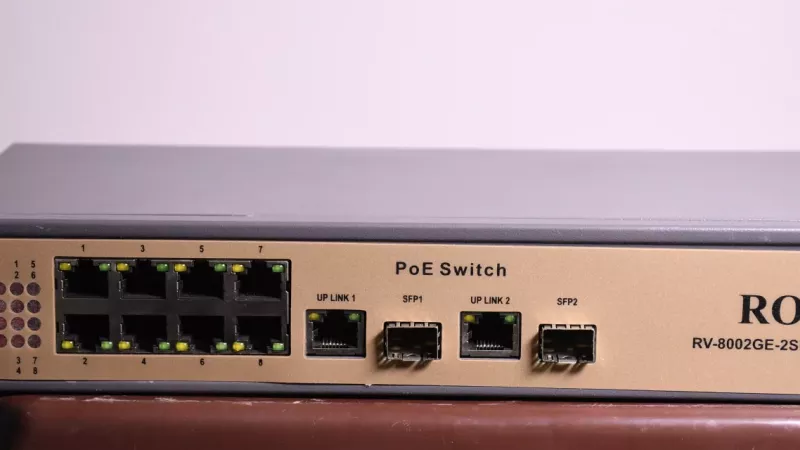
A PoE switch is one of the easiest ways to power CCTV cameras, Wi-Fi access points and VoIP phones — sending data and electricity down the same Ethernet cable, so you do not run a separate power adapter to every device. That makes installations cleaner, tidier and easier to maintain.
The buying mistake is assuming every PoE switch is the same. For a South African home office, retail shop, warehouse or small business, the right switch depends on port count, PoE power budget, camera wattage, access-point speed, cable length and whether you need management features like VLANs.
Key Takeaway: Do not buy on port count alone. The total PoE power budget is the number that actually decides whether your cameras and access points will all run — add up their wattage, leave headroom, and check the PoE standard on both the switch and the device.
PoE, PoE+ and PoE++ in Plain Language
The PoE standard sets how much power a port can deliver — and the switch and the device both have to support it. Always check the datasheet before buying.
| Standard | Also Known As | Power per Port | Typical Devices |
|---|---|---|---|
| PoE (802.3af) | Type 1 | ~15.4W | Basic IP cameras, VoIP phones |
| PoE+ (802.3at) | Type 2 | ~30W | PTZ cameras, Wi-Fi 6 APs |
| PoE++ (802.3bt) | Type 3/4 | ~60–100W | High-power APs, heaters, displays |

Start With the Device List
Before choosing a switch, count the powered devices — including the ones you will add later. A small setup may be two cameras and an access point; a larger CCTV install might be eight cameras, an NVR, a router and an uplink to another switch. Counting future devices now is cheaper than replacing the switch later for a few extra ports.
PoE Budget Matters More Than Port Count
A switch can have eight PoE ports yet still not have enough total power for eight hungry devices. The total PoE budget is the limit that counts. Add the maximum draw of each camera or access point, then leave headroom — PTZ cameras, outdoor units and newer Wi-Fi access points often draw far more than basic indoor cameras.

Managed vs Unmanaged
Unmanaged switches are simpler and fine for small installs; managed switches add control you will likely want as the network grows. A managed switch gives you VLANs, traffic separation, port monitoring, loop prevention and remote troubleshooting. For business CCTV and Wi-Fi, managed switching is usually worth it because it gives the installer far more control later.
Which PoE Switch Fits Your Job?
| Scenario | Suggested Switch |
|---|---|
| Small home CCTV | 4–8 port PoE/PoE+ with enough total wattage |
| Shop or office cameras | 8–16 port PoE+ with headroom for growth |
| Wi-Fi access points | Check PoE+ support and 2.5GbE uplink need |
| Business network | Managed switching with VLANs and monitoring |
| Long cable runs | Confirm cable quality, ~100m limit and device power |
Key Takeaway: A common, costly mistake is pairing high-power access points with a switch built for basic cameras, or ignoring uplink speed when several devices funnel traffic through one port. Size the PoE budget and the uplink, not just the ports.
How to Buy Your PoE Switch in South Africa
DistriNode stocks PoE and PoE+ switches, cabling, access points and IP cameras — matched to your power budget and backed by local expertise and fast delivery. Pair the switch with a UPS so your cameras and network stay up through power dips and outages. Useful categories: network switches, network cables, PoE switches, wireless access points and IP cameras.
Frequently Asked Questions
What is the difference between PoE, PoE+ and PoE++?
They define how much power a port delivers: PoE (802.3af) about 15.4W for basic cameras and phones, PoE+ (802.3at) about 30W for PTZ cameras and Wi-Fi 6 access points, and PoE++ (802.3bt) about 60–100W for high-power devices. The switch and the device must both support the standard.
How do I work out the PoE budget I need?
Add up the maximum power draw of every device you will connect, then add headroom (around 20–30%). Compare that total to the switch’s rated PoE budget — not just its port count — to be sure every device gets enough power.
Do I need a managed PoE switch?
For a small home install, an unmanaged switch is usually fine. For business CCTV and Wi-Fi, a managed switch adds VLANs, monitoring and remote control that make the network easier to run and troubleshoot as it grows.
How far can a PoE camera be from the switch?
Standard Ethernet runs are planned around a 100-metre limit, including patch leads. Real-world distance depends on cable quality, connectors and the device’s power needs, so use good solid-copper cable for long runs.
Sources
- Cisco — Power over Ethernet
- TP-Link business switch guide
- Axis — camera power consumption