

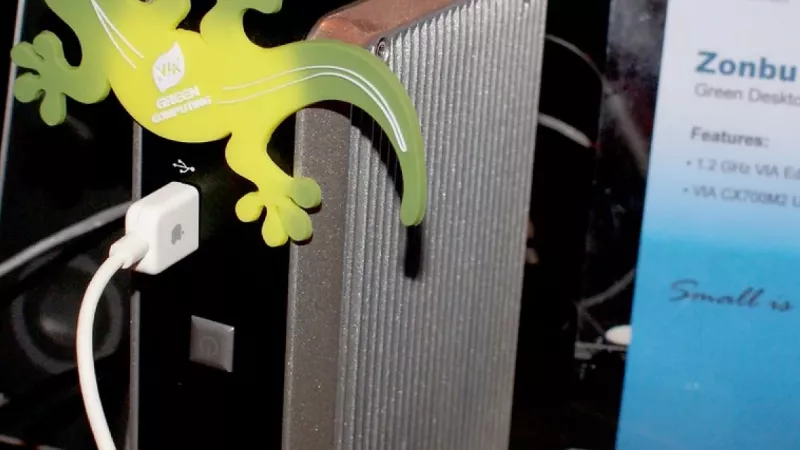
The tower desktop held its position under office desks for close to three decades, and many procurement templates still specify one out of habit. Walk through a recently equipped workplace, however, and the machines actually being installed have shrunk to the size of a hardcover book. Ultra-compact systems now represent a substantial share of commercial desktop shipments, and the drivers go well beyond aesthetics: they cost less to operate, deploy faster in volume, and comfortably handle the workloads a typical office generates.
None of this makes the tower obsolete. It simply turns the decision into a workload-analysis exercise rather than a default. The framework below approaches the question the way an experienced IT buyer would: performance requirements first, then total cost of ownership, then serviceability and fleet logistics.
What office workloads actually demand
Strip away the marketing and the standard knowledge-worker profile is remarkably consistent: a browser holding twenty tabs, an email client, office documents, a line-of-business or ERP application, and several hours of video conferencing each week. On any current-generation platform, none of these tasks is constrained by raw processor throughput. The real bottlenecks found in ageing office fleets are slow SATA drives, 8 GB of memory shared with integrated graphics, and thermal throttling inside dust-clogged chassis.
A present-day mini PC built around a 35 W desktop-class processor, or a 28 W mobile-derived chip, clears this bar with room to spare. Specified with an NVMe drive and 16 GB of RAM, it opens applications instantly, switches between virtual desktops without lag, and drives two QHD monitors simultaneously. Users migrated from a five-year-old tower to a modern compact unit almost universally describe the move as an upgrade rather than a sacrifice, because storage and memory generations matter far more to perceived speed than chassis volume does.
Total cost of ownership across a fleet
Acquisition price
Configured like for like, a compact system usually carries a modest premium over a tower in the same processor tier, because miniaturisation adds engineering cost. The gap narrows once specifications are matched to real requirements: tower quotes often include a discrete graphics card, an oversized power supply and expansion capacity that office roles never touch. Configure both machines to the actual task profile and the difference frequently shrinks to a few percent of the purchase price.
Energy consumption
Here the compact format wins decisively. A tower fitted with a 400-500 W power supply typically idles at 40-70 W depending on configuration, while a well-specified mini PC idles below 10 W and rarely exceeds 40 W under full office load. Across a hundred seats running two thousand hours a year, that difference compounds into thousands of kilowatt-hours annually, before counting the reduced strain on air conditioning during summer months. For organisations that report on energy intensity or carbon metrics, the fleet-level effect is both measurable and easy to document.
Lifecycle and refresh
Commercial-grade compact units now ship with the same three-to-five-year warranty terms as business towers, and field reliability no longer favours the larger chassis: fewer cables, fewer connectors and a sealed airflow path remove several classic failure points. Where towers retain an edge is late-life flexibility. Adding a second drive or doubling the memory in year four is trivial in a tower and only sometimes possible in a compact unit, so buyers who habitually stretch refresh cycles past five years should weigh that option seriously.
Where the tower keeps its advantage
There remain workloads for which a tower is not merely preferable but necessary:
- Discrete graphics - CAD, GIS, BIM, video editing and GPU-accelerated analytics need full-size cards with serious cooling.
- Storage depth - multiple drive bays for local datasets, scratch space or on-site backup targets.
- Expansion cards - capture hardware, specialised I/O and legacy interface cards still common in industrial and laboratory settings.
- Sustained all-core loads - compilation, simulation and rendering hold high clock speeds longer with tower-class cooling headroom.
- Component-level service - standardised parts mean a failed power supply or fan is a stocked spare, not a proprietary module.
Organisations that build rather than buy their power-user machines can also split the difference: a carefully chosen micro-ATX enclosure from the computer cases range yields a quiet, reasonably compact system that still accepts a full-height graphics card and several drives.
Space, noise and the working environment
Office density keeps rising, and the physical footprint of IT equipment has become a facilities question as much as an IT one. A compact unit mounted behind a monitor releases the under-desk volume entirely, shortens cable runs, and removes the dust trap that a floor-standing chassis inevitably becomes. In open-plan layouts the acoustic difference is just as relevant: a room with forty idling towers has an audible noise floor, while the same room on compact units is effectively silent.
The thermal picture follows the electrical one. Every watt a desktop draws ends up as heat in the room, so a fleet that consumes a third of the energy also loads the ventilation system with a third of the heat, which facilities teams notice in summer cooling budgets.
Deployment, mounting and manageability
Compact systems change rollout logistics in ways spreadsheets rarely capture. One technician carries ten units in a single crate; VESA brackets attach them behind displays in minutes; desk moves no longer require a trolley. On the software side, commercial compact lines expose the same remote-management silicon, TPM security and imaging behaviour as their tower siblings, so existing provisioning workflows transfer without modification.
The sensible spares strategy differs, though. Because compact units are swapped rather than repaired at the desk, mature IT departments hold two to three percent of the fleet as cold spares and treat a failed unit as a bench or warranty item. Downtime per incident drops from hours to minutes, which for most businesses is worth more than the theoretical repairability of a larger chassis.
A practical decision framework
- Standard office roles (administration, sales, support, management): compact unit with 16 GB RAM and NVMe storage. Nothing more is required.
- Data-heavy finance and analytics: compact unit specified to 32-64 GB, or a small-form-factor tower where large datasets live locally.
- Design, engineering and media: tower with discrete graphics and expanded storage - no compact substitute exists yet.
- Reception, kiosks and meeting rooms: compact, mounted out of sight, managed remotely.
- Mixed estates: standardise on exactly two SKUs - one compact, one tower - to simplify imaging, spares and procurement.
Both categories are represented in depth among the desktop PCs and workstations available through DistriNode, which lets a buyer settle the form-factor question role by role instead of fleet-wide.
Frequently asked questions
Is a mini PC powerful enough for heavy spreadsheet and BI work?
Yes, provided memory is specified correctly. Large workbook models and BI dashboards are memory-bound before they are CPU-bound, so a compact unit ordered with 32 GB will outperform a tower with 8 GB in exactly the scenarios finance teams complain about. Verify the maximum supported memory before purchase, as some ultra-small models are limited to two SODIMM slots.
How many monitors can a compact office PC drive?
Current business-class mini PCs typically expose two or three video outputs across HDMI, DisplayPort and USB-C, and triple-monitor setups at standard office resolutions are routine. Check output specifications only if you need 4K at high refresh rates on every display simultaneously.
What is the realistic service life in daily office use?
Five to six years for a commercial-grade unit, matching business towers. The practical limit is usually the platform - memory standards, connector generations and operating-system support - rather than component failure.
How large are the real electricity savings?
A defensible planning figure is 60-120 kWh per seat per year when replacing conventional towers with compact units on a standard eight-hour office pattern. At fleet scale the savings fund a meaningful share of the next refresh cycle.
Are compact systems harder to repair?
Board-level repair is less practical, but in fleet operation this matters little: the economic model is swap, reimage and return to service. Memory and storage remain user-replaceable in nearly all commercial compact lines.
Do compact units support the same security and management standards?
Commercial lines do: TPM 2.0, remote management options, chassis-intrusion variants and standard imaging support are all available. The consumer segment is less consistent, which is one more reason business buyers should stay within commercial product families.
The direction of travel is clear. For the majority of office seats the compact form factor is now the rational default, with towers reserved deliberately - and justified individually - for the roles that genuinely exploit them.
Leave a comment