

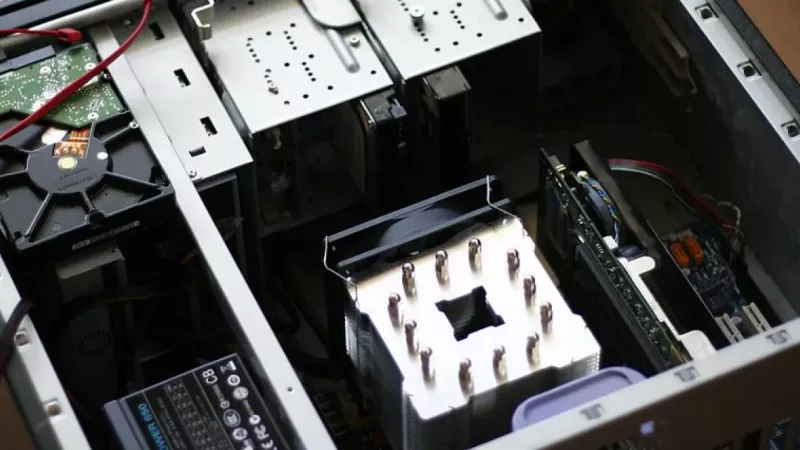
If you’re looking to build a PC, a micro ATX case is often the perfect middle ground. It gives you far more breathing room for components and cooling than a tiny Mini-ITX build, but without the sheer bulk of a full ATX tower.
Think of it as the versatile hatchback of the PC world—compact enough to save space, but with enough room under the hood for some serious performance. It has become the go-to for sensible builds that need to be both powerful and practical.
The Sweet Spot of PC Building
The case you pick is more than just a box; it’s the foundation for your entire build. It determines what motherboard you can use, how you'll cool your components, and how much desk space the finished PC will take up. While hardcore enthusiasts might go for massive towers and minimalists love tiny Mini-ITX systems, the micro ATX computer case has quietly become the most popular and practical choice for most people.
So, what makes it the "sweet spot"? It all comes down to a smart compromise between size and capability. A micro ATX (mATX) case is built for mATX motherboards, which have a standard size of 244mm x 244mm. This makes them shorter than regular ATX boards, which in turn allows for a much smaller case.
This compact design comes with some real-world advantages:
- It saves space. This is the big one. An mATX case fits neatly on or under a desk, making it perfect for a home office, a student dorm, or any gaming setup where space is tight.
- You still get decent expansion. Unlike its smaller Mini-ITX cousin (which usually only has one slot), an mATX board offers up to four expansion slots. That’s plenty of room for a beefy graphics card and other essentials like a Wi-Fi card or a sound card.
- It’s often cheaper. Both mATX cases and motherboards tend to be more affordable than their full-sized ATX equivalents. This frees up budget for the parts that really impact performance, like your CPU and graphics card.
A micro ATX computer case is for anyone who wants desktop power without the traditional desktop footprint. It sidesteps the tight constraints of ultra-small builds while cutting out the wasted space of a giant tower.
Growing Demand in South Africa
This balanced approach isn't just a niche trend; it’s a major force in the local market. For the Middle East and Africa region, including South Africa, the micro ATX computer case market was valued at around USD 65 million in 2024.
Forecasts show this figure growing to almost USD 100 million by 2033, which points to a clear and steady demand for these compact, efficient PCs. You can explore more analysis on the PC cases market growth on datahorizzonresearch.com.
This tells us that South African builders—from professional system integrators to DIY home users—are increasingly choosing the mATX platform. It delivers all the performance they need for gaming, work, or even a small home server, without taking over their entire room.
Matching Your Components to Your mATX Case
Building a PC in a micro ATX computer case is a bit like a game of Tetris. Every piece has its place, and if one doesn't fit, the whole thing can grind to a halt. Unlike those massive full ATX towers where you can get away with just throwing components in, mATX builds demand a bit more foresight to dodge common compatibility headaches.
The goal is to avoid that sinking feeling when you realise your beastly new graphics card is a few millimetres too long, or that high-end CPU cooler stops the side panel from closing. Getting these details right from the start is the key to a smooth, frustration-free build.
This diagram here really captures the appeal of the mATX form factor, showing off its great balance of a compact footprint, versatile features, and solid performance.
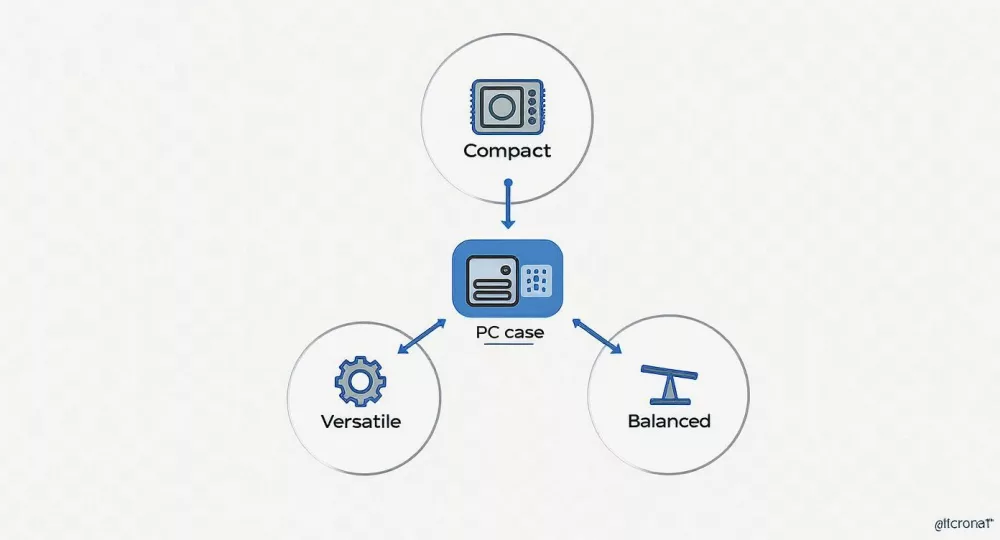
As you can see, it hits that sweet spot that makes it the perfect foundation for a wide range of builds, all without hogging your entire desk.
Graphics Card and CPU Cooler Space
Let's talk about the two biggest troublemakers: the graphics card (GPU) and the CPU cooler. Case manufacturers know these are potential pain points, so they list the maximum supported dimensions right on the spec sheet. Pay close attention to these numbers.
- GPU Length: A top-tier graphics card can be deceptively long. You absolutely have to check the case's maximum GPU length against the card you want to buy. No exceptions.
- CPU Cooler Height: Big air coolers are brilliant for taming hot CPUs, but they can be seriously tall. Always measure the max CPU cooler height the case supports to make sure it will fit cleanly under the side panel.
Trust me, forgetting these two measurements is one of the most common and easily avoided mistakes in PC building. A quick check of the specs can save you the major hassle of returns.
Power Supply Unit Standards
Not all power supply units (PSUs) are built the same. While most mATX cases will happily accept a standard ATX PSU, some of the more compact or creatively designed models will demand a smaller SFX (Small Form Factor) power supply.
Opting for an SFX PSU in a compatible case can be a clever move. It frees up a surprising amount of internal space, which makes cable management far less of a nightmare and can even help with airflow. Just be aware they can sometimes cost a bit more. The bottom line? Always confirm which PSU standard your case is designed for.
A quick pro tip for any mATX build: go for a modular or semi-modular PSU. Being able to use only the cables you actually need is a game-changer in a tight space. It cuts down clutter massively and makes a huge difference to how clean your build looks and how well it breathes.
Liquid Cooling and Radiator Support
If you’re planning on going the All-In-One (AIO) liquid cooling route, radiator support is non-negotiable. The case specifications will tell you exactly which radiator sizes it can handle (120mm, 240mm, 280mm, etc.) and where you can mount them (front, top, or rear).
A few things to keep in mind:
- Top vs. Front Mounting: Mounting a radiator at the top is generally ideal, as it pushes hot air straight out of the case. But in some snug mATX cases, your only option might be a front-mounted radiator.
- RAM Space: If you are top-mounting, check there's enough room between the radiator (and its fans) and your motherboard's RAM slots. This is especially true if you've got memory sticks with tall, fancy heat spreaders.
- Thickness Matters: The radiator's thickness plus the fans can take up a lot of space. Double-check the total space to avoid it bumping up against your motherboard's heatsinks or other components.
Planning Your Storage Drives
Last but not least, think about your storage. Most micro ATX cases have dedicated spots for different drive sizes, but the number and type can vary wildly from one model to another.
- 2.5-inch Bays: These are for your standard SATA SSDs.
- 3.5-inch Bays: These house the larger, traditional mechanical hard drives (HDDs). Many modern cases have clever convertible bays that can take either size.
Before you buy anything, map out how many SSDs and HDDs you plan to install now and in the future. Make sure the case has enough dedicated bays to cover your needs. And remember, M.2 drives mount directly onto the motherboard, so they don't take up any drive bays at all!
Micro ATX Case Component Checklist
To help you keep track of it all, here's a quick checklist. Run through this before you finalise your parts list to ensure everything will play nicely together inside your new mATX case.
| Component | Key Specification to Check | Common mATX Range/Standard | Pro Tip |
|---|---|---|---|
| Motherboard | Form Factor | Micro ATX (244 x 244 mm) | Double-check that you haven't accidentally selected a Mini-ITX or full ATX board. |
| Graphics Card | Length (mm) | 280mm - 340mm | Always measure! High-end cards can be much longer than you expect. |
| CPU Cooler | Height (mm) | 150mm - 165mm | Slimmer cases have much less room; this is a critical check for air coolers. |
| Power Supply | Form Factor & Length | ATX or SFX | Confirm the required standard. A modular PSU is highly recommended for cable management. |
| AIO Radiator | Size & Mounting Location | 120mm, 240mm, 280mm | Check the space around the RAM and motherboard heatsinks, especially for top-mounted radiators. |
| Storage Drives | Number of Bays | 2-4 (2.5") / 1-2 (3.5") | Count your required SSDs/HDDs and ensure the case has enough dedicated spots. |
Using this table as a final sanity check can be the difference between a smooth, enjoyable build and a weekend spent wrestling with parts that just won't fit.
Micro ATX vs Mini ITX vs Full ATX
Choosing a PC case is a bit like picking out a new car. Are you after a massive SUV with space for absolutely everything? A tiny city car you can park on a dime? Or a versatile hatchback that hits the sweet spot between space and practicality? PC case form factors—Full ATX, Mini-ITX, and the micro ATX computer case—follow a very similar logic, each with its own set of trade-offs.
Getting this choice right is crucial. It doesn't just decide how big your computer will be; it sets the boundaries for future upgrades, dictates your cooling potential, and can make the difference between an easy build and a frustrating puzzle. Let's break down what you stand to gain, and what you have to give up, with each size.
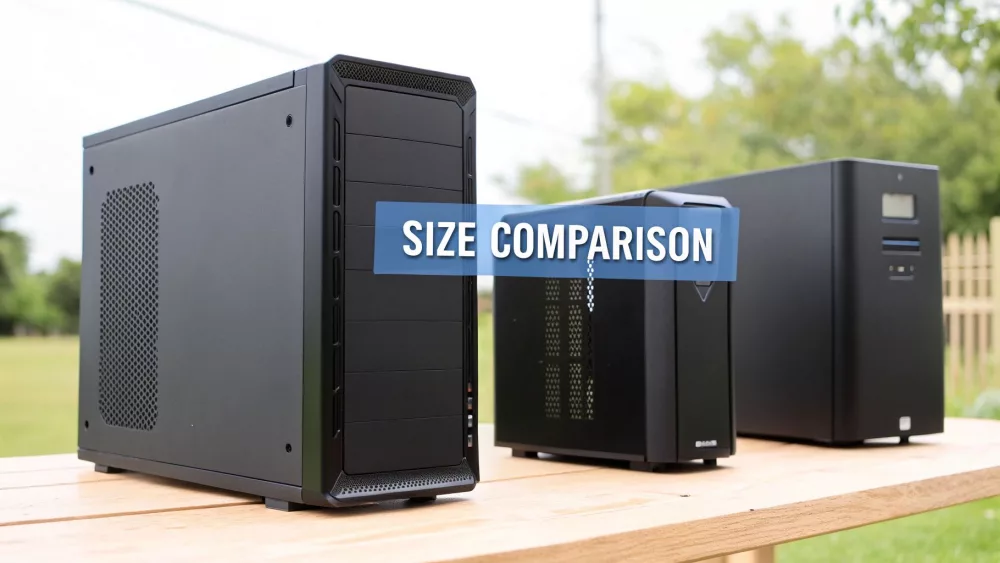
The Full ATX Behemoth
Think of the Full ATX case as the big SUV of the PC world. It’s huge, spacious, and built for people who refuse to compromise on performance. These towers are the go-to chassis for extreme gaming rigs and heavy-duty professional workstations that need every last drop of power.
Their main selling point is the sheer amount of internal space. This cavernous interior makes building a dream and gives you unmatched flexibility for whatever components you want to throw in.
- Maximum Expansion: Full ATX cases fit the largest motherboards, meaning you get the most PCIe slots for multiple graphics cards, capture cards, or any other specialised hardware.
- Unrivalled Cooling: There’s more than enough room for complex custom water-cooling loops, huge radiators, and an army of fans. This makes them perfect for overclocking top-tier CPUs and GPUs.
- Easy to Build In: With all that elbow room, routing cables and installing parts is a breeze, even if it's your first time building.
The catch? Size. A full tower takes up a serious amount of desk or floor space and is frankly overkill for the average person who just needs one graphics card and a couple of drives.
The Mini ITX Minimalist
On the complete opposite end of the scale, you have the Mini-ITX case—the ultra-compact city car. These tiny enclosures are brilliant for minimalist desk setups, home theatre PCs (HTPCs), or portable rigs you can take to a LAN party. Their tiny footprint is a massive plus.
But that small size comes with some serious compromises. Building in a Mini-ITX case is a tight squeeze that demands careful planning and very specific components. Space is the ultimate luxury here.
Mini-ITX builds are a masterclass in compromise. You gain an incredibly small footprint but sacrifice ease of assembly, expansion options, and often, thermal performance.
Here’s what you’re trading off:
- Limited Upgrades: A Mini-ITX motherboard has only one PCIe slot, so your expansion is limited to a single graphics card. That’s it.
- Thermal Challenges: Less space means heat builds up quickly. Good cooling relies on clever component choices and fan placement, and you can forget about fitting most large air coolers.
- Component Restrictions: You have to be meticulous. Checking GPU length and cooler height is non-negotiable, and you’ll often need a specialised (and more expensive) SFX power supply.
The Micro ATX All-Rounder
This brings us to the micro ATX computer case: the popular, well-balanced hatchback. It sits perfectly in the middle, offering a "just right" solution that works for the vast majority of PC builders. It’s a fantastic blend of a more compact size without giving up real-world capability.
An mATX case is a good deal smaller than a full tower, saving you precious desk space, but it offers so much more breathing room and flexibility than a cramped Mini-ITX build. You get plenty of space for powerful gaming hardware, solid cooling, and an assembly process that won’t drive you mad.
Here in the South African market, we see these practical considerations play out. While massive ATX cases get a lot of search traffic from hardcore enthusiasts, the micro ATX format sees steady, strong demand as the go-to for a versatile and compact build. You can dig deeper into these motherboard market trends at Mordor Intelligence.
For most people—whether you’re putting together a home office PC, a potent single-GPU gaming rig, or even a small home server—the micro ATX case simply hits the perfect sweet spot. It gives you all the room you actually need, without the wasted space and bulk you don’t.
Mastering Airflow in a Smaller Space
When you're building in a roomy full ATX tower, you can often get away with a less-than-perfect airflow setup. Things are just… spaced out. But in the tighter confines of a micro ATX computer case, managing heat isn't just a "nice-to-have"—it's absolutely critical.
Think of it like this: a big ATX case is like an open-plan warehouse. Heat has plenty of room to spread out and dissipate. A micro ATX case is more like a small, busy workshop. Without good ventilation, it gets hot, fast. Your job is to keep a steady breeze flowing through to ensure your components stay cool, stable, and performing at their best.
The goal is to create a clean, predictable path for air. You want to pull cool air in, guide it directly over your hottest parts (like the CPU and GPU), and then get that hot air out of the case as quickly as possible.
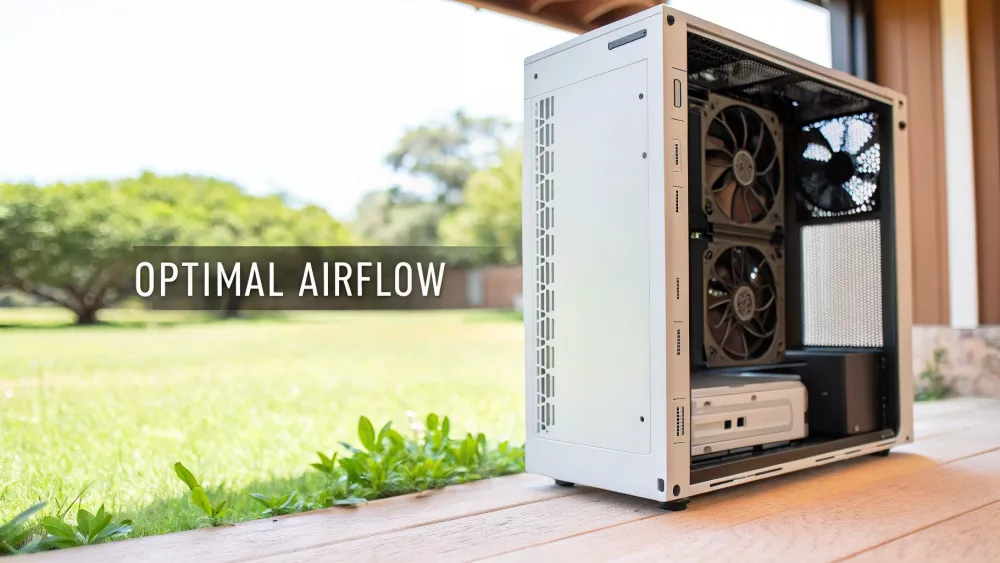
Positive vs Negative Air Pressure Explained
To get that air moving correctly, you need to understand the basic concept of air pressure inside the case. Don't worry, it's simpler than it sounds. It all boils down to how many fans are pulling air in versus how many are pushing it out.
- Positive Pressure: This happens when you have more intake fans than exhaust fans. The case is actively pushing air out through all the little unfiltered gaps and vents, which is fantastic for keeping dust to a minimum.
- Negative Pressure: This is the opposite—more exhaust fans than intake. While it can be very effective at pulling heat out, it also creates a vacuum effect, sucking in air (and dust) through every available crack.
For most builds, especially in South Africa's often dusty environments, aiming for a slightly positive or neutral pressure setup is the winning formula. It gives you that sweet spot between great cooling and a cleaner PC.
A Tried-and-Tested Fan Setup for mATX Cases
While every case has its quirks, there's a classic fan layout that works wonders for the vast majority of mATX designs. It’s all about creating a simple, effective airflow channel from front-to-back and bottom-to-top.
- Front Intake: Start with one or two fans at the front of the case, pulling in cool air. This is your system's primary source of fresh air.
- Rear Exhaust: Place one fan at the back, usually near the CPU cooler, to push hot air straight out.
- Top Exhaust (Optional but recommended): If the case allows, adding one or two fans at the top for exhaust is a huge help. Since heat naturally rises, this gives it a perfect escape route.
This simple formula—in at the front, out at the back and top—is the cornerstone of good cooling. It directs that fresh air right over your motherboard, CPU, and graphics card before showing the resulting heat the door.
Clear the Path with Smart Cable Management
Here's the final piece of the puzzle: the best fan configuration on earth won't do much good if the air's path is blocked by a bird's nest of cables. Inside a micro ATX computer case, good cable management isn't just for looks; it's a vital part of your cooling strategy.
Messy cables create turbulence and pockets of stagnant, hot air, which can slowly cook your components. A few simple tricks can make all the difference:
- Go Behind the Scenes: Route as many cables as you can behind the motherboard tray. Modern cases are designed for this, with plenty of space and tie-down points.
- Get a Modular PSU: A modular power supply is a game-changer for small builds. You only use the cables you absolutely need, which dramatically cuts down on clutter.
- Zip Ties are Your Best Friend: Use zip ties or velcro straps to bundle loose cables together and tuck them neatly against the chassis, keeping them well out of the airflow path.
By combining a smart fan layout with tidy cabling, you ensure your compact PC will run cool, quiet, and reliably, even when you're pushing it hard.
A Procurement Guide for System Integrators
For anyone in the business of building systems—be it a reseller, a system integrator, or an IT procurement manager—sourcing components is a constant juggle. You're balancing performance, price, and reliability every single day. When it comes to the incredibly popular micro ATX computer case, getting your purchasing strategy right can make or break your margins and your clients' happiness. This is your playbook for sourcing these cases smartly in the South African market.
Getting procurement right is about more than just hunting for the lowest price. It’s about building solid relationships with suppliers, getting a real feel for local stock levels, and having a go-to process for weighing up your options. A good strategy means you can consistently land the best hardware for your builds, whether you’re kitting out an entire office or crafting high-end gaming rigs.
The demand for this form factor isn't just a niche—it's the mainstream. In fact, Micro-ATX has pretty much taken over as the dominant motherboard size in the South African PC building scene. In 2024, these boards claimed a massive 46.23% of the regional market share. That popularity directly fuels the demand for mATX cases, which makes having a solid procurement plan absolutely vital for your business. To get a deeper dive into the technicals, check out this guide on computer hardware specifications at iFixit.
Creating a Procurement Checklist
Before you even start talking to suppliers, put together a detailed checklist. It’s the easiest way to standardise how you evaluate cases and ensures you’re always comparing apples with apples, without missing any crucial details.
- Check SKUs and Regional Quirks: Always confirm the Stock Keeping Units (SKUs) are the ones meant for the South African market. This simple step helps you dodge annoying surprises like power supply compatibility issues or small design changes that weren't mentioned in reviews.
- Talk Volume Discounts: Never just accept the sticker price, especially for bulk orders. Make it a habit to ask suppliers about their tiered pricing. A distributor like DistriNode, for instance, often has volume-based discounts that can seriously improve your cost per build.
- Get Clear on Warranty and RMAs: Make sure you understand the Return Merchandise Authorisation (RMA) process inside and out. How long is the warranty? Who’s paying for shipping on a return? A clunky returns process can chew through your profits and hurt your reputation.
- Confirm Stock Consistency: It's smart to partner with distributors who actually keep consistent stock. Nothing stalls a project and sends you scrambling for pricier alternatives faster than finding out your go-to case is out of stock.
Partnering With the Right Distributors
Who you buy from is just as important as what you buy. A great distributor feels more like a partner than just a supplier; they provide the kind of reliability and support that actually helps you grow. Look for suppliers with a solid online platform that makes it easy to check stock, place orders, and manage your invoices.
Building a real relationship with a distributor who gets what system integrators need is a game-changer. They should offer more than just boxes; they should be providing logistical solutions, predictable delivery times, and a human on the other end of the line when you need support.
Using a single, unified catalogue from a platform like DistriNode can save you a ton of time. Instead of juggling multiple supplier websites and contacts, you get one central place to see inventory from loads of trusted sources. It just makes finding the exact micro ATX computer case you need that much simpler.
Using a Specification Sheet for Comparison
To keep your decisions objective, a simple specification sheet is your best friend. It helps you compare different models by focusing on the specs that actually impact your builds and your bottom line, cutting through all the marketing noise.
Below is a quick template you can adapt. It forces you to look at the practical details that matter for every build.
Sample Micro ATX Case Procurement Specification Sheet
| Feature/Specification | Model A SKU | Model B SKU | Model C SKU |
|---|---|---|---|
| Material Quality | Steel / Tempered Glass | Steel / Acrylic | Steel / Mesh |
| Max GPU Length (mm) | 330 mm | 310 mm | 340 mm |
| Max CPU Cooler (mm) | 160 mm | 155 mm | 165 mm |
| Included Fans | 1x 120mm Rear | None | 2x 120mm Front |
| Front I/O Ports | 2x USB 3.0, 1x Type-C | 2x USB 3.0 | 2x USB 2.0, 1x 3.0 |
| PSU Form Factor | ATX | ATX | ATX / SFX Support |
| Cost Per Unit (Volume) | R 950 | R 850 | R 1100 |
This kind of structured approach takes the guesswork out of procurement. It ensures every purchasing decision you make is backed by clear data that lines up with your business goals and, most importantly, your clients' needs.
Got Questions About Micro ATX Cases?
Alright, let's tackle some of the common questions that pop up when people start looking at a micro ATX computer case. Getting these sorted out from the start will save you a lot of headaches later and help you build with confidence.
Can I Fit a Full ATX Motherboard in a Micro ATX Case?
That’s a definite no. A standard ATX motherboard is physically longer than a micro ATX board, so it just won't line up with the mounting standoffs or even fit inside the chassis. A micro ATX computer case is built specifically for mATX motherboards (and often the even smaller Mini-ITX boards).
Think of it this way: you can't park a bus in a garage built for a car. The foundation just isn't right. Always make sure your motherboard's form factor matches your case—it's the golden rule of PC building.
Are Micro ATX Cases Any Good for High-End Gaming?
They absolutely are. The old idea that you need a giant tower for a beastly gaming rig is a thing of the past. Plenty of modern mATX cases are brilliantly designed for airflow, with enough space for massive, triple-slot graphics cards and support for liquid cooling radiators.
You can easily build a monster gaming PC with a single, top-tier GPU in an mATX chassis without compromising on performance one bit. The trick is simply to do your homework. Double-check the size limits for your GPU and CPU cooler before you hit the "buy" button.
So, What Are the Downsides of a Micro ATX Case?
The main trade-offs really boil down to two things: expansion slots and elbow room. Compared to a full ATX build, you’ll have fewer PCIe slots. This means less room for extras like capture cards, dedicated sound cards, or multiple GPUs.
The compact interior also means cable management becomes crucial, not just for looks but for decent airflow. You have to be a bit more strategic with your parts, as a massive air cooler or an extra-long power supply can make the build process a tight squeeze.
The core trade-off with a micro ATX computer case is simple: you give up some expansion options in exchange for a much smaller, tidier footprint on your desk. For most people who just need one GPU, it's a compromise that makes a lot of sense.
Is Building in a Micro ATX Case Harder Than ATX?
It can be a little more fiddly, but I wouldn't call it hard. The main difference is simply having less space for your hands to work in. It’s still a perfectly manageable build for anyone, from a first-timer to a seasoned pro, and it’s a whole lot easier than trying to cram everything into a tiny Mini-ITX case.
Want to make your life easier? Pick a case known for good cable management options and seriously consider a modular power supply. Getting rid of all the unused cables makes a massive difference in a smaller build, leaving you with a cleaner look and a system that runs much cooler.
For all your business procurement needs—whether you're building a fleet of office PCs or sourcing parts for high-performance client rigs—DistriNode brings together a unified catalogue from over 100 trusted South African distributors. Simplify your purchasing and find the perfect micro ATX computer case for any project at https://www.distrinode.co.za.
Leave a comment