

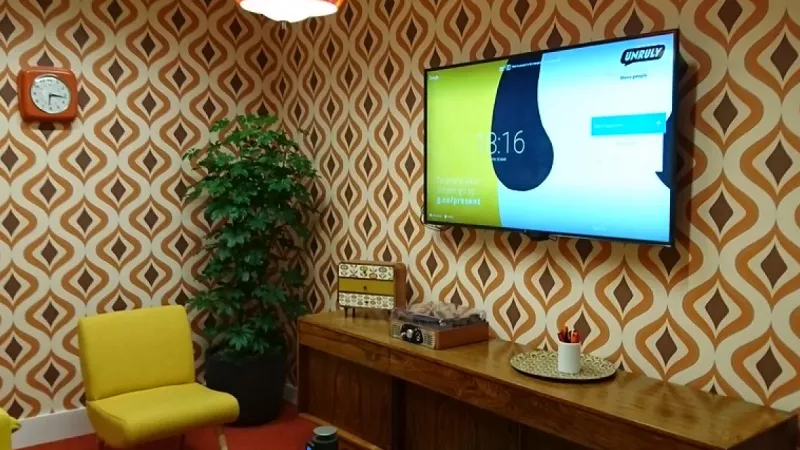
Every organisation that equips a meeting room eventually reaches the same fork in the road: hang a projector from the ceiling or mount a large-format display on the wall. A decade ago the choice was nearly automatic, because flat panels beyond 65 inches carried prohibitive price tags. Today an 85-inch commercial screen often costs less than a mid-range laser projector installation, and the decision has become genuinely balanced. That makes it worth a structured evaluation instead of a habit-driven purchase.
This guide works through the criteria that matter most in a corporate environment: image size, ambient light, total cost of ownership, maintenance overhead and readiness for hybrid meetings. The aim is to give IT and procurement teams a defensible framework rather than a universal verdict, because the right answer depends heavily on the room itself.
How the market shifted
Two developments changed the equation. Panel manufacturing matured first: 75-, 85- and even 98-inch displays moved from exotic to mainstream, with commercial-grade models rated for 16/7 or 24/7 duty cycles and warranties written for business use. Projection answered with solid-state laser light sources that removed lamp replacement from the maintenance schedule and pushed brightness past 5,000 lumens in compact chassis. Both product families are stronger than ever, so the real differentiators now sit in the room: its dimensions, its windows and the way people actually meet in it.
Where projectors keep the advantage
Projection remains the most economical route to a very large image. Once the required diagonal passes roughly 100 inches, the cost curve of flat panels climbs steeply, while a projector simply throws a bigger picture onto a bigger screen.
- Image size per euro: a 120- or 150-inch projected image costs a fraction of an equivalent LED wall or oversized panel.
- Boardrooms and training halls: when the farthest viewer sits eight metres or more from the screen, projection scales without a step change in budget.
- Discreet installation: a ceiling-recessed projector with a motorised screen disappears when not in use, which matters in representative spaces.
- Flexible formats: ultra-wide or dual-image layouts are easier to realise with projection than with fixed panels.
The trade-offs are equally clear: projectors depend on controlled lighting, need occasional filter or calibration attention, and turn the purchase into a screen, mounting and cabling project rather than a single boxed product.
Where large-format displays win
For the majority of rooms seating four to twelve people, a commercial display between 65 and 98 inches has become the default recommendation, and for good reasons.
- Immunity to ambient light: panels delivering 350 to 700 nits stay legible next to a window wall where a projected image washes out.
- Instant readiness: the screen reaches full brightness the moment a meeting starts, with no warm-up period and no fan noise.
- Minimal maintenance: no lamps, no filters, no converging optics; a wipe of the glass is the entire service plan.
- Consistent colour: spreadsheets, CAD drawings and brand assets render with a contrast that a lit room would steal from a projector.
You can compare current large-screen options in the TV, video and display category, where commercial panels sit alongside presentation screens of every diagonal.
Brightness and ambient light: the decisive variable
If one factor should dominate the decision, it is light. A projector produces an image by adding light to a surface, so every lumen of ambient illumination lowers effective contrast. A display emits its own light, so daylight only matters when it causes direct reflections. As a rule of thumb, a meeting room with untreated windows or bright architectural lighting needs either a panel or a projector in the 5,000-lumen class paired with an ambient-light-rejecting screen — and at that point the projector has lost most of its price advantage.
Sizing the image: distance rules that hold up
Screen size should follow viewing distance, not aesthetics. Two well-established guidelines cover most business content:
- The 6x rule for mixed content: the farthest viewer should sit no more than six times the image height away for slides and video.
- The 4x rule for detailed work: spreadsheets, dashboards and engineering drawings demand a maximum distance of four times the image height.
A worked example: in a room where the last chair is 4.8 metres from the front wall, detailed content calls for an image height of at least 1.2 metres — roughly a 98-inch 16:9 diagonal. A 75-inch panel that looks enormous in a showroom is undersized for that room, while a modest projector delivers the height easily. Reversing the logic, in a 3-metre huddle space a 55- or 65-inch screen is fully sufficient, and projection would be overkill.
Five-year total cost of ownership
Purchase price is only the opening entry. A credible comparison includes energy, consumables, mounting hardware and service time.
A useful budgeting exercise: list every cost each option generates over five years — screen or panel, mounts, cabling, lamps or filters, electricity, and the hours your technicians will spend on it. The cheaper headline price frequently ends up the more expensive line item.
Lamp-based projectors typically consume a replacement lamp every 3,000 to 5,000 hours; laser models remove that cost but start higher. Commercial displays draw predictable power and rarely generate support tickets. In most rooms for eight to ten people evaluated over a five-year horizon, the panel finishes cheaper; in auditorium-scale spaces the projector retains the lead because no affordable panel reaches the required diagonal.
Hybrid meetings raise the bar
Remote participation quietly rewrote the requirements. A washed-out projected image looks even worse through a videoconferencing camera, and dimming the lights for projection leaves in-room participants poorly lit for the far end. Displays pair naturally with soundbars, cameras and wireless presentation systems, and dual-panel layouts keep shared content and remote faces visible simultaneously. If your meeting culture is hybrid-first, that alone justifies leaning toward panels in standard rooms. For adjacent focus rooms and desks that join the same calls, properly sized computer monitors complete the estate with the same signal chain and cabling standards.
A practical selection framework
Distilled into a checklist, the decision usually resolves in minutes:
- Measure the distance from the screen wall to the farthest seat and derive the required image height.
- Assess ambient light honestly, including summer afternoons, not just the day of the site visit.
- Count weekly meeting hours to estimate duty cycle and energy cost.
- Decide whether remote participants are occasional guests or daily fixtures.
- Only then compare hardware prices for the options that satisfy all four answers.
Teams that follow this sequence rarely regret the outcome, because the room specification — not the brochure — makes the choice.
Frequently asked questions
Is 4K resolution necessary in a meeting room?
For slides viewed at recommended distances, Full HD remains acceptable, but 4K has become the sensible default: it future-proofs the room, sharpens fine text in spreadsheets and carries a shrinking price premium on both panels and projectors.
How bright should a meeting room display be?
Between 350 and 500 nits suits most offices; rooms with extensive glazing benefit from 700-nit commercial panels. For projectors, plan 3,500 lumens as a floor in partially lit rooms and 5,000 or more where the lights stay on.
Can a consumer TV do the job instead of a commercial display?
In a lightly used room, often yes. Commercial models add longer duty-cycle ratings, business warranties, stronger mounting points and management interfaces for fleet control — differences that matter once screens run all day across many rooms.
What lifespan should we plan for?
Commercial panels are typically engineered for 50,000 hours or more. Laser projectors quote 20,000 to 30,000 hours to half brightness; lamp models need consumables far earlier. In calendar terms, both comfortably exceed a five-year refresh cycle at normal office usage.
Which screen size fits a room for six to eight people?
With the farthest viewer around four metres away, a 75-inch panel covers presentations well and an 85-inch panel adds comfort for data-heavy content. Projection only becomes interesting in such rooms when image sizes beyond 100 inches are explicitly required.
Specified this way, either technology can serve a decade of meetings well — and distribution partners such as DistriNode carry both paths, from 98-inch conference panels to laser projection, within the video and display range.
Leave a comment