


Choosing a laptop for programming is a decision about waiting time. It sets how long builds, containers and test runs take, how long the battery lasts when the power goes, and how soon you will need a replacement. Your workload sets the requirements: a front-end student, an iOS contractor and a data scientist need very different machines.
This guide gives a minimum and a recommended specification for each development stack and compares three budget tiers with approximate rand ranges. It also covers the checks that matter in South Africa: battery life during outages, keyboard layout, warranty and local repair.
Why the right laptop for programming saves hours every week
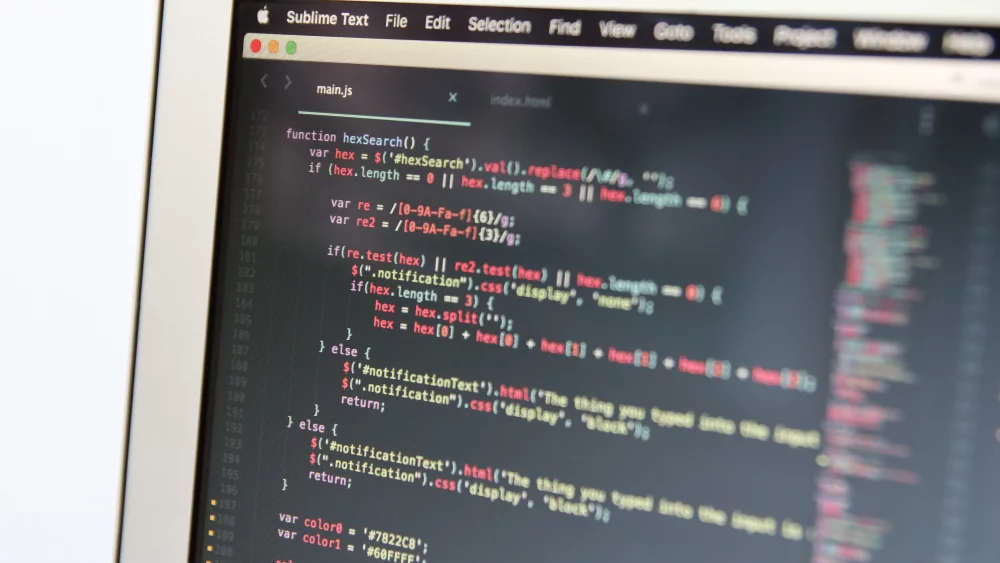
An underpowered developer laptop rarely fails outright. Instead it slows you down in small steps: the IDE pauses while indexing, a Docker stack takes minutes to start, an emulator stutters.
How a slow developer laptop costs you time
Forty extra seconds per build, repeated fifty times a day, costs more than half an hour a day. Over a month that is more than a full working day. The best laptop for coding is therefore the one without a bottleneck for your workload, not the most expensive one. The most common bottleneck is too little RAM, followed by a small, nearly full SSD.
Rule of thumb: if your laptop regularly uses more than 85–90% of its memory during a normal working day, a faster processor will not help. More RAM will.
What changed for developers in 2026
Containers are now standard. In the 2025 Stack Overflow Developer Survey, with more than 49,000 responses from 177 countries, 71.1% of respondents used Docker, a 17-point jump from 2024 and the largest single-year increase of any technology surveyed. Every container uses memory in the background, and AI coding assistants and heavier IDEs add to the load.
Memory has also become expensive. TrendForce reported in December 2025 that notebook brands were raising prices and cutting specifications because of the memory shortage. In July 2026 it expected conventional DRAM contract prices to rise another 13–18% in the third quarter, with retail notebook prices rising across the board. So buy the RAM you will need for the next three to four years at the start.
The specs that matter for code: CPU, RAM, SSD and screen
Treat official IDE requirements as a floor, not a target. JetBrains lists IntelliJ IDEA system requirements of a 4-core x86_64 or arm64 processor, 8 GB of total RAM with 3 GB available to the IDE, 10 GB of disk space and a 1280 × 720 display. That opens the IDE; it does not keep it responsive next to a browser, a database and a local server.
CPU cores and why efficiency matters
Compiling, test suites and front-end bundling use every core, while typing and code completion depend on single-core speed. A current mid-range chip, such as an Intel Core Ultra 5 or 7, an AMD Ryzen 5 or 7, or an Apple M-series, handles both. Treat 8 cores or more as comfortable. Efficiency matters as much as peak speed: a chip that stays cool at low power keeps the fans quiet and leaves battery in reserve when the grid fails.
16 GB vs 32 GB RAM for programming
How much RAM for programming do you need? Let your tools decide:
8 GB. Enough for learning in a lightweight editor, but full once an IDE and a browser are open. Avoid it on a new laptop.
16 GB. The realistic minimum for professional web development, scripting, a JetBrains IDE and a small Docker setup.
32 GB. The right amount for Docker Compose stacks with several services, Android emulators, virtual machines, data science notebooks and game engines.
64 GB or more. Worth it for large Unreal projects, running local language models or heavy virtualisation.
The 16 GB vs 32 GB RAM for programming choice is often permanent: thin laptops frequently have memory soldered to the motherboard. If the specification sheet lists no SO-DIMM slots, the RAM you buy on day one is the RAM you keep.
If memory is soldered, choose the next size up. Going from 16 GB to 32 GB at purchase costs far less than replacing the laptop two years early.
SSD capacity and screen size for coding
IntelliJ IDEA asks for 10 GB of disk space and the Android Emulator for 16 GB, and Docker images, SDKs and package caches keep growing from there. A 512 GB SSD is the practical minimum, and 1 TB is the comfortable size for mobile, data or game work. Apple now starts the MacBook Air (M5) at 512 GB of storage and 16 GB of unified memory.
For screen size for coding, 14 inches is the best balance of portability and working space, while 15–16 inches suits developers who rarely carry the laptop. Resolution matters more than diagonal size. Look for at least 1920 × 1200: at the same width, a 16:10 panel shows 120 more rows of pixels than a 1920 × 1080 panel. If you work near windows, choose a low-reflection panel with at least 300 nits of brightness.
Match the laptop to your stack: web, mobile, data science, game development
The table turns vendor requirements and typical workloads into specifications per stack, with the minimum before the slash and the recommended value after it.
| Stack | CPU | RAM | SSD | GPU | OS |
|---|---|---|---|---|---|
| Web and front-end | 6 cores / 8 cores | 16 GB / 32 GB with Docker | 512 GB / 1 TB | Integrated | Any: macOS, Windows with WSL 2, Linux |
| Mobile: iOS | Apple M-series / M-series with more cores | 16 GB / 24–32 GB | 512 GB / 1 TB | Integrated | macOS only |
| Mobile: Android | 6 cores with virtualisation / 8+ cores | 16 GB / 32 GB | 512 GB / 1 TB | Integrated | Windows, macOS or Linux |
| Data science and ML | 8 cores / 8+ high-performance cores | 16 GB / 32–64 GB | 512 GB / 1–2 TB | Integrated plus cloud / NVIDIA RTX, 8–16 GB VRAM | Linux or Windows with WSL 2; macOS for Apple silicon workflows |
| Game development | Quad-core / 8+ cores | 16 GB / 32 GB | 1 TB / 2 TB | 8 GB VRAM / 12–16 GB VRAM | Windows 11; macOS for Apple platforms |
| DevOps and containers | 6 cores with hardware virtualisation / 8+ cores | 16 GB / 32 GB | 512 GB / 1 TB | Integrated | Linux, macOS or Windows with WSL 2 |
Two patterns stand out: every stack except simple web work benefits from 32 GB of RAM, and only two of the six need a dedicated GPU.
Laptop for web development
A laptop for web development has the lightest requirements. Node.js tooling, a local database, several browsers with developer tools open and an editor such as Visual Studio Code all fit in 16 GB. Add a Docker Compose stack with an API, a database and a cache, and 32 GB stops the laptop swapping to disk. Integrated graphics are enough. If your users are on Safari, plan for access to a Mac or a cloud testing service.
Mobile development: iOS needs macOS, Android needs memory
Here the operating system is decided for you. Xcode, which you need to build apps for iPhone, iPad, Apple Watch and Vision Pro, runs only on macOS. Since 28 April 2026, App Store Connect has required apps to be built with Xcode 26 or later. Xcode 27 needs macOS Tahoe 26.6 or later, and Apple lists only Macs with Apple silicon as compatible with macOS 27. A second-hand Intel MacBook is no longer a sensible way into iOS development.
For iOS work, the question is not whether a Mac is better, but whether it runs the Xcode version Apple requires. If not, it cannot publish apps.
Android development works on all three platforms, but Google recommends at least 16 GB of RAM and 16 GB of disk space for the Android Emulator. With 32 GB you can run two emulators, or one alongside a back-end stack. Flutter or React Native teams shipping to both app stores need a Mac with enough memory for both toolchains.
Laptop for data science and machine learning
Python was used by 57.9% of Stack Overflow respondents, up 7 percentage points in a year. A laptop for data science needs memory first, because libraries such as pandas load whole datasets into RAM. Plan on 16 GB for coursework and 32 GB for professional analysis.
A GPU matters once you train or fine-tune models locally. Most machine learning libraries target NVIDIA’s CUDA first, and RTX 50-series laptop GPUs range from 8 GB of VRAM (RTX 5050, 5060 and most RTX 5070 models) through 12 GB (RTX 5070 Ti) and 16 GB (RTX 5080) to 24 GB (RTX 5090). Apple silicon shares unified memory with the GPU, so a 32 GB Mac can hold larger models, although library support is narrower. For occasional training, Google Colab’s free tier runs GPU notebooks for up to 12 hours, subject to availability.
Game development, DevOps and containers
Game engines are the most demanding category. Epic’s recommended hardware for Unreal Engine is Windows 11, a quad-core Intel or AMD processor at 2.5 GHz or faster, 32 GB of RAM and a DirectX 12 graphics card with 8 GB or more of video memory. Unity 6.6 recommends at least 8 GB of RAM and has deprecated Intel Macs in favour of Apple M1 or later.
DevOps work is limited by memory rather than graphics. Docker Desktop on Windows requires a 64-bit processor with SLAT, hardware virtualisation enabled in the BIOS or UEFI and at least 8 GB of system RAM. Docker Desktop for Windows on Arm is still in early access and does not support Windows containers, so an x86-64 Windows laptop or an Apple silicon Mac is the safer choice. Businesses should check the licence: organisations with more than 250 employees or more than US$10 million in annual revenue need a paid subscription.
Docker Desktop’s 8 GB minimum is only the cost of entry, before a single container runs. A Compose stack with a database, a cache and two services fits comfortably only in 32 GB.
macOS, Windows or Linux: the operating system decision
Choose the operating system by where your code will run and which tools you cannot do without. Most production servers run Linux, iOS apps require macOS, and some enterprise and game work requires Windows.
MacBook vs Windows for programming
The MacBook vs Windows for programming choice comes down to efficiency versus flexibility. A MacBook combines a Unix-based terminal with the efficiency of Apple silicon. Apple quotes up to 15 hours of wireless web browsing from the 53.8 Wh battery in the 1.23 kg, 13-inch MacBook Air (M5). The trade-offs: no later upgrades, no CUDA and fewer independent repair options.
Windows offers the widest range of hardware and prices, models you can upgrade, and native support for .NET, DirectX and game engines. Windows Subsystem for Linux 2 (WSL 2) runs a real Linux kernel in a lightweight utility virtual machine. It also supports Linux GUI apps and GPU-accelerated machine learning. If you buy second-hand, avoid laptops that cannot run Windows 11: Windows 10 support ended on 14 October 2025.
Choose macOS if you build for Apple platforms, value battery life above everything else or work in a team that already uses Macs.
Choose Windows if you work with .NET, DirectX, Unreal Engine or CUDA, or want upgradeable RAM and storage.
Choose Linux if you deploy to Linux servers, live in containers and the terminal, or want full control of your environment.
Linux laptop for developers
A Linux laptop for developers runs the same operating system as your production servers, with no virtualisation layer. The risk is hardware support: Wi-Fi, fingerprint readers, sleep and hybrid NVIDIA graphics can all cause problems. Canonical’s Ubuntu certified hardware list covers more than 1,400 laptop configurations. If a model is not listed, boot it from a live USB before you buy and test Wi-Fi, sleep, screen brightness, the trackpad and external displays.
Budget tiers compared: student, professional and power user
Prices are approximate rand ranges for the South African market in 2026 and move with the exchange rate and memory costs.
| Parameter | Student | Professional | Power user |
|---|---|---|---|
| CPU class | 6–8 cores: Core Ultra 5, Ryzen 5 or older base Apple M-series | 8–12+ cores: Core Ultra 7, Ryzen 7 or Apple M-series | H-class or Apple Pro/Max-class chips |
| RAM | 16 GB | 32 GB (24 GB or more on a Mac) | 32–64 GB |
| SSD | 512 GB | 1 TB | 1–2 TB |
| GPU | Integrated | Integrated | RTX with 8–16 GB VRAM or Apple Pro/Max GPU |
| Screen | 14–16 inch, 1920 × 1200 (1920 × 1080 on 15.6-inch models) | 14–16 inch, 1920 × 1200 or higher, 300+ nits | 16 inch, high resolution |
| Battery | A day of lectures on an efficient chip | Full working day of light coding | Short under load |
| Approximate price | approx. R10,000–R18,000 | approx. R20,000–R40,000 | approx. R40,000–R90,000+ |
| Who it suits | Students, bootcamp learners, web beginners | Web, back-end, mobile and DevOps professionals | ML, game development, large native builds |
The biggest jump in value is from student to professional, where RAM and storage double. The power-user tier pays off only when your work needs a GPU or very large memory.
Laptop for programming students
A laptop for programming students has to last a three- or four-year degree or an intensive bootcamp. Check your faculty’s or bootcamp’s device guidelines first, because an iOS module can decide the platform for you. Then spend on 16 GB of RAM and a 512 GB SSD before a faster processor. Avoid 8 GB of soldered memory, eMMC storage and screens below full HD.
A student laptop with 16 GB and 512 GB will outlast a faster one with 8 GB and 256 GB. Memory and storage run out long before processor speed does.
Laptop for professional developers
For developers who earn their living on the machine, 32 GB of RAM, a 1 TB SSD and a 14-inch high-resolution screen are the standard configuration. Business ranges add longer warranty options, spare parts that stay available for years and better keyboards.
Power-user laptops for ML and game development
Power users train models, build game worlds or compile very large native codebases. For them, an RTX GPU with 12–16 GB of VRAM, 32–64 GB of RAM and strong cooling are justified. So is a MacBook Pro with a Pro- or Max-class chip for Apple-platform developers running local AI models. Running heavy jobs on a desktop workstation or a cloud GPU and carrying a lighter laptop often costs less.
Who does not need a developer laptop
- Learners on browser-based courses with cloud editors.
- Developers whose employer provides remote development environments.
- Hobbyists writing HTML, CSS and scripts on an existing 16 GB machine.
Battery, keyboard, warranty and the rest of the setup
South African checks: power, keyboard and repair
In April 2026, SAnews reported that Eskom had gone 341 consecutive days without load shedding. Eskom also expected to take 573 of 971 affected feeders off load reduction by September 2026. Load reduction and local faults still cut power in some areas, so full-day battery life matters.
Battery capacity and efficiency. Compare watt-hours and chip efficiency, not only the advertised hours. On Windows, look for about 60 Wh or more.
USB-C Power Delivery charging. A laptop that charges over USB-C can run from a power bank. Apple specifies a USB-C PD source of 70 W or more to fast-charge the MacBook Air.
Keyboard layout. The US English QWERTY layout is the local standard. Laptops with UK layouts move the @, backslash and hash keys. A backlit keyboard helps during evening outages.
Warranty and local repair. Under section 56 of the Consumer Protection Act, you can return defective goods within six months of delivery for repair, replacement or a refund. If a repair fails within three months, the supplier must replace the goods or refund you. Also check whether service is carry-in or on-site, and whether the warranty is honoured locally.
A laptop is only as productive as its connection. A mini-UPS on the fibre router, or mobile data as a backup, stops an outage from cutting you off.
Docks, monitors and upgrades
Four additions turn a laptop into a full workstation:
An external monitor. A 27-inch 2560 × 1440 screen fits the editor, terminal and browser side by side. See our monitors for models with height adjustment.
A docking station. One USB-C or Thunderbolt cable can handle charging, displays and Ethernet. Before choosing from our docking stations, confirm that your laptop’s port supports DisplayPort output and charging.
More memory. If the laptop has SO-DIMM slots, going from 16 GB to 32 GB is the best-value upgrade. Match the type and speed listed in the manual when choosing RAM.
Larger storage. Adding a drive to a second M.2 slot, or replacing a full 512 GB drive with a 1 TB NVMe SSD, makes room for Docker images, SDKs and emulators.

Verdict: which laptop for programming to buy
Buy for the stack you work in, with headroom for the next three years. For web development and scripting, a current mid-range laptop with 16 GB of RAM and a 512 GB SSD is enough, and 32 GB is worth it once Docker is part of your routine. iOS developers should buy a Mac with Apple silicon: Intel Macs stop at macOS Tahoe 26 and will fall behind Xcode’s requirements. Android, DevOps and data science work all run best with 32 GB of RAM. Choose a dedicated GPU only for machine learning training or game development, and price cloud GPUs first. In South Africa, give battery efficiency, USB-C charging, a US keyboard layout and a locally honoured warranty as much weight as benchmark results.
Buy in this order: enough RAM, enough storage, a good screen, then the fastest processor you can still afford.
Laptop for programming: frequently asked questions
How much RAM do I need for programming?
For learning and light web development, 16 GB is the realistic minimum in 2026. Choose 32 GB for Docker, Android emulators, virtual machines, data science or game engines. If the memory is soldered, buy what you will need at purchase.
Is a MacBook better than Windows for programming?
Neither is better for everyone. A Mac is required for iOS development, and MacBooks offer excellent battery life and a Unix-based terminal. Windows offers more hardware choice, upgrades, CUDA and native game engine support, and it runs Linux tools well through WSL 2.
Do I need a dedicated GPU for coding?
Not for web, mobile, back-end or DevOps work, where integrated graphics are enough. A dedicated NVIDIA GPU with 8 GB of VRAM or more pays off for local machine learning training and for game development in engines such as Unreal. Occasional ML coursework can run on cloud notebooks instead.
Is a 256 GB SSD enough for a developer laptop?
Rarely. The operating system, an IDE, SDKs, Docker images and emulators fill 256 GB quickly, and a nearly full SSD slows down. Treat 512 GB as the minimum and 1 TB as the comfortable size for mobile, data or game development.
Can I learn programming on a budget laptop?
Yes, if it has 16 GB of RAM, a 512 GB SSD and at least a full HD screen. Avoid 8 GB of soldered memory and eMMC storage. For students, a good used business laptop that runs Windows 11 or Linux is often the smartest choice.
DistriNode supplies laptops, memory, storage, monitors and docking stations for developers, students and IT teams across South Africa. Compare developer-ready configurations in our laptop range or explore the full catalogue at distrinode.co.za.
Leave a comment