

Grand Theft Auto VI arrives on 19 November 2026, and the smartest thing you can do right now is get your hardware sorted before the launch-week rush. Rockstar has confirmed the date and the launch platforms on its official Grand Theft Auto VI page: PlayStation 5 and Xbox Series X|S. There is no PC version announced, and the game is not coming to PS4 or Xbox One. If your lounge setup is still built around an older console, now is the time to plan the upgrade.
This guide is not a general “which console is best” debate. Everything here is framed around one goal: being ready to press start on launch night without discovering that your drive is full, your TV is running in the wrong mode or your only controller has a dying battery. We cover the choice between PS5, PS5 Pro, Xbox Series X and Series S, storage expansion that actually works for new-generation games, TV settings, controllers, headsets and a practical South African checklist that includes protecting your gear from power trouble.
What we know for certain about the GTA 6 launch
Rockstar moved the game twice before settling on the current date. The studio explained the final move in its Newswire announcement, saying the extra months were needed to finish the game with the level of polish players expect. The publisher, Take-Two, has repeated the November 2026 target in its investor communication since then.
What has not been officially published matters just as much for planning. There is no official download size yet, no confirmed list of console-specific visual modes, and no PC release date. We therefore avoid guessing numbers in this article and focus on what you can control: having enough fast storage free, a display that shows the game properly and accessories that are ready to go.
Platforms in one sentence
If you want to play GTA 6 at launch, you need a PlayStation 5 (any model, including PS5 Pro) or an Xbox Series X or Series S. A PS4, Xbox One or gaming PC will not run it on day one.
Why the date matters for buying
Launch day is a Thursday, and Black Friday falls on 27 November 2026, eight days later. That creates a real dilemma: buy early and be ready, or wait for promotions and risk missing the first week. We come back to that trade-off near the end with a simple decision rule.
Plan around the facts that are confirmed: the date, the platforms and the storage rules of each console. Anything else, such as install size or special graphics modes, should be treated as unknown until Rockstar publishes it.
Which console to pick for GTA 6
All four current consoles will run the game, so the choice is about how much you value image quality, storage space and disc support. The table below summarises the official specifications that matter for a big open-world game. Browse the current range and live rand prices in our gaming consoles category, because prices move quickly in the run-up to a launch like this.
| Console | Built-in storage (official) | Disc drive | Who it suits for GTA 6 |
|---|---|---|---|
| PlayStation 5 (standard) | About 825 GB to 1 TB, depending on model | Yes on disc models; add-on drive for Digital Edition | Most players with a 4K TV who want a balanced price |
| PlayStation 5 Pro | 2 TB | No, disc drive sold separately | Players with a high-end 4K TV who want the strongest PlayStation |
| Xbox Series X | 1 TB or 2 TB, depending on edition | Yes, except the all-digital edition | Players in the Xbox ecosystem with a 4K TV |
| Xbox Series S | 512 GB or 1 TB | No, all-digital | Budget setups, smaller screens, a second console in the house |
Sources: PlayStation 5 overview, the PS5 Pro product page, and Xbox’s Series S specification page.
PlayStation 5: the default choice
The standard PS5 is the simplest route for most households. It supports 4K output and up to 120 Hz on compatible displays and games, and it accepts a standard M.2 NVMe SSD for expansion, which keeps storage upgrades flexible. If you already own discs from the PS4 era, a disc model or the add-on drive lets you keep using them.
PlayStation 5 Pro: when it is worth it
Sony positions the PS5 Pro as its most capable console, with stronger graphics, upgraded ray tracing, AI-based upscaling it calls PSSR and Wi-Fi 7. It ships with 2 TB of storage and without a disc drive. Pro improvements apply only to games that have been specifically enhanced, so check whether GTA 6 is listed as PS5 Pro Enhanced before you pay the premium purely for this one game. If your TV is a large, good-quality 4K panel, the Pro makes the most sense; on a basic 1080p TV the difference will be hard to see.
Xbox Series X: the 4K Xbox
Series X targets 4K at up to 120 frames per second where games and displays support it. If your friends play on Xbox and you value Game Pass for the rest of the year, it is the natural home for GTA 6 in that ecosystem. Remember that expansion works differently from PlayStation, which we explain below.
Xbox Series S: cheapest way in, but watch the storage
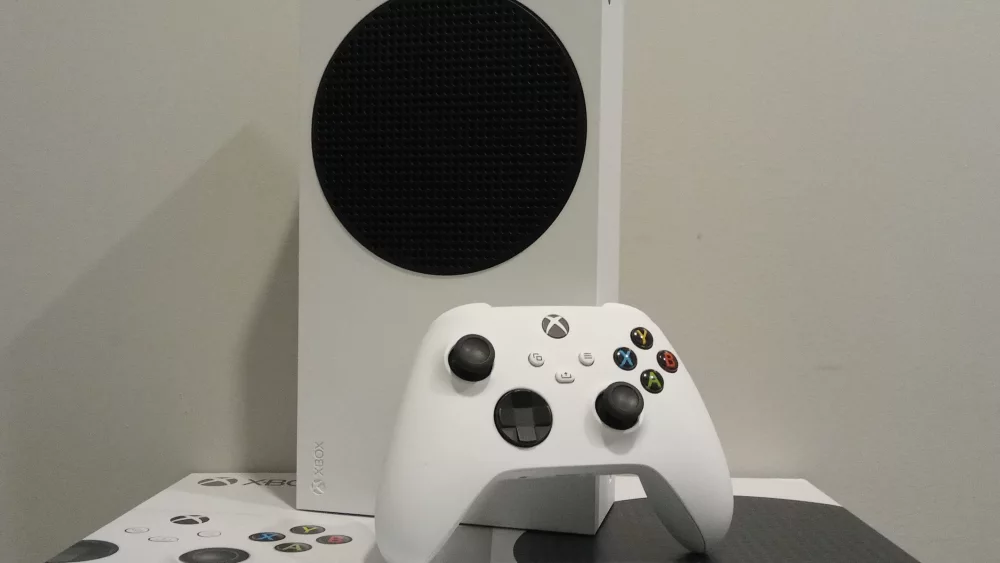
Series S targets 1440p and is all-digital, so every game is a download. That makes storage the main constraint. The 512 GB version fills up quickly with modern open-world games, so if Series S is your choice, the 1 TB version or a storage expansion card should be part of your budget from the start.
Storage: the part most people forget
Big open-world games take up a lot of space, and patches add more over time. Rockstar has not published the GTA 6 install size, so do not rely on any number you see on forums. The safe approach is to free as much fast storage as you reasonably can, and to understand the one rule that catches people out on both consoles: an ordinary USB drive can store new-generation games, but cannot run them.
PlayStation 5: M.2 SSD expansion
According to PlayStation’s M.2 SSD support page, the PS5 accepts a PCIe Gen4 x4 M.2 NVMe SSD between 250 GB and 8 TB. Sony recommends a sequential read speed of 5,500 MB/s or faster. Supported lengths are 2230, 2242, 2260, 2280 and 22110, and the drive must have cooling: either a built-in heat sink or one you attach, with the total thickness kept within the limits on that page. PS5 games can be downloaded, copied to and launched from the M.2 drive. Shop suitable drives in our solid state drives SSD category and check the heat sink dimensions before you order.
PlayStation 5: USB extended storage
PlayStation’s USB extended storage guide says a drive must support SuperSpeed USB 5 Gbps or later and be between 250 GB and 8 TB. PS5 games cannot be played directly from it; they must be copied back to console storage first. PS4 games can be played from USB. In practice, a USB drive is a parking area: move other PS5 games there to make room for GTA 6 on the internal or M.2 drive.
Xbox Series X|S: Storage Expansion Card versus USB
Microsoft explained the system in its Xbox Wire storage primer: the Storage Expansion Card plugs into the dedicated port on the back and delivers the same performance as the internal SSD. Games optimised for Xbox Series X|S can be stored on an external USB drive but cannot be played from it. Older Xbox One and backward-compatible titles can run from USB. GTA 6 is a new-generation title, so plan to run it from internal storage or an expansion card.
| Storage option | Can you run GTA 6 from it? | Best use |
|---|---|---|
| PS5 internal SSD | Yes | Main install location |
| PS5 M.2 NVMe SSD (Gen4, with heat sink) | Yes | Expanding space for current games |
| PS5 USB extended storage | No (PS5 games storage only) | Parking other PS5 games, playing PS4 games |
| Xbox internal SSD | Yes | Main install location |
| Xbox Storage Expansion Card | Yes | Expanding space with internal-level speed |
| Xbox USB external drive | No (Series X|S optimised games storage only) | Archiving games to avoid re-downloading |
Why a portable SSD still helps
A fast external drive from our external solid state drives range will not run GTA 6 on either console, but it copies games back and forth much faster than a slow hard drive. On South African connections where re-downloading a large title can take a long time or eat into a capped data bundle, moving games to and from an external SSD is often quicker than downloading them again.
Rule of thumb: run GTA 6 from internal storage, a PS5 M.2 drive or an Xbox Storage Expansion Card. Use USB drives only to store other games and free up that fast space.
Your TV: getting the picture right
A console is only as good as the screen it is connected to. For a game with dense city scenes, bright skies and night lighting, the TV can make a bigger visible difference than the step from a standard console to a Pro. Have a look at our televisions category if your current set is older or lacks gaming features.
Features worth paying for
The most useful gaming features are 4K resolution, HDR, a 120 Hz panel and HDMI 2.1 ports. HDMI 2.1 is what carries 4K at 120 Hz and enables Variable Refresh Rate (VRR), which the HDMI Licensing Administrator describes as a way to reduce lag, judder and screen tearing by letting the display follow the console’s frame rate. Many TVs have only one or two HDMI 2.1 inputs, so check which port is which before plugging in.
Settings to change on the PS5
PlayStation’s 4K resolution guide walks through Settings, then Screen and Video, then Video Output. Leave resolution on Automatic, enable 120 Hz output if your TV supports it, use the HDMI cable that came with the console or an Ultra High Speed cable, and connect to an HDMI 2.1 port. Run the HDR adjustment once so highlights are not crushed. Sony added VRR support through a system update, as announced on the PlayStation Blog.
Settings to change on the TV
Switch the input to Game Mode to lower input lag, enable the enhanced HDMI signal option for the port the console uses (manufacturers call it different names), and turn off motion smoothing for that input. If you own a soundbar, make sure it passes through the video signal without limiting refresh rate, or connect the console directly to the TV and send audio back through the TV’s eARC port.
Controllers: one is never enough
GTA has always been a social game in the lounge, even in single-player: someone plays, someone watches and takes over. A second controller means no arguments and no waiting for a battery to charge. Our game controllers category includes official pads and third-party options.
Official versus third-party pads
Official controllers support every console feature, such as the DualSense haptics and adaptive triggers on PS5. Licensed third-party pads can be good value for a spare, but check that the specific model lists your console, because PS5 and Xbox controllers are not interchangeable.
Charging and batteries
DualSense controllers charge via USB-C. Xbox controllers use AA batteries or a rechargeable pack depending on the model. A charging stand or a spare set of rechargeable cells is a small purchase that prevents a launch-night pause.
Headset or speakers: hearing the city
Open-world games rely on audio for direction: sirens behind you, traffic on your left, dialogue on the radio. A decent headset makes this easier to follow and is the polite option in a shared home late at night. Browse headphones and headsets for wired and wireless options.
Wired, wireless or USB dongle
Both DualSense and current Xbox controllers have a 3.5 mm jack, so a simple wired headset works out of the box. Wireless headsets usually connect through a USB dongle on PS5 or through Xbox Wireless on Xbox; check the box for your exact console, because a headset made for one platform may only offer basic audio on the other.
Microphone and online play
If you plan to play the online mode when it becomes available, a headset with a decent microphone is more comfortable than talking through the controller’s built-in mic, which can pick up room noise and TV sound.
South African extras: power and connectivity
Local conditions add a few points that overseas guides rarely mention. None of these require special products, just a bit of planning.
Protect against power cuts and surges
A power cut during a system update or while formatting a new M.2 drive is the kind of thing you want to avoid. Connect the console and TV through a quality surge protector, and if you live in an area where outages still happen, consider a small UPS or inverter for the gaming corner. Schedule updates and large downloads for times when supply is stable.
Plan your download
Digital buyers will download the whole game, and day-one patches are common for major releases. If you are on a capped or slower connection, make space early, keep the console in rest mode with downloads enabled, and use a wired network cable where possible instead of Wi-Fi.
Ventilation in warm rooms
PlayStation’s console noise guide recommends at least 10 cm of free space around each side, not placing the console on long-fibre carpets or in cramped spaces, and using a low-powered vacuum on the vents with the power cable disconnected. In a hot South African summer, a closed TV cabinet is the worst place for a console.
Budget planning without guessing prices
Prices change daily, so instead of quoting figures, here is how to split a budget. Treat these as priorities rather than percentages.
| Your situation | Spend first on | Can wait |
|---|---|---|
| No current-generation console | Console with enough storage for your library | New TV, premium headset |
| Have a PS5 or Series X, storage nearly full | M.2 SSD or Storage Expansion Card | Console upgrade |
| Have a console, old 1080p TV | 4K TV with HDMI 2.1 and Game Mode | PS5 Pro |
| Everything ready, family play | Second controller, charging, headset | Extra storage beyond what you need |
Buy before launch or wait for Black Friday?
If you do not yet own a console that can run the game, buy the console before launch: the release week is when stock and attention peak. Accessories that are not essential on day one, such as a second headset or a larger TV, can reasonably wait until Black Friday on 27 November. Storage sits in between: if your drive is already full, buy it now, because installing and moving games takes time.
Common mistakes to avoid
- Buying a USB hard drive and expecting GTA 6 to run from it on PS5 or Xbox Series X|S.
- Buying an M.2 SSD for the PS5 without a heat sink, or with one that is too thick for the slot.
- Choosing the 512 GB Series S without a plan for storage space.
- Connecting the console to a TV HDMI port that does not support 4K at 120 Hz, then wondering why the option is greyed out.
- Leaving motion smoothing and other picture processing on, which adds input lag.
- Assuming the PS5 Pro will improve GTA 6 before Rockstar or Sony confirm Pro enhancements for the game.
- Planning the first big download for launch evening on a slow or capped line.
- Running the console in a closed cabinet without airflow.
Launch-ready checklist
- Confirm you have a PS5, PS5 Pro, Xbox Series X or Series S.
- Update the console system software.
- Check free space and move older games to a USB drive or external SSD.
- If needed, install an M.2 SSD (PS5) or Storage Expansion Card (Xbox) and format it.
- Connect to the TV’s HDMI 2.1 port with the supplied or an Ultra High Speed cable.
- Enable Game Mode, enhanced HDMI, 120 Hz output and VRR where supported.
- Run the HDR calibration on the console.
- Charge all controllers and test the spare one.
- Pair and test the headset, including the microphone.
- Plug everything into a surge protector and give the console breathing room.
Finish storage and TV setup at least a week before launch. On 19 November you want to be downloading or playing, not formatting drives and hunting for HDMI settings.
FAQ
Will GTA 6 come out on PC?
No PC version has been announced. At launch on 19 November 2026 the game is listed for PlayStation 5 and Xbox Series X|S only.
Can I play GTA 6 on PS4 or Xbox One?
No. The official platforms are the current-generation consoles only, so an older console will need to be replaced.
How much space does GTA 6 need?
Rockstar has not published an install size. Free as much space as you can on internal storage or a PS5 M.2 drive or Xbox expansion card, and check the store listing closer to launch.
Is Series S good enough?
The game is officially supported on Series S, which targets 1440p rather than 4K. It suits smaller screens and tighter budgets; just plan storage carefully because it is all-digital.
Do I need an HDMI 2.1 TV?
No, the game will run on any TV the console supports. HDMI 2.1 is needed for 4K at 120 Hz and VRR, which make motion smoother when a game supports those modes.
Getting ready for Vice City does not need to be complicated: the right console, enough fast storage, a properly set-up TV and accessories that are charged and tested. Compare consoles, SSDs, TVs, controllers and headsets with live rand pricing at DistriNode and build your launch-night setup at distrinode.co.za.
Leave a comment