

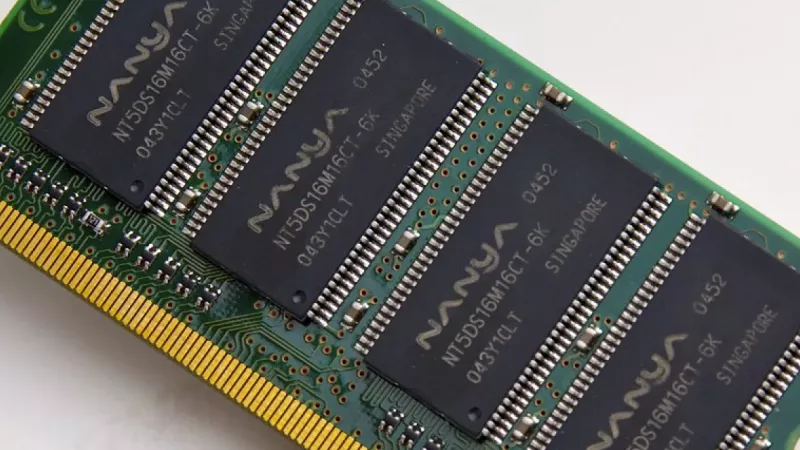
DDR5 desktop RAM is now standard in newer PCs, but the best upgrade is rarely the fastest kit on the shelf. Capacity, motherboard support, CPU support and using a matched kit together matter far more than chasing a single speed number.
For most buyers the goal is simple: enough memory for the workload, stable compatibility with the motherboard, and a sensible upgrade path that won’t fight you later.
Key Takeaway: Get capacity and compatibility right first, speed second. 32GB is the mainstream sweet spot for gaming and creative work, and a matched two-stick kit beats mixing random modules — check your motherboard’s memory support list before buying.
How Much DDR5 RAM Do You Need?
| Capacity | Best For |
|---|---|
| 16GB | Entry-level desktops and office workloads |
| 32GB | Mainstream gaming, multitasking, creative apps |
| 64GB+ | Workstation tasks, large projects, virtual machines |

Start With Capacity
Capacity decides how much work your PC can keep open comfortably. A basic office PC runs fine on modest memory, while gaming, content creation, virtual machines and large spreadsheets all benefit from more headroom. Running short on RAM forces the system to lean on slower storage — which is what makes a PC feel sluggish under load.
Speed Is Useful, but Compatibility Comes First
DDR5 kits are sold with speed ratings, but the real-world speed depends on the motherboard, the CPU’s memory controller and BIOS settings. Always check the motherboard’s memory support (QVL) list, and avoid mixing random modules when a matched kit is available — a stable kit at a sensible speed beats an unstable one chasing a headline figure.

Single Stick or Matched Kit?
A matched two-stick kit is usually the cleaner choice for a dual-channel desktop build. It improves compatibility and keeps the upgrade predictable, compared with mixing capacities, brands or timings later. If you plan to expand, buy the capacity you need as one matched kit rather than adding odd sticks down the line.
Which RAM Should You Buy?
| Your Build | Recommendation |
|---|---|
| Office / general use | 16GB matched kit |
| Gaming / creator | 32GB matched dual-channel kit |
| Workstation / VMs | 64GB+, check board max |
| Any DDR5 build | Confirm board supports DDR5, not DDR4 |
Key Takeaway: DDR5 and DDR4 slots are not interchangeable — buying DDR5 for a DDR4-only board is the classic costly mistake. Confirm your motherboard’s memory type and support list, then buy a matched kit at a supported speed.
How to Buy Your DDR5 RAM in South Africa
DistriNode stocks DDR5 desktop memory, motherboards and gaming-PC memory kits — matched to your platform, with local stock and fast delivery. Browse DDR5 RAM, desktop memory, motherboards, gaming PC memory and RAM upgrades.
Frequently Asked Questions
How much DDR5 RAM do I need?
16GB suits entry-level and office desktops, 32GB is the mainstream sweet spot for gaming and creative work, and 64GB or more suits workstations, large projects and virtual machines. Size to your workload, with a little headroom for the future.
Is faster DDR5 always better?
Not necessarily. The real speed depends on your motherboard, CPU memory controller and BIOS. A stable kit at a supported speed is better than a faster one your board can’t reliably run, so check the memory support list first.
Can I put DDR5 in a DDR4 motherboard?
No. DDR5 and DDR4 use different, non-interchangeable slots. You must match the RAM to what your motherboard supports. Buying DDR5 for a DDR4-only board (or vice versa) is one of the most common upgrade mistakes.
Should I buy one stick or a matched kit?
A matched two-stick kit is best for dual-channel desktops — it improves compatibility and keeps performance predictable. Mixing odd sticks of different capacity, brand or timing can cause instability or drop you below the advertised speed.
Sources
- Kingston — DDR5 information
- Crucial — what is DDR5 memory