

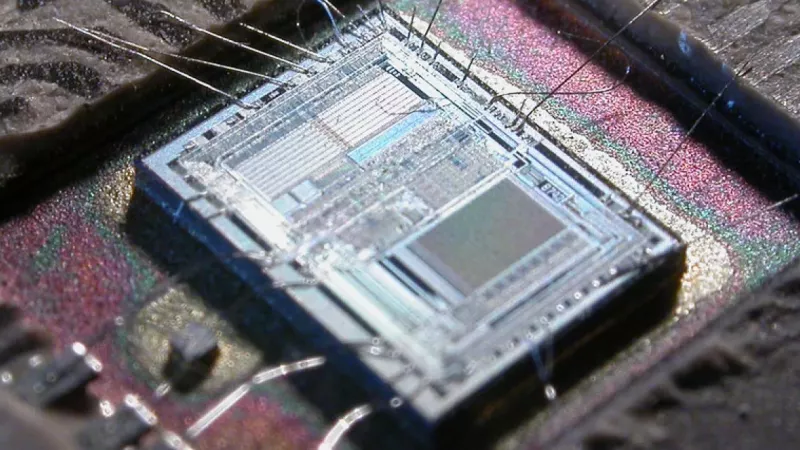
When it comes to picking the best gaming CPU in 2024, the conversation really boils down to two heavyweights: AMD's Ryzen 7 7800X3D and Intel's Core i9-14900K. The 7800X3D is a phenom of pure gaming efficiency, while the 14900K is an absolute beast for peak performance across the board. The right choice for you hinges on a simple question: are you building a dedicated gaming rig, or do you need a processor that can crush productivity tasks just as easily?
Your Guide to the Best Gaming CPUs
Choosing a CPU is one of the most critical decisions you'll make when putting together a new gaming PC. It’s the brain of your entire system, and its performance has a direct, noticeable impact on frame rates, how quickly your games load, and the overall smoothness of your experience. Get this choice right, and it will let your graphics card (GPU) really stretch its legs.
This guide is here to cut through the noise. We’re going to walk through the best options from Team Red and Team Blue, breaking them down into practical categories. Whether you're putting together a budget-friendly machine for 1080p esports or an all-out powerhouse for 4K gaming and streaming, we’ve got a recommendation that makes sense.
Quick-Look Top Gaming CPU Picks
Before we get into the nitty-gritty of benchmarks and specific features, here’s a quick overview of our top picks. This table should give you an immediate idea of which processor lines up with your budget and what you want to achieve in your games.
| Category | AMD Recommendation | Intel Recommendation | Ideal For |
|---|---|---|---|
| Budget Gaming | Ryzen 5 7600 | Core i5-14400F | Excellent 1080p gaming and esports |
| Mid-Range Sweet Spot | Ryzen 7 7800X3D | Core i7-14700K | High-refresh 1440p and 4K gaming |
| High-End Performance | Ryzen 9 7950X3D | Core i9-14900K | Uncompromised 4K gaming and streaming |
These recommendations give a solid starting point for any build.
Here in South Africa, we see these global trends reflected in our local market. Local gamers and system builders are savvy, often looking for that perfect balance between price and performance. Because of this, AMD has made huge inroads, with its Ryzen 5 and Ryzen 7 processors becoming the go-to choices for many South African builds that need to deliver serious value. You can find more insights on South African gaming hardware trends to see how local factors shape the market.
Why Your CPU Matters for Gaming
It’s easy to think that the graphics card (GPU) does all the heavy lifting in a gaming PC. While it definitely handles the eye candy, the Central Processing Unit (CPU) is the true brain of the operation, working tirelessly behind the scenes.
Think of your CPU as the game’s engine room. It’s responsible for everything you don't see—calculating physics, running the game’s logic, and managing the AI for every character on screen. Your GPU can only draw frames as quickly as the CPU feeds it the necessary instructions.
If your processor can't keep up, you get a "bottleneck." This is where a powerful graphics card is left waiting for the CPU to do its job, leading to stuttering, frustrating frame drops, and a jerky experience. Finding the best CPU for gaming isn't about buying the most expensive one; it's about building a balanced rig where every part can perform at its peak.
How Core Count and Clock Speed Impact Games
When you start comparing CPUs, two numbers always stand out: core count and clock speed (measured in GHz). Not long ago, the focus was all on clock speed, as older games simply couldn’t use more than one or two cores effectively. That’s all changed.
Today’s games are built from the ground up to take advantage of multi-core processors. Here’s what those specs actually mean for your gameplay:
- Core Count: This is how many tasks your CPU can juggle at once. More cores are a massive help in sprawling strategy games like Civilization VI or chaotic online shooters like Battlefield 2042, where the processor needs to track hundreds of units, player actions, and environmental effects simultaneously.
- Clock Speed: This measures how fast each of those individual cores can process instructions. Higher clock speeds are brilliant for games that still lean heavily on a single core for their primary workload, like competitive esports titles such as Counter-Strike 2 and Valorant.
The sweet spot is a CPU that delivers both a healthy core count and high clock speeds. This ensures your system can crunch complex game data while still pushing out a consistently high frame rate.
A common trap is thinking that more cores automatically equals better gaming. For most current titles, a chip with eight fast cores will easily outperform one with sixteen slower cores. Very few games are optimised to use that many threads, so speed often beats sheer quantity.
The Role of Cache and Real-World Scenarios
There’s another spec that often gets overlooked: CPU cache. This is a small slice of incredibly fast memory built directly into the processor. It acts as a staging area for frequently used data, so the CPU doesn't have to wait on your much slower system RAM to get the information it needs.
Imagine having your most-used tools right on your belt instead of having to walk back to the toolbox every time. That’s cache. Processors with a large cache, like those with AMD’s impressive 3D V-Cache technology, can give gaming performance a serious boost by slashing latency and smoothing out frame delivery.
In a dense, open-world game like Cyberpunk 2077, a large cache helps the CPU keep track of the bustling city and its inhabitants without breaking a sweat. In a fast-paced shooter, that same technology reduces input lag, giving you a noticeable competitive advantage. At the end of the day, the right CPU doesn’t just put the game on your screen—it brings the entire world to life.
Comparing Intel and AMD Gaming Processors
When you're picking a gaming CPU, it almost always boils down to two heavyweights: Intel and AMD. For years, these two have been duking it out for the top spot, and gamers like us are the real winners. Each company has a completely different idea of what makes a great processor, which means we get fantastic options at every budget.
This isn't as simple as one brand being "better." The truth is, their strengths appeal to different kinds of gamers. Figuring out their core design philosophies is the secret to choosing the right chip for your rig and making sure everything is perfectly balanced.
Right now, AMD's Ryzen lineup, especially the chips with 3D V-Cache, often pull ahead in raw gaming. On the other side of the ring, Intel's Core series uses a clever hybrid design, mixing powerful Performance-cores (P-cores) with nimble Efficient-cores (E-cores) to deliver incredible all-around performance.
A Tale of Two Architectures
AMD's big play is 3D V-Cache. It's a genuinely clever bit of engineering where they stack a massive amount of L3 cache right on top of the processor. Think of CPU cache as a tiny, lightning-fast bit of memory that holds game data the CPU needs constantly. The bigger and faster it is, the less time the CPU wastes waiting for data from your main system RAM.
This design choice has a massive impact on gaming.
- AMD's 3D V-Cache: Giving the CPU a huge, low-latency data pool means processors like the Ryzen 7 7800X3D can churn out exceptionally smooth frame rates with less stutter. You'll really notice this in cache-hungry games, like big simulators or twitchy competitive shooters.
- Intel's Hybrid Design: Intel went a different route. Their P-cores are built for pure, single-threaded muscle to handle the main game engine, while the E-cores take care of all the background noise—Discord, streaming software, or Windows updates. The idea is to let the P-cores focus on just one thing: the game.
So, if you're a purist who just wants to game and do little else, AMD’s approach often delivers higher average and minimum frame rates. But for someone who games, streams, and has a dozen other things running, Intel’s hybrid architecture is a seriously compelling alternative.
The decision really comes down to how you use your PC. If your singular goal is squeezing out every last frame-per-second on a dedicated gaming machine, AMD's X3D chips are tough to beat. If you need a versatile workhorse that smashes games while juggling demanding software, an Intel Core i7 or i9 is a brilliant choice.
Platform and Ecosystem Matter
Choosing a CPU isn't just about the chip itself; you're also buying into a whole ecosystem. Your processor choice locks you into a specific motherboard socket, which then determines your memory support and how you can upgrade down the line. It's a critical detail that first-time builders often miss.
Right now, AMD's consumer chips run on the AM5 socket. One of AMD’s biggest wins over the years has been socket longevity, often letting you drop a new CPU into an old motherboard. The AM5 platform is also built exclusively around the newer, faster DDR5 memory, which is something to think about for future-proofing.
Intel, on the other hand, is currently using the LGA 1700 socket. The big advantage here is flexibility. You can find LGA 1700 motherboards that support either the latest DDR5 or older, more affordable DDR4 RAM. For builders on a tighter budget, being able to reuse your old DDR4 kit can save you a significant chunk of cash.
This platform choice is especially important for South African builders. Our local scene is part of a booming African gaming industry, valued at USD 2.04 billion in 2025 and set to hit USD 3.68 billion by 2030. In this market, the most popular CPUs are the ones that nail that price-to-performance sweet spot, like the Ryzen 5 and Core i5. That makes the total platform cost a huge deciding factor. You can learn more about the trends shaping the African gaming market and its impressive growth.
A Real-World Comparison
Let's make this practical. Picture two different PC builders.
- The Competitive Gamer: This person lives in Valorant and Apex Legends at 1080p on a high-refresh-rate monitor. All they care about is maxing out their FPS and getting the lowest possible input lag. For them, an AMD Ryzen 7 7800X3D on an AM5 motherboard is a no-brainer. Its massive cache gives a direct, measurable boost in the games they play.
- The Content Creator: This person games at 1440p but also streams their sessions, edits videos, and dabbles in creative software. An Intel Core i7-14700K on an LGA 1700 motherboard is a much better fit. Its mix of fast P-cores and a heap of E-cores means it can game and handle heavy background tasks at the same time without even breaking a sweat.
At the end of the day, both Intel and AMD make absolutely fantastic processors. The best choice has less to do with brand loyalty and more to do with being honest about your own gaming habits. Once you understand their different strengths and platform benefits, you can confidently pick the perfect CPU to be the heart of your next gaming rig.
Top Gaming CPU Picks for Every Budget
Alright, let's move from the theory and get straight to the practical, data-driven advice. Picking the best CPU for gaming comes down to matching your budget and performance goals with the right chip. I’ve broken down our top picks into four clear tiers, so you’ll find a solid choice whether you're building your first rig or chasing every last frame.
Each recommendation is grounded in real-world gaming performance. Whether you're aiming for a buttery-smooth 1080p experience in esports titles or breathtaking 4K visuals in the latest AAA blockbusters, this guide will point you to the perfect processor.
This chart gives you a quick visual snapshot of how some of the most popular AMD and Intel CPUs stack up against each other in gaming workloads.
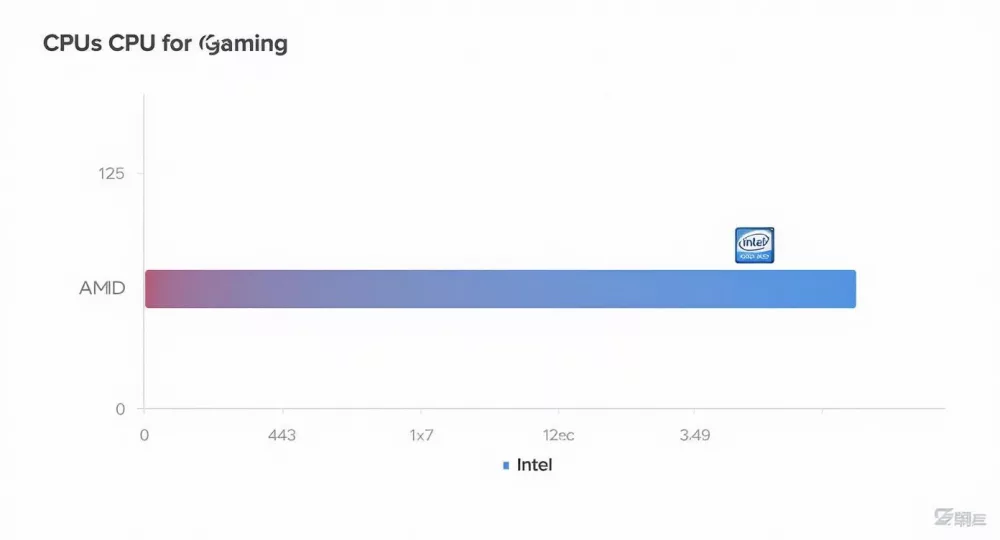
As you can see, certain models, especially those with specialised cache, can really punch above their weight class when it comes to pure gaming.
Entry-Level Champions for 1080p Gaming
This is where the magic starts. You don’t need to break the bank to build a seriously capable 1080p gaming PC, and today’s entry-level CPUs offer incredible bang for your buck. The goal here is a consistent 60+ FPS in popular games like Fortnite, Apex Legends, and Call of Duty on medium to high settings.
For Team Blue, the Intel Core i5-14400F is a brilliant pick. It mixes fast Performance-cores with Efficient-cores, making it great for gaming while easily handling background apps. It's also compatible with more affordable DDR4 RAM on the LGA 1700 platform, which is a massive help in keeping the total build cost down.
Over on Team Red's side, the AMD Ryzen 5 7600 is a modern powerhouse on the AM5 platform. While the initial motherboard and DDR5 RAM costs might be a touch higher, it rewards you with outstanding gaming performance that often nips at the heels of more expensive chips. Plus, it gives you a fantastic upgrade path for the future.
The Mid-Range Sweet Spot
For most gamers, this is the sweet spot—the perfect balance of price and performance. These CPUs are ideal for high-refresh-rate 1080p gaming and serve as a fantastic starting point for a smooth 1440p experience. They have the core counts and clock speeds to keep up with powerful GPUs without causing a bottleneck.
In South Africa, this mid-range segment is the heart of the market. The local gaming scene is booming, with a market value of USD 0.6 billion in 2024 projected to hit USD 1.56 billion by 2033. Processors like the Ryzen 5 and Core i5 series are kings here because they deliver plenty of power for mainstream gaming without the premium price. You can find more details in this analysis of the South African gaming PC market trends and its impressive growth.
Our top recommendation for pure gaming in this tier has to be the AMD Ryzen 7 7800X3D. Its game-changing 3D V-Cache technology gives it a huge leg up, delivering frame rates that compete with—and often beat—the most expensive CPUs out there. It’s quite simply the best gaming CPU for the vast majority of people.
Intel's main contender is the Core i7-14700K, a true jack-of-all-trades. While it might not always top the 7800X3D in raw gaming frames, its higher core count makes it a productivity beast. If your PC is a work-and-play machine for things like streaming or video editing, the 14700K is an unbeatable all-rounder.
For a dedicated gaming build, the Ryzen 7 7800X3D is the clear winner in the mid-range. Its performance-per-rand is unmatched. However, if you need a CPU that excels at both work and play, the Core i7-14700K's hybrid architecture provides immense value.
With all that in mind, let’s look at how these recommendations stack up across the different budget tiers.
Gaming CPU Recommendations by Budget Tier
This table breaks down our top picks, giving you a clear idea of what to expect in terms of performance and cost. It’s a great starting point for matching a CPU to your specific gaming needs and budget.
| Budget Tier | CPU Model | Average Gaming FPS (1080p High) | Platform Cost | Best For |
|---|---|---|---|---|
| Entry-Level | Intel Core i5-14400F | 160-180 FPS | Low | Budget-conscious builders wanting solid 1080p performance with lower platform entry costs (DDR4 compatible). |
| Entry-Level | AMD Ryzen 5 7600 | 180-200 FPS | Low-Mid | Gamers prioritising raw frame rates and a future-proof AM5 upgrade path, willing to invest in DDR5. |
| Mid-Range | AMD Ryzen 7 7800X3D | 220-250+ FPS | Mid | The ultimate price-to-performance CPU for dedicated gamers seeking the highest possible frame rates. |
| Mid-Range | Intel Core i7-14700K | 210-230 FPS | Mid-High | Hybrid users who need top-tier gaming performance combined with exceptional multi-core power for productivity. |
| High-End | AMD Ryzen 9 7950X3D | 220-250+ FPS | High | Gamers who also need elite multi-core performance for professional work, offering the best of both worlds. |
| High-End | Intel Core i9-14900K | 215-240 FPS | High | The ultimate "do-it-all" CPU for power users who demand flagship performance in gaming and content creation. |
These figures are, of course, averages. Your real-world performance will depend on your specific GPU, RAM, and game choice. But as a guide, it clearly shows the value proposition at each level.
High-End Powerhouses for 4K and Streaming
Welcome to the high-performance club. These processors are for gamers who demand excellence, whether that's silky-smooth 4K gameplay, professional-quality streaming, or running complex creative software. They pack more cores, higher clock speeds, and enough grunt to drive the most powerful graphics cards on the market.
For those who simply want it all, the Intel Core i9-14900K remains the peak of consumer CPU performance. With blistering clock speeds and a potent mix of 8 P-cores and 16 E-cores, it tears through games and heavily multi-threaded apps without breaking a sweat. It's the ultimate choice for gamers who also need a workstation-class machine.
AMD's answer is the Ryzen 9 7950X3D. This chip cleverly fuses the gaming magic of 3D V-Cache with a high core count. It designates eight of its cores with that extra cache for gaming, while the other eight run at higher frequencies for productivity. This smart design makes it an exceptional choice for anyone wanting elite gaming performance without giving up multi-core muscle.
High-End CPU Use Cases:
- 4K Ultra Gaming: Pair one of these CPUs with a top-tier GPU to ensure you’re squeezing every last possible frame out at 4K resolution.
- High-Quality Streaming: Game and stream on the same PC with zero performance loss, thanks to the sheer number of cores available.
- Future-Proofing: These processors have more than enough power to handle demanding games for years to come.
Enthusiast Class: Uncompromising Performance
This category is for those who accept no compromises. It's about building a rig with the absolute best parts available, where budget is secondary to pushing the absolute limits of performance. While the high-end CPUs satisfy nearly everyone, enthusiast-grade hardware is all about chasing that final few percent.
At this level, we're still talking about the Intel Core i9-14900K and the AMD Ryzen 9 7950X3D. The real difference for an enthusiast is the ecosystem built around these chips—pairing them with the best motherboards, the fastest RAM, and robust cooling to wring out every last drop of performance via overclocking and fine-tuning.
For the true enthusiast, the decision comes down to the primary use case. The 7950X3D often has a slight edge in pure gaming benchmarks thanks to its cache, whereas the 14900K frequently pulls ahead in productivity workloads. Building at this level is about creating a specialised machine perfectly tailored to your needs, and either of these flagship CPUs will serve as a phenomenal centrepiece.
More Than Just Raw Speed: Other Factors to Consider
Picking the right CPU for your gaming rig isn't as simple as just looking at benchmark charts. The processor you slot into your PC has a knock-on effect that shapes your entire build, from the motherboard you choose to the power supply you need and even how easy it will be to upgrade in a few years.
A monster CPU is great, but it’s just one piece of the puzzle. If you ignore the rest, you can run into nasty surprises like compatibility problems, ballooning costs, or a dead-end build that’s a pain to improve later. To get it right, you need to think about the whole platform.
Motherboard and Platform Compatibility
The first big decision your CPU forces on you is the motherboard socket. This is the physical slot your processor clicks into, and it locks you into one of two main platforms: Intel's LGA 1700 or AMD's AM5. This choice is the foundation of your whole PC.
AMD's AM5 is the new kid on the block, and it comes with a firm requirement: you must use the latest DDR5 RAM. This means the initial buy-in for your motherboard and memory will be a bit steeper. The upside? AMD has a fantastic history of supporting their sockets for years, giving you a clear and simple upgrade path down the road.
Intel’s LGA 1700 platform gives you more choice right now. You can find motherboards that support either cutting-edge DDR5 or the more budget-friendly DDR4 RAM. For builders in South Africa trying to stretch their budget, this is a huge deal. Reusing old DDR4 sticks or buying a new kit for less can free up a good chunk of cash for a beefier graphics card, where it often matters most.
The choice between AM5 and LGA 1700 is really a toss-up between future-proofing and immediate savings. AM5 gives you a longer-term upgrade path with the newest memory, while LGA 1700 is all about flexibility and saving you money today.
Choosing the Right Chipset
Once you've settled on a platform, you need to pick a motherboard chipset. Think of the chipset as the motherboard's traffic controller, managing how the CPU talks to everything else. They generally come in two main flavours: the mainstream B-series and the high-end Z/X-series.
- B-Series (like B650 for AMD or B760 for Intel): These are the sweet-spot chipsets for almost every gamer out there. They deliver all the features you actually need—plenty of connectivity and fast storage slots—without the eye-watering price tag.
- Z/X-Series (like Z790 for Intel or X670 for AMD): These are the enthusiast-grade options. They're built for people who want to push their hardware to the absolute limit with extreme overclocking or need a ton of extra ports and PCIe lanes for complex setups with multiple high-speed devices.
Honestly, a quality B-series motherboard is more than enough for the vast majority of gaming PCs. You'd only really need to look at a Z or X-series board if you're a serious overclocker or a power user building a hybrid gaming-and-workstation beast.
Power Draw and Cooling Requirements
All that performance from a top-tier CPU generates a lot of heat and uses a lot of power. You'll see this listed as Thermal Design Power (TDP), but be warned—modern chips can blow way past that number when they're working hard. A beast like an Intel Core i9 can easily pull over 250 watts, and all of that energy turns directly into heat.
This has real, practical consequences for your build and your wallet.
- Your Cooler: A thirsty CPU demands a beefier, and pricier, cooler. A decent air cooler might be fine for a Ryzen 5 or Core i5, but a top-end Core i9 or Ryzen 9 will almost certainly need a high-performance air tower or an All-In-One (AIO) liquid cooler to keep from throttling.
- Your Power Supply (PSU): A high CPU power draw adds to your system's total power needs, which might mean you have to buy a bigger, more expensive PSU to keep everything running safely.
- Your Case Airflow: A hotter CPU means more heat is being dumped into your case. This makes good case airflow absolutely critical to prevent other components from getting cooked.
Thinking about this stuff upfront is how you build a stable, reliable machine. There's no point in having a killer CPU if it's constantly slowing itself down because its cooler can't keep up. Factor these "hidden" costs into your budget from day one, and you'll end up with a much better gaming PC.
Answering Your Burning CPU Questions
You've waded through the benchmarks, you've compared the specs, but a few questions are probably still nagging at you before you pull the trigger on a new CPU. It's completely normal. Let's clear up those final uncertainties so you can buy with total confidence.
CPU vs. GPU: Where Should the Money Go?
This is the classic PC building dilemma, and the answer hasn't really changed. If your machine is purely for gaming, your GPU should get the lion's share of the budget. It’s that simple. A decent mid-range CPU paired with a top-tier GPU will deliver a far better gaming experience than the other way around.
That said, the "right" balance really depends on what you play and how you play it. If you're gaming at 1440p or 4K, the graphics card is doing almost all the work, making it the clear priority. But if you're chasing sky-high frame rates for competitive shooters at 1080p, a beefier CPU is crucial for keeping up.
Is Overclocking Still Worth It?
Back in the day, overclocking could squeeze a massive amount of extra performance out of a chip. In 2024? Not so much. While you might still see a 5-10% boost, today’s processors from both Intel and AMD are already tuned to run pretty close to their maximum potential straight out of the box.
Honestly, for most gamers, the extra cash you'd spend on an unlocked CPU, a Z-series motherboard, and a premium cooler just isn't worth the small in-game improvement. You're almost always better off putting that money towards a faster graphics card or better RAM.
How Long Will My New CPU Actually Last?
CPU tech moves quickly, but the good news is that a solid gaming processor will serve you well for years. A quality mid-range or high-end CPU bought today should easily power through new game releases for the next four to five years before it even starts to feel like a bottleneck.
Unlike graphics cards, which are constantly being challenged by new visual technologies, the fundamental CPU requirements for games evolve much more slowly. Pick a modern chip with at least six or eight cores, and you'll have a rock-solid foundation for a long time to come.
Ready to build your ultimate gaming rig? Find the perfect CPU, motherboard, and all the components you need from South Africa's leading distributors, all in one place. Explore the extensive catalogue at DistriNode and start building today: https://distrinode.co.za
Leave a comment