

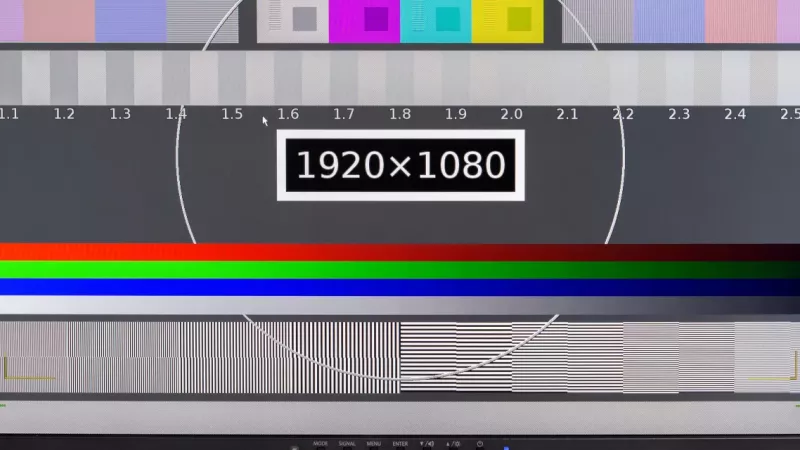
A 24-inch and a 27-inch monitor can both be excellent office screens — they just suit different desks and workflows. The right choice depends on viewing distance, resolution, ports, eye-comfort features and whether you work on one screen or a multi-monitor setup.
This guide uses practical decision variables instead of a generic “bigger is better” answer — because most South African office buyers are balancing desk space, laptop docking, hybrid work and budget.
Key Takeaway: Size and resolution go together. A 24-inch screen is the affordable Full HD office standard; a 27-inch screen looks best at QHD (2560×1440), not Full HD. Check your desk depth and your laptop’s ports before you buy.
24-inch vs 27-inch at a Glance
| Factor | 24-inch | 27-inch |
|---|---|---|
| Best resolution | Full HD (1920×1080) | QHD (2560×1440) |
| Best for | Budget offices, dual-screen setups, shallow desks | More single-screen workspace, detail work |
| Viewing distance | Comfortable up close | Wants a little more distance |
| Desk depth | Fits shallow desks easily | Better on deeper desks or a monitor arm |
| Typical cost | Lower | Higher (especially at QHD) |

Start With Desk Depth
Desk depth is the first thing to check: a 27-inch screen needs more comfortable viewing distance than a 24-inch one. On a shallow desk, a larger display can feel too close, especially for spreadsheet or document work. A monitor arm helps — it frees desk space and lets the screen sit further back.
Resolution Changes the Answer
A 24-inch Full HD monitor is the common office standard because text stays sharp and the price is practical. A 27-inch Full HD screen works, but text and interface elements can look soft to some users. For a 27-inch, QHD (2560×1440) is the cleaner step up — more workspace and better sharpness.

Single-screen vs Dual-screen Work
For heavy multitasking, two 24-inch monitors often beat one 27-inch. If you juggle email, browser tabs and documents at once, dual screens give more usable space. If you prefer a clean single-screen setup with no bezel down the middle, a 27-inch QHD is ideal.
Ports and Eye Comfort Matter Too
Check the ports before you buy — HDMI, DisplayPort, USB-C, and whether there is a USB hub. Laptop users benefit from USB-C display-and-charge support; desktop users may be fine with HDMI or DisplayPort. For daily use, adjustable height and tilt, VESA mounting, anti-flicker and low-blue-light modes matter as much as raw size. Built-in speakers are a bonus, not a deciding factor.
Which Monitor Fits You?
| Your Need | Best Pick |
|---|---|
| Small desk or budget office | 24-inch Full HD |
| More workspace, one clean screen | 27-inch QHD |
| Heavy multitasking | Dual 24-inch or one 27-inch QHD |
| Design or detail work | Prioritise resolution, colour and panel quality |
| Hybrid laptop desk | Check USB-C docking and stand adjustability |
Key Takeaway: The biggest mistake is buying the largest screen the budget allows without checking resolution, desk distance and ports. A 27-inch at Full HD or a screen that needs adapters can disappoint — match the panel to the desk and the laptop.
How to Buy Your Office Monitor in South Africa
DistriNode stocks office monitors, cables, monitor arms and docking stations to build a comfortable, productive desk — with local stock, expertise and fast delivery. Browse monitors, DisplayPort cables, HDMI cables, monitor arms and docking stations.
Frequently Asked Questions
Is a 27-inch monitor better than a 24-inch for an office?
Not automatically. A 27-inch gives more workspace but wants QHD resolution and a bit more viewing distance. A 24-inch Full HD is cheaper, sharp and fits shallow desks — and two of them can out-perform a single 27-inch for multitasking.
Is a 27-inch Full HD monitor a good idea?
It works, but text and icons can look soft because the pixels are spread over a larger area. For a 27-inch screen, QHD (2560×1440) is the better choice for crisp text and more usable space.
Should I get one big monitor or two smaller ones?
For heavy multitasking, two 24-inch monitors usually give more usable space. For a single clean screen with no bezel in the middle, one 27-inch QHD is ideal. It comes down to how you work.
What ports should an office monitor have?
At minimum HDMI or DisplayPort. Laptop users should look for USB-C with display and charging support, and ideally a built-in USB hub. Always confirm your laptop or PC’s video output before buying to avoid needing adapters.
Sources
- OSHA — monitor workstation guidance