Account Contact
Your Cart
Pay on delivery – no extra fees
Need help? Ask our AI

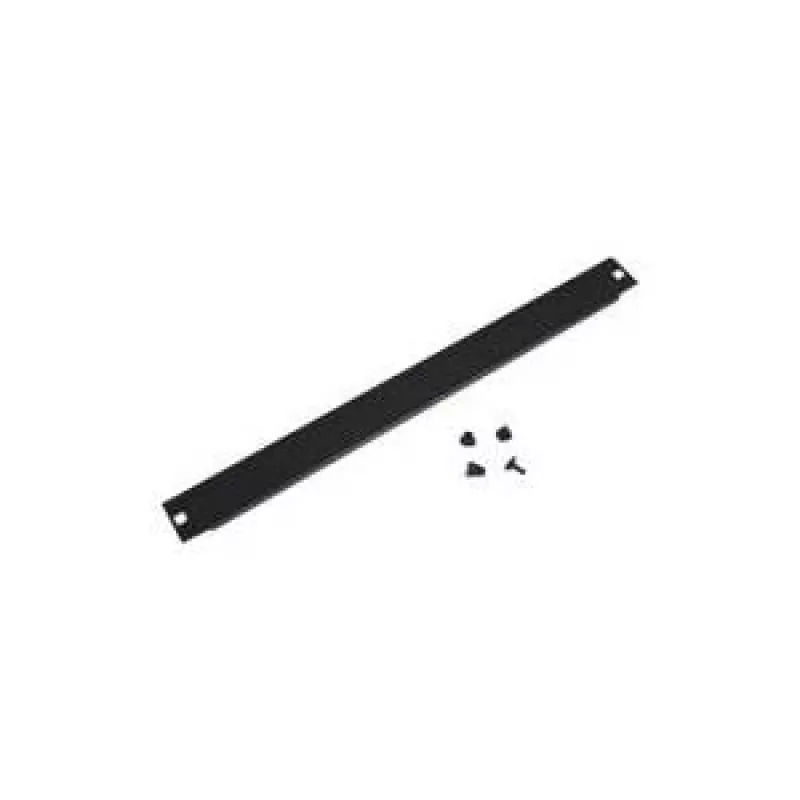
Blank panel Triton RAB-ZP-X34-A1

Blank panel Triton RAB-ZP-X34-A1
R935
The Triton Blank Panel RAB-ZP-X34-A1 is a 4U black rack panel designed to fill unused spaces in server, network and audio-visual racks. It provides a continuous front surface that improves the visual appearance of a rack and helps to manage front-to-back airflow by closing open mounting bays. The pa... Read More
Stock 3 Code 2223202 Brand TRITON Model RAB-ZP-X34-A1 Warranty 2 Years
CategoryRack Accessories

Shipping & Returns

Estimated delivery Monday, November 23
You will be kept updated through our detailed tracking system
Payment options
EFTPayFastBank CardSnapScanZapperGoogle PayApple PayMobicredMoreTymePay on Arrival

The Triton Blank Panel RAB-ZP-X34-A1 is a 4U black rack panel designed to fill unused spaces in server, network and audio-visual racks. It provides a continuous front surface that improves the visual appearance of a rack and helps to manage front-to-back airflow by closing open mounting bays. The panel is supplied as a single unit per pack and mounts in standard 19-inch rack systems.

Advantages

The blank panel creates a uniform front profile for racks, reducing visible cable clutter and contributing to a more professional equipment presentation. By blocking open slots it helps direct airflow through populated devices, supporting cooling efficiency and potentially reducing dust ingress. The steel or coated finish offers a durable surface that resists scratches and maintains appearance over time. Installation is straightforward and requires only standard rack screws.

Suitable for

  • Filling empty 4U spaces in 19-inch server and network racks
  • Improving rack airflow management and cooling
  • Creating a neat front appearance in data centres, server rooms and audio racks
  • Temporary or permanent closure of unused rack mounts

Key specifications

  • Panel height: 4U (suitable for standard 19-inch racks)
  • Colour: black
  • Material: rigid metallic panel with protective finish
  • Mounting: front-mount compatible with standard rack screw holes
  • Package contents: one blank panel per pack

How to use

Align the blank panel with the front rack mounting holes occupying the unused 4U space. Secure the panel using appropriate rack screws in the standard mounting points; tighten screws until the panel is held firmly but avoid overtightening that could deform the panel or rack posts. For service access, remove the screws and lift the panel clear of the rack. The panel can be repositioned or reused as rack configuration changes.

Recommendations

For effective airflow management, place blank panels in consecutive empty spaces above and below active equipment to guide cold air intake and hot air exhaust. Inspect panel fastenings periodically and replace any damaged units to maintain both appearance and functional airflow control.

Key Highlights
  • Filling empty 4U spaces in 19-inch server and network racks
  • Improving rack airflow management and cooling
  • Creating a neat front appearance in data centres, server rooms and audio racks
  • Temporary or permanent closure of unused rack mounts
  • Panel height: 4U (suitable for standard 19-inch racks)
  • Colour: black
  • Material: rigid metallic panel with protective finish
  • Mounting: front-mount compatible with standard rack screw holes
  • Package contents: one blank panel per pack
Specifications
Product colour
Black
Quantity per pack
1 pc(s)
Rack capacity
4U
Type
Blank panel
Price history over the last 6 months
Blank panel Triton RAB-ZP-X34-A1
Current
R935
Lowest
R935
Highest
R935
Change 24H
R0   0%
Week
R0   0%
Month
R0   0%

Write a review

Rating *
Your name will be shown publicly – you can use a nickname. We invite buyers to write reviews; we check reviews before publishing and publish critical ones too.

More TRITON products in this category

Popular products in this category

WhatsApp
Messenger
Hi, I’m DistriNode’s AI assistant. I can help you find products, compare options, create quote PDFs, or open support requests.
All categories