Account Contact
Your Cart
Pay on delivery – no extra fees
Need help? Ask our AI

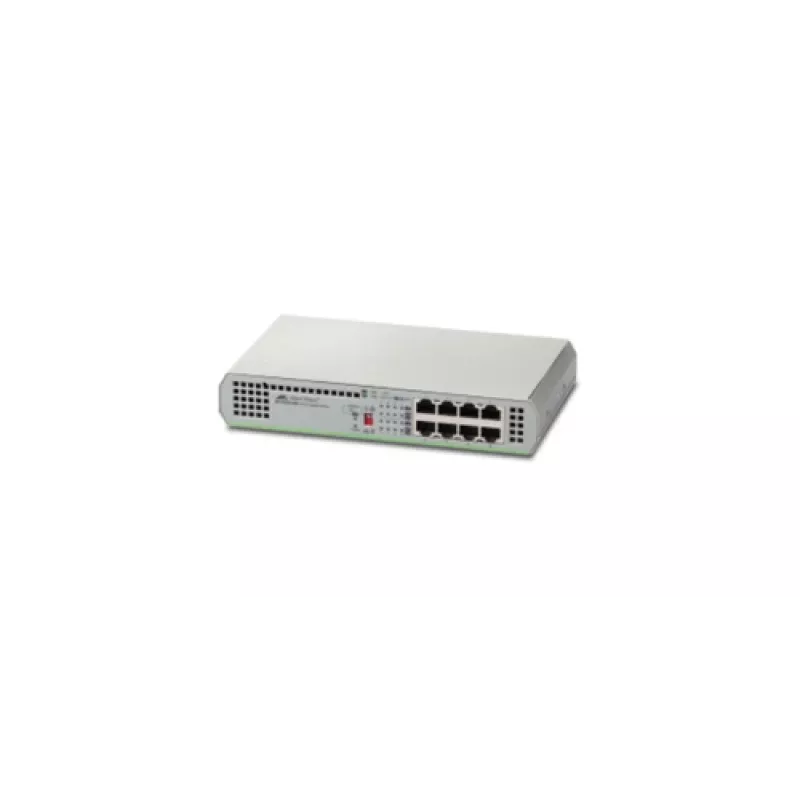
Allied Telesis AT-GS910/8-50 Unmanaged Gigabit Ethernet (10/100/1000) Grey

Allied Telesis AT-GS910/8-50 Unmanaged Gigabit Ethernet (10/100/1000) Grey
R2,524
The Allied Telesis GS910 Series provides unmanaged Gigabit Ethernet switches designed for desktop use and small networks. Available in models with internal or external power supplies, the GS910 Series focuses on straightforward connectivity and reliable basic switching for existing network environme... Read More
Stock Out Of StockNo Stock Code 122194 Brand ALLIED TELESIS Model 990-004857-50 Warranty 2 Years

Shipping & Returns

The Allied Telesis GS910 Series provides unmanaged Gigabit Ethernet switches designed for desktop use and small networks. Available in models with internal or external power supplies, the GS910 Series focuses on straightforward connectivity and reliable basic switching for existing network environments.

Advantages

The GS910 Series requires little to no setup and enables plug-and-play operation for fast deployment. Built-in network loop guard technology detects unexpected network loops and helps prevent broadcast storms. Units come with a lifetime limited warranty, offering long-term basic support for small network installations.

Key specifications

  • Unmanaged Gigabit Ethernet switching
  • Desktop form factor suitable for small networks
  • Available with internal or external power supply
  • Network loop guard to detect and prevent loop-induced broadcast storms
  • Lifetime limited warranty

How to use

Connect the switch to power and attach Ethernet cables from client devices and uplink ports to your existing network. No configuration is required for standard operation; the device will automatically forward traffic at Gigabit speeds and apply loop guard protection. For models with external power supplies, ensure the correct adapter is used and securely connected.

Recommendations

For reliable performance, place the switch in a ventilated area, use quality Ethernet cabling, and connect uplinks to your core network or router. Verify compatibility of external power adapters with the specific GS910 model when applicable.
Key Highlights
  • Unmanaged Gigabit Ethernet switching
  • Desktop form factor suitable for small networks
  • Available with internal or external power supply
  • Network loop guard to detect and prevent loop-induced broadcast storms
  • Lifetime limited warranty
Specifications
10G support
No
AC input frequency
50 - 60 Hz
AC input voltage
100 - 240 V
Basic switching RJ-45 Ethernet ports quantity
8
Basic switching RJ-45 Ethernet ports type
Gigabit Ethernet (10/100/1000)
BPDU filtering/protection
Yes
Broadcast storm control
Yes
Cable length detection
Yes
Depth
121 mm
Flow control support
Yes
Gigabit Ethernet (copper) ports quantity
8
Harmonized System (HS) code
85176990
Height
38 mm
Installed SFP modules quantity
0
Installed SFP+ modules quantity
0
Jumbo frames support
Yes
Loop protection
Yes
MAC address table
4000 entries
Networking standards
IEEE 802.3, IEEE 802.3az, IEEE 802.3u, IEEE 802.3x
Operating temperature (T-T)
0 - 50 °C
Packet forwarding rate (1 Gbps)
1488000 pps
Packet forwarding rate (10 Mbps)
14880 pps
Packet forwarding rate (100 Mbps)
148800 pps
Power consumption (max)
4.5 W
Power over Ethernet (PoE)
No
Product colour
Grey
Rack mounting
No
Switch type
Unmanaged
Switching capacity
16 Gbit/s
Throughput
11.9 Mpps
Weight
780 g
Width
210 mm

Document

Open Document

Leaflet

Open Leaflet
Price history over the last 6 months
Allied Telesis AT-GS910/8-50 Unmanaged Gigabit Ethernet (10/100/1000) Grey
Current
R2,524
Lowest
R2,038
Highest
R3,067
Change 24H
+R159   +7%
Week
+R455   +22%
Month
-R99   -4%

Popular products in this category

WhatsApp
Hi, I’m DistriNode’s AI assistant. I can help you find products, compare options, create quote PDFs, or open support requests.