Account Contact
Your Cart
Pay the courier with no extra fees.
Need help? DistriNode AI can handle any task on our site.

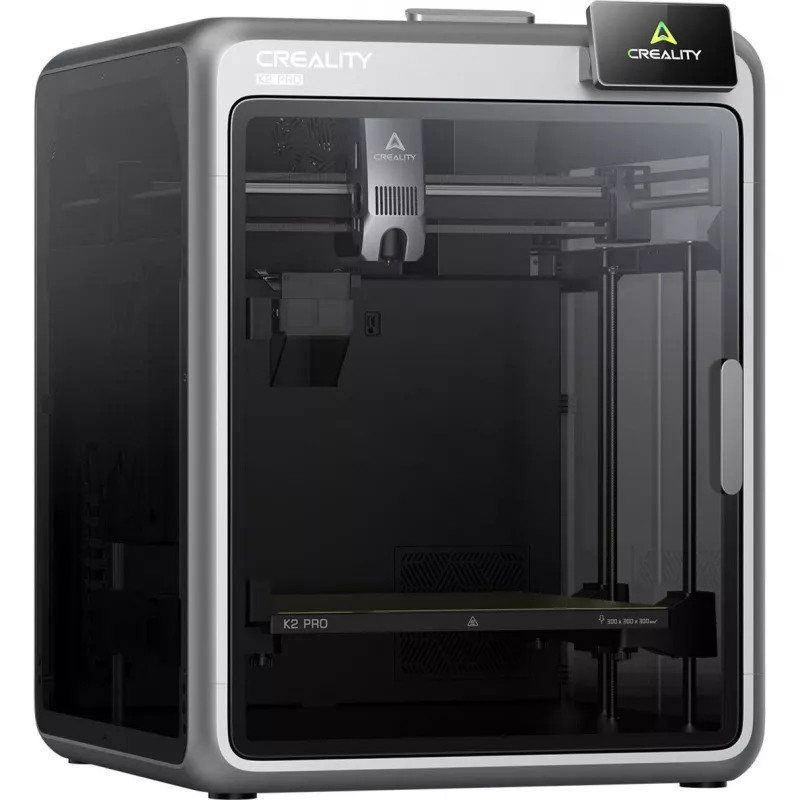
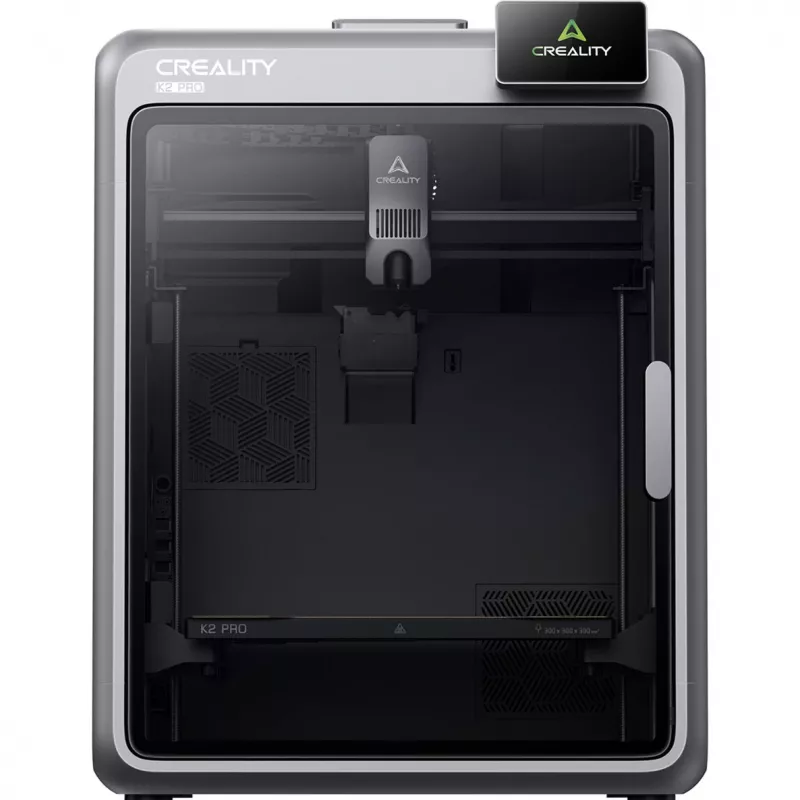
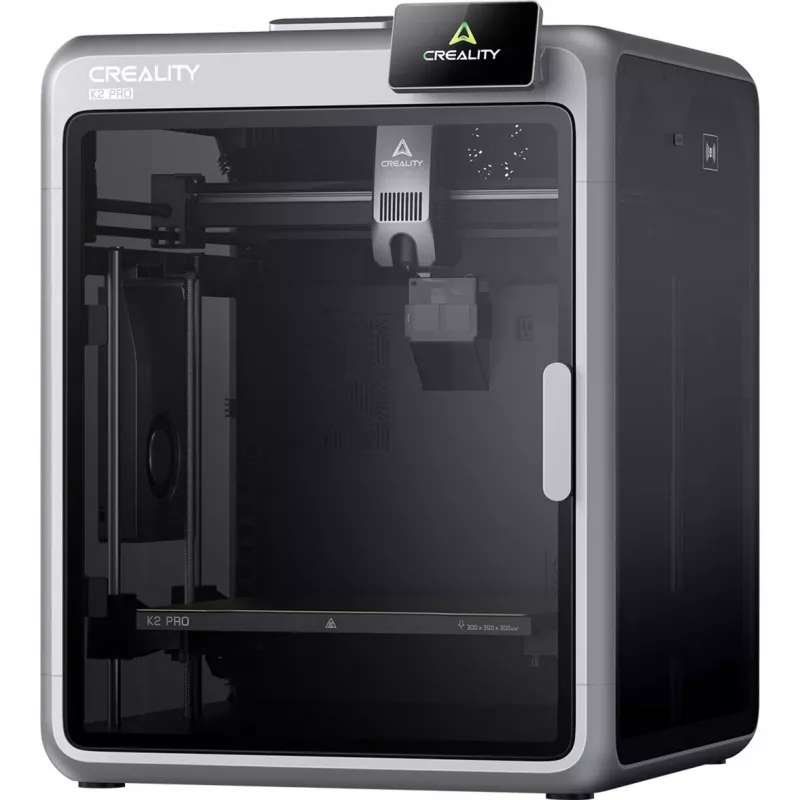
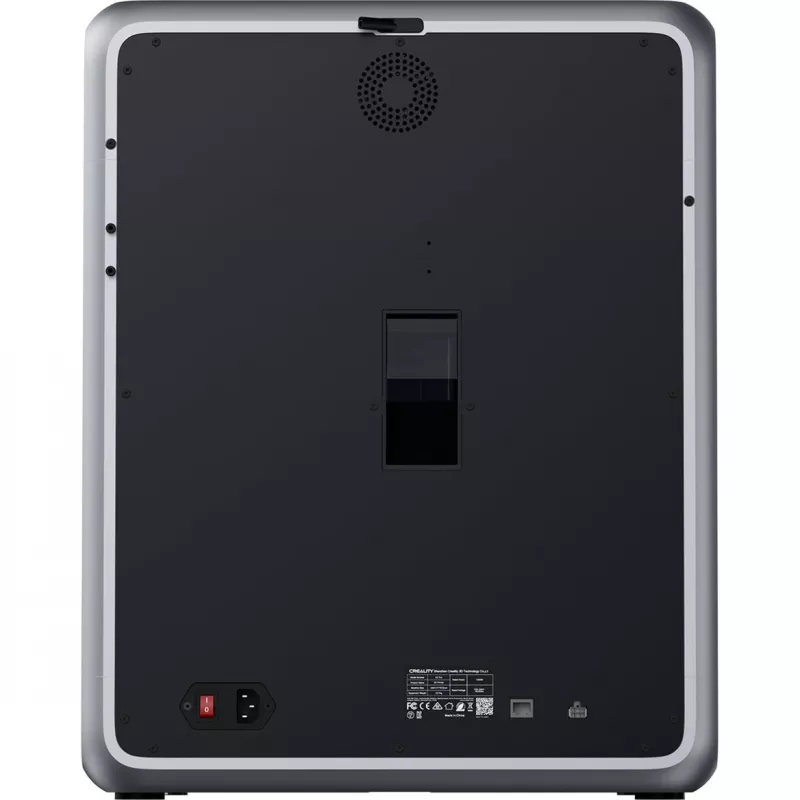
3D printer Creality K2 Pro — build volume 300×300×400 mm, dual Z-axis

3D printer Creality K2 Pro — build volume 300×300×400 mm, dual Z-axis
R23,937
Creality K2 Pro is a high-performance 3D printer designed for advanced users, engineers and creative professionals who need reliable, accurate and flexible equipment. The printer features a large build volume of 300 × 300 × 300 mm, active chamber heating, automatic leveling and support for multi-fil... Read More
Stock 20 Code 876631 Brand CREALITY Model 1202080048 Warranty 2 Years

Shipping & Returns

Estimated delivery Tuesday, October 6
You will be kept updated through our detailed tracking system
Payment options
EFTPayFastBank CardSnapScanZapperGoogle PayApple PayMobicredMoreTymePay on Arrival

Creality K2 Pro is a high-performance 3D printer designed for advanced users, engineers and creative professionals who need reliable, accurate and flexible equipment. The printer features a large build volume of 300 × 300 × 300 mm, active chamber heating, automatic leveling and support for multi-filament printing with optional CFS modules. With speeds up to 600 mm/s and a professional extrusion system, the K2 Pro is intended for demanding projects that require stable results and wide material compatibility.

Advantages

The K2 Pro combines fast printing performance with precision mechanics and intelligent automation. It offers multi-color/multi-material printing via the Creality Filament System (CFS), AI-assisted flow monitoring and chamber observation, a heated enclosure to reduce warping, and a rigid aluminum frame that minimizes vibrations. Built-in connectivity, a 32 GB internal memory and comprehensive Creality software support simplify workflow management for complex prints.

Key specifications

  • Manufacturer: Creality
  • Model: K2 Pro (1202080048)
  • Build volume: 300 × 300 × 300 mm
  • Device dimensions: 445 × 477 × 573 mm
  • Weight: 23.7 kg
  • Maximum printing speed: 600 mm/sec
  • Maximum acceleration: 20,000 mm/s²
  • Maximum nozzle temperature: 300°C
  • Maximum table temperature: 110°C
  • Maximum chamber temperature: 60°C
  • Motors: Step-servo (X/Y axes and extruder)
  • Belt tensioning: Manual
  • Auxiliary fan: 1
  • Air filter: 1
  • Automatic leveling: Yes
  • Flow calibration: Yes, via AI camera on nozzle
  • Chamber camera: 1x 720p/30FPS
  • RFID reader: Yes
  • Audio alarms: Yes
  • Touch screen: 4 inches
  • Connectivity: Wi-Fi (2.4G) / Ethernet (RJ45) / USB / Creality 485 port
  • Internal memory: 32 GB EMMC
  • Hotend rated power: 70 W
  • Software: Creality OS / Creality Print / Creality Cloud

How to use

Unpack the Creality K2 Pro and place it on a stable, level surface. Install the touchscreen and follow the startup wizard for automatic bed leveling and initial calibration. If multi-color printing is required, install CFS modules (sold separately) and load filaments according to the module instructions. Select material presets in Creality Print or Creality OS, check nozzle and chamber temperatures appropriate for the chosen filament, and start the print. Monitor prints via the built-in AI cameras and use the flow calibration feature if filament feed issues appear. For maintenance, power off before removing the hotend or magnetic cover and follow the manufacturer’s guidelines.

Recommendations

Use the K2 Pro in a well-ventilated room and preheat the chamber when printing engineering filaments such as ABS, ASA, PPA or PPS. Keep the filament dry and use the RFID reader to track filament type where available. Purchase CFS modules separately if multi-color or multi-material printing is needed. Regularly update Creality OS and Creality Print for best compatibility and firmware improvements.
Key Highlights
  • Manufacturer: Creality
  • Model: K2 Pro (1202080048)
  • Build volume: 300 × 300 × 300 mm
  • Device dimensions: 445 × 477 × 573 mm
  • Weight: 23.7 kg
  • Maximum printing speed: 600 mm/sec
  • Maximum acceleration: 20,000 mm/s²
  • Maximum nozzle temperature: 300°C
  • Maximum table temperature: 110°C
  • Maximum chamber temperature: 60°C
  • Motors: Step-servo (X/Y axes and extruder)
  • Belt tensioning: Manual
  • Auxiliary fan: 1
  • Air filter: 1
  • Automatic leveling: Yes
  • Flow calibration: Yes, via AI camera on nozzle
  • Chamber camera: 1x 720p/30FPS
  • RFID reader: Yes
  • Audio alarms: Yes
  • Touch screen: 4 inches
  • Connectivity: Wi-Fi (2.4G) / Ethernet (RJ45) / USB / Creality 485 port
  • Internal memory: 32 GB EMMC
  • Hotend rated power: 70 W
  • Software: Creality OS / Creality Print / Creality Cloud
Price history over the last 6 months
3D printer Creality K2 Pro — build volume 300×300×400 mm, dual Z-axis
Current
R23,937
Lowest
R9,913
Highest
R25,094
Change 24H
+R8,427   +54%
Week
+R8,571   +56%
Month
+R14,023   +141%

Popular products in this category

WhatsApp
Hi, I’m DistriNode’s AI assistant. I can help you find products, compare options, create quote PDFs, or open support requests.