Account Contact
Your Cart
Pay the courier with no extra fees.
Need help? DistriNode AI can handle any task on our site.

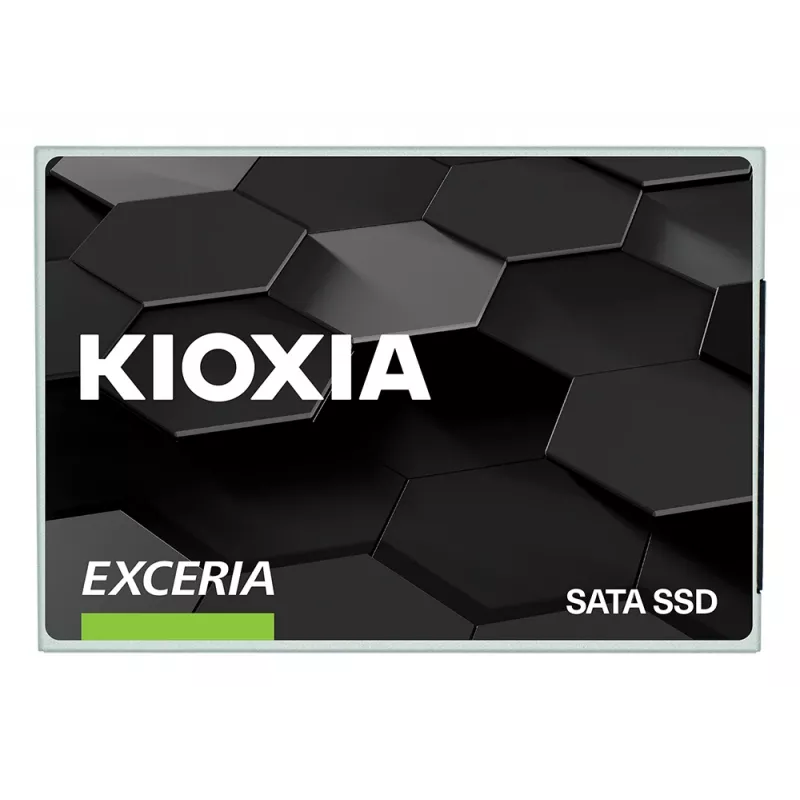
2.5 inch SATA III SSD Kioxia EXCERIA 960 GB — 555 MB/s read, 540 MB/s write, TLC, 2.5-inch

2.5 inch SATA III SSD Kioxia EXCERIA 960 GB — 555 MB/s read, 540 MB/s write, TLC, 2.5-inch
36 mo.
2.5 inch SATA III SSD Kioxia EXCERIA 960 GB — 555 MB/s read, 540 MB/s write, TLC, 2.5-inch
R2,505
The EXCERIA SATA SSD series provides an easy, affordable upgrade from a hard disk drive (HDD) to significantly improve the performance of desktop and notebook PCs. Built with BiCS FLASH™ 3D flash memory and a vertically stacked cell structure, these SATA SSDs deliver balanced performance, reliabilit... Read More
Stock 30 Code 26407 Brand KIOXIA Model LTC10Z960GG8 Warranty 3 Years

Shipping & Returns

Estimated delivery Thursday, October 1
You will be kept updated through our detailed tracking system
Payment options
EFTPayFastBank CardSnapScanZapperGoogle PayApple PayMobicredMoreTymePay on Arrival

The EXCERIA SATA SSD series provides an easy, affordable upgrade from a hard disk drive (HDD) to significantly improve the performance of desktop and notebook PCs. Built with BiCS FLASH™ 3D flash memory and a vertically stacked cell structure, these SATA SSDs deliver balanced performance, reliability, and value to speed up boot times, file transfers, and overall system responsiveness.

Advantages

EXCERIA SATA SSDs reduce boot and load times compared to conventional HDDs, offer lower power consumption and greater durability for mobile use, and present a cost-effective way to refresh an existing system without replacing other components.

Key specifications

  • Interface: SATA (SATA SSD series)
  • Flash type: BiCS FLASH™ 3D flash memory
  • Form factor: 2.5-inch or compatible SATA form factors (as applicable)
  • Use case: Desktop and notebook PC storage upgrade

How to use

Install the EXCERIA SATA SSD into a compatible SATA slot or drive bay in your desktop or notebook, connect power and SATA data cables (or follow the device-specific installation guide), then clone your existing HDD or perform a fresh operating system installation. After installation, ensure the BIOS/UEFI detects the new drive and set it as the primary boot device if required.

Recommendations

Before replacing your HDD, back up important data. Use reputable cloning software if you wish to migrate your operating system and files, and consult your system manual for compatibility and installation instructions.

Key Highlights
  • BiCS FLASH™
  • Shock Resistant
  • 2.5-inch, 7mm Height Form Factor
  • SSD Utility Management Software
Specifications
Component for
Laptop
Data transfer rate
6 Gbit/s
Depth
100.5 mm
DevSlp (device sleep) support
Yes
Hardware encryption
No
Harmonized System (HS) code
84717070
Height
7.2 mm
Interface
Serial ATA III
Mean time between failures (MTBF)
1500000 h
Memory type
TLC
NVMe
No
Operating shock
1500 G
Operating temperature (T-T)
0 - 65 °C
Operating vibration
20 G
Operating voltage
5 V
Power consumption (average)
1.7 W
Power consumption (idle)
1.7 W
Random read (4KB)
81000 IOPS
Random write (4KB)
88000 IOPS
Read speed
555 MB/s
SSD capacity
960 GB
SSD form factor
2.5"
Storage temperature (T-T)
-40 - 85 °C
TBW rating
240
TRIM support
Yes
Weight
45.7 g
Width
70.1 mm
Write speed
540 MB/s

Leaflet

Open Leaflet

Document

Open Document
Price history over the last 6 months
2.5 inch SATA III SSD Kioxia EXCERIA 960 GB — 555 MB/s read, 540 MB/s write, TLC, 2.5-inch
Current
R2,505
Lowest
R2,364
Highest
R2,677
Change 24H
+R18   +1%
Week
-R0   0%
Month
-R127   -5%

Popular products in this category

WhatsApp
Hi, I’m DistriNode’s AI assistant. I can help you find products, compare options, create quote PDFs, or open support requests.