Account Contact
Your Cart
Pay the courier with no extra fees.
Need help? DistriNode AI can handle any task on our site.

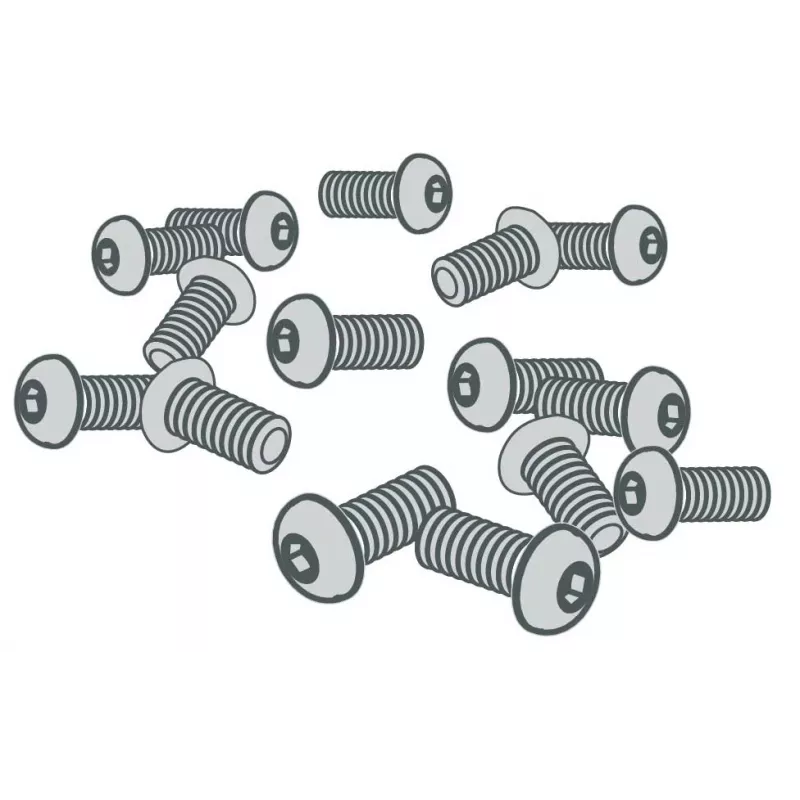
Zebra P1046696-144 printer/scanner spare part/accessory Screw 5 pc(s)

Zebra P1046696-144 printer/scanner spare part/accessory Screw 5 pc(s)
R1,476
Replacement kit containing five printhead mounting screws designed for Zebra ZE500 series printers. This set provides the necessary fasteners to secure the printhead assembly, restoring correct alignment and mechanical stability after maintenance or repair. The screws are intended as direct replacem... Read More
Stock 1 Code 2405375 Brand ZEBRA Model P1046696-144 Warranty 2 Years

Shipping & Returns

Estimated delivery Tuesday, October 13
You will be kept updated through our detailed tracking system
Payment options
EFTPayFastBank CardSnapScanZapperGoogle PayApple PayMobicredMoreTymePay on Arrival

Replacement kit containing five printhead mounting screws designed for Zebra ZE500 series printers. This set provides the necessary fasteners to secure the printhead assembly, restoring correct alignment and mechanical stability after maintenance or repair. The screws are intended as direct replacements for the original hardware used in compatible ZE500 models and support routine servicing to maintain print quality and consistent performance.

Advantages

The kit includes the exact quantity of screws required to mount a single printhead, simplifying parts ordering and minimizing downtime during maintenance. Using the correct fasteners helps preserve printhead alignment, reduces the risk of mechanical vibration or movement, and contributes to steady print quality. The screws are compatible with Zebra ZE500 series mounting points and intended to match factory fit and function.

Suitable for

  • Maintenance and repair of Zebra ZE500 series label printers
  • Replacing lost or damaged printhead mounting screws
  • Service kits for field technicians and in-house repair teams
  • Routine preventive maintenance to ensure printhead stability

Key specifications

  • Contents: set of 5 mounting screws
  • Compatibility: Zebra ZE500 series printers
  • Function: secures printhead assembly to printer frame
  • Intended use: replacement hardware for maintenance and repair

How to use

Power off the printer and disconnect from its power source before beginning any work. Open the printer cover and access the printhead assembly according to the ZE500 service instructions. Remove any remaining old screws if present, position the printhead correctly, and install the replacement screws, tightening them evenly to the torque specified by Zebra in the service manual. After installation, perform any recommended alignment or calibration procedures and verify print quality before returning the printer to service.

Recommendations

Use only the recommended torque and follow Zebra ZE500 service guidelines when installing these screws. Replace all damaged or corroded fasteners to maintain correct printhead alignment. Keep spare sets on hand for scheduled maintenance to minimize printer downtime.

Key Highlights
  • Maintenance and repair of Zebra ZE500 series label printers
  • Replacing lost or damaged printhead mounting screws
  • Service kits for field technicians and in-house repair teams
  • Routine preventive maintenance to ensure printhead stability
  • Contents: set of 5 mounting screws
  • Compatibility: Zebra ZE500 series printers
  • Function: secures printhead assembly to printer frame
  • Intended use: replacement hardware for maintenance and repair
Specifications
Brand compatibility
Zebra
Compatibility
ZE500 Series
Device compatibility
Label printer
Quantity per pack
5 pc(s)
Type
Screw

Leaflet

Open Leaflet
Price history over the last 6 months
Zebra P1046696-144 printer/scanner spare part/accessory Screw 5 pc(s)
Current
R1,476
Lowest
R1,455
Highest
R1,512
Change 24H
+R8   +1%
Week
+R0   +0%
Month
-R5   0%

Popular products in this category

WhatsApp
Hi, I’m DistriNode’s AI assistant. I can help you find products, compare options, create quote PDFs, or open support requests.