Account Contact
Your Cart
Pay the courier with no extra fees.
Need help? DistriNode AI can handle any task on our site.

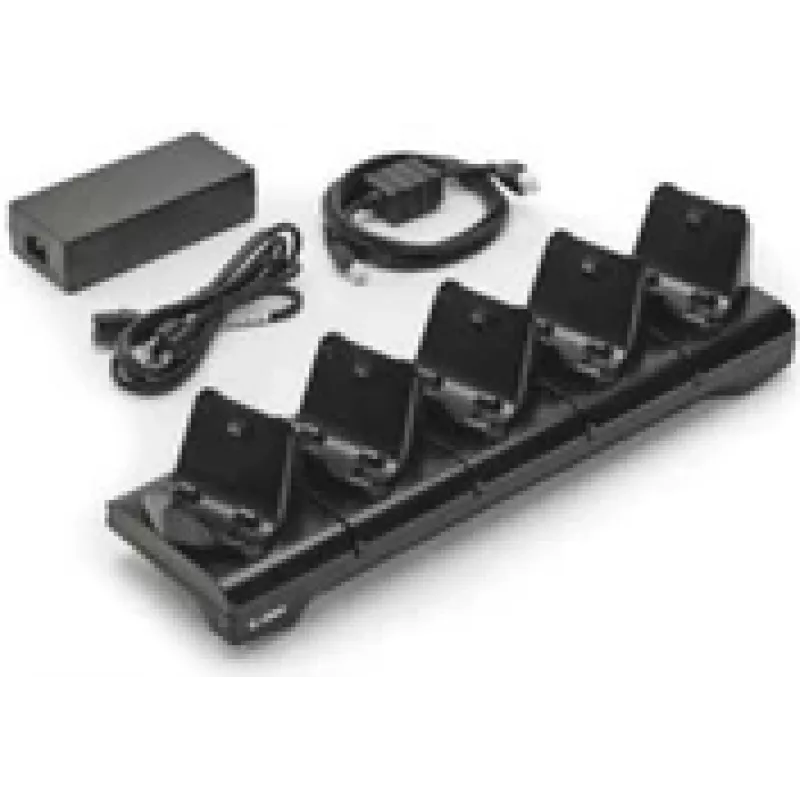
Zebra CRD-MPM-5SCHGUK1-01 mobile device dock station Black

Zebra CRD-MPM-5SCHGUK1-01 mobile device dock station Black
R8,278
The Zebra CRD-MPM-5SCHGUK1-01 is a mobile device dock station designed to dock and charge up to five Zebra ZQ310 and ZQ320 printers simultaneously. Finished in black, the dock ships complete with a power supply and power cord; select the appropriate part number for your region to ensure correct line... Read More
Stock 5 Code 1431543 Brand ZEBRA Model CRD-MPM-5SCHGUK1-01 Warranty 2 Years

Shipping & Returns

Estimated delivery Tuesday, October 6
You will be kept updated through our detailed tracking system
Payment options
EFTPayFastBank CardSnapScanZapperGoogle PayApple PayMobicredMoreTymePay on Arrival

The Zebra CRD-MPM-5SCHGUK1-01 is a mobile device dock station designed to dock and charge up to five Zebra ZQ310 and ZQ320 printers simultaneously. Finished in black, the dock ships complete with a power supply and power cord; select the appropriate part number for your region to ensure correct line cord compatibility. The unit provides a stable platform for secure docking and centralized charging of multiple portable printers.

Advantages

The dock supports simultaneous charging of up to five printers, reducing device downtime and simplifying fleet management. It includes the required power supply and power cord, and its compact black design helps save workspace while providing reliable electrical and physical connection for Zebra ZQ310 and ZQ320 models.

Suitable for

  • Retail point-of-sale environments with multiple mobile printers
  • Warehousing and inventory operations using Zebra ZQ310 or ZQ320 printers
  • Field service teams that return multiple devices for charging
  • Back-office consolidation of printer charging and storage

Key specifications

  • Compatible models: Zebra ZQ310, ZQ320
  • Capacity: docks and charges up to five printers simultaneously
  • Includes: power supply and power cord (select region-specific line cord part number)
  • Colour: Black
  • USB 2.0 ports: 0

How to use

Place the dock on a stable, level surface close to a suitable power outlet. Connect the supplied power supply and the region-appropriate power cord to the dock, then plug into the mains. Insert each Zebra ZQ310 or ZQ320 printer into a docking slot until it seats securely and charging begins. Monitor charge indicators on the printers to determine when devices are fully charged before removal.

Recommendations

Use the dock indoors in a dry, temperature-controlled environment. Choose the correct line cord part number for your country or region before deployment. Avoid placing heavy objects on the dock and ensure vents are not obstructed to maintain proper cooling during charging.
Key Highlights
  • Retail point-of-sale environments with multiple mobile printers
  • Warehousing and inventory operations using Zebra ZQ310 or ZQ320 printers
  • Field service teams that return multiple devices for charging
  • Back-office consolidation of printer charging and storage
  • Compatible models: Zebra ZQ310, ZQ320
  • Capacity: docks and charges up to five printers simultaneously
  • Includes: power supply and power cord (select region-specific line cord part number)
  • Colour: Black
  • USB 2.0 ports: 0
Specifications
Adapter included
Yes
Audio output
No
Bluetooth
No
Brand compatibility
Zebra
Cables included
AC
Compatibility
ZQ310 / ZQ320
External power adapter
Yes
Harmonized System (HS) code
84719000
HDMI
No
Power source type
AC
Product colour
Black
Suitable for use in country/location
United Kingdom
USB 2.0 ports quantity
0

Leaflet

Open Leaflet
Price history over the last 6 months
Zebra CRD-MPM-5SCHGUK1-01 mobile device dock station Black
Current
R8,278
Lowest
R7,983
Highest
R9,434
Change 24H
+R209   +3%
Week
+R295   +4%
Month
-R768   -8%
WhatsApp
Hi, I’m DistriNode’s AI assistant. I can help you find products, compare options, create quote PDFs, or open support requests.