Account Contact
Your Cart
Pay the courier with no extra fees.
Need help? DistriNode AI can handle any task on our site.

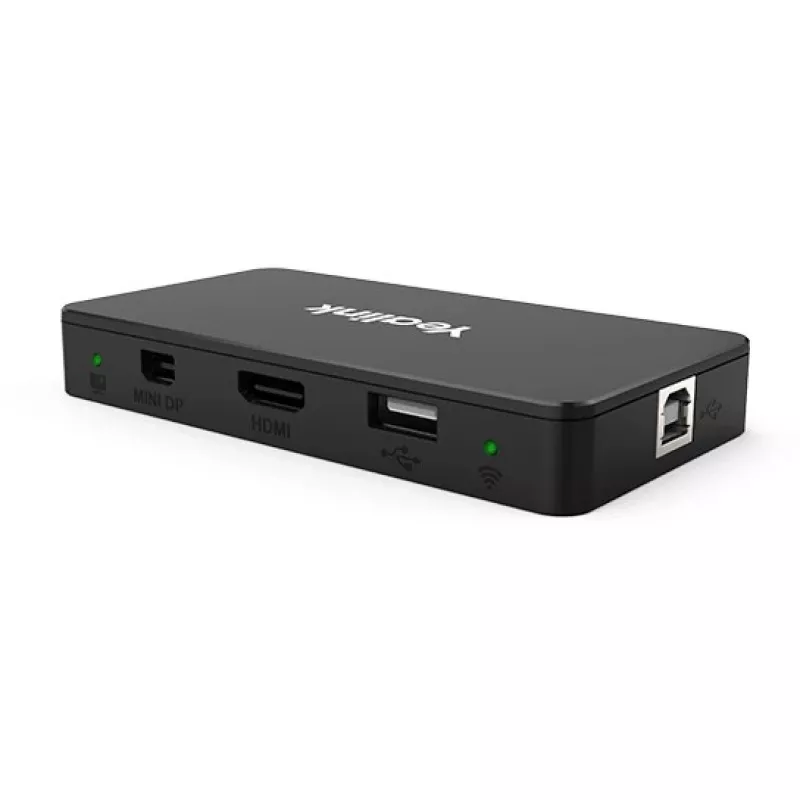
Yealink MSHARE Black HDMI Mini DisplayPort USB 2.0 USB Type-B

Yealink MSHARE Black HDMI Mini DisplayPort USB 2.0 USB Type-B
R9,669
The Yealink MShare is a compact screen sharing box that provides HDMI, Mini DisplayPort and USB connectivity for presenting content from laptops and other devices. It supports wired connections via HDMI and Mini-DP and can also work with the Yealink WPP20 wireless presentation pod for one-click wire... Read More
Stock 4 Code 1207443 Brand Yealink Model 1306030 Warranty 2 Years

Shipping & Returns

Estimated delivery Tuesday, October 6
You will be kept updated through our detailed tracking system
Payment options
EFTPayFastBank CardSnapScanZapperGoogle PayApple PayMobicredMoreTymePay on Arrival

The Yealink MShare is a compact screen sharing box that provides HDMI, Mini DisplayPort and USB connectivity for presenting content from laptops and other devices. It supports wired connections via HDMI and Mini-DP and can also work with the Yealink WPP20 wireless presentation pod for one-click wireless sharing. The unit is supplied in black and includes the necessary USB cabling for integration with conference room equipment.

Advantages

The MShare delivers 1080p at 30 fps with low latency for smooth, immediate screen sharing and reliable collaboration. Multiple interfaces (HDMI and Mini-DP) with embedded audio cover a wide range of laptop models and presentation sources. A built-in access point (2.4G/5G Wi‑Fi) enables wireless sharing via the WPP20 without requiring a separate router or additional network setup.

Suitable for

  • Small and medium meeting rooms
  • Huddle spaces and classrooms
  • Presentations from MacBook and Windows laptops
  • Environments requiring quick switch between wired and wireless connections

Key specifications

  • Video resolution: 1080p @ 30 fps
  • Video inputs: 1 × HDMI, 1 × Mini DisplayPort
  • Audio: embedded over HDMI/Mini-DP
  • Wireless: built-in 2.4G/5G access point for use with Yealink WPP20
  • Colour: Black
  • Interfaces: USB Type‑B / USB 2.0 (cables included)

How to use

Connect the Yealink MShare to the display or conference system using the HDMI or Mini DisplayPort output. Attach the included USB cable to the host device as required for control or power. For wireless sharing, plug the Yealink WPP20 into your laptop and use the one-click function to transmit the screen to the MShare’s built-in AP. Switching between wired and wireless sources is done at the host device and should take effect immediately with minimal latency.

Recommendations

For best performance, use direct HDMI or Mini-DP connections where possible for full 1080p/30fps quality; reserve wireless sharing via WPP20 for quick, cable-free presentations or when participants bring their own devices. Ensure the MShare firmware and WPP20 are updated to the latest versions to maintain compatibility and stability.
Key Highlights
  • Small and medium meeting rooms
  • Huddle spaces and classrooms
  • Presentations from MacBook and Windows laptops
  • Environments requiring quick switch between wired and wireless connections
  • Video resolution: 1080p @ 30 fps
  • Video inputs: 1 × HDMI, 1 × Mini DisplayPort
  • Audio: embedded over HDMI/Mini-DP
  • Wireless: built-in 2.4G/5G access point for use with Yealink WPP20
  • Colour: Black
  • Interfaces: USB Type‑B / USB 2.0 (cables included)
Specifications
Cables included
USB
Country of origin
China
Harmonized System (HS) code
84719000
HDMI ports quantity
1
Hub interfaces
HDMI, Mini DisplayPort, USB 2.0, USB Type-B
Mac operating systems supported
Yes
Product colour
Black
Quick start guide
Yes
Windows operating systems supported
Yes

Leaflet

Open Leaflet
Price history over the last 6 months
Yealink MSHARE Black HDMI Mini DisplayPort USB 2.0 USB Type-B
Current
R9,669
Lowest
R9,565
Highest
R10,604
Change 24H
+R69   +1%
Week
-R221   -2%
Month
-R337   -3%

Popular products in this category

WhatsApp
Hi, I’m DistriNode’s AI assistant. I can help you find products, compare options, create quote PDFs, or open support requests.