Account Contact
Your Cart
Pay the courier with no extra fees.
Need help? DistriNode AI can handle any task on our site.

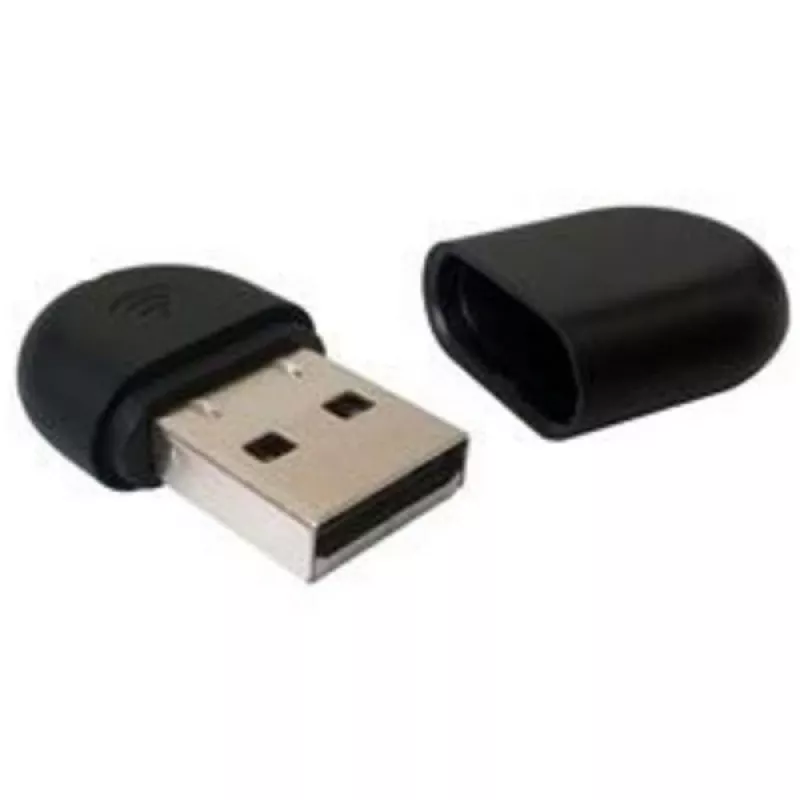
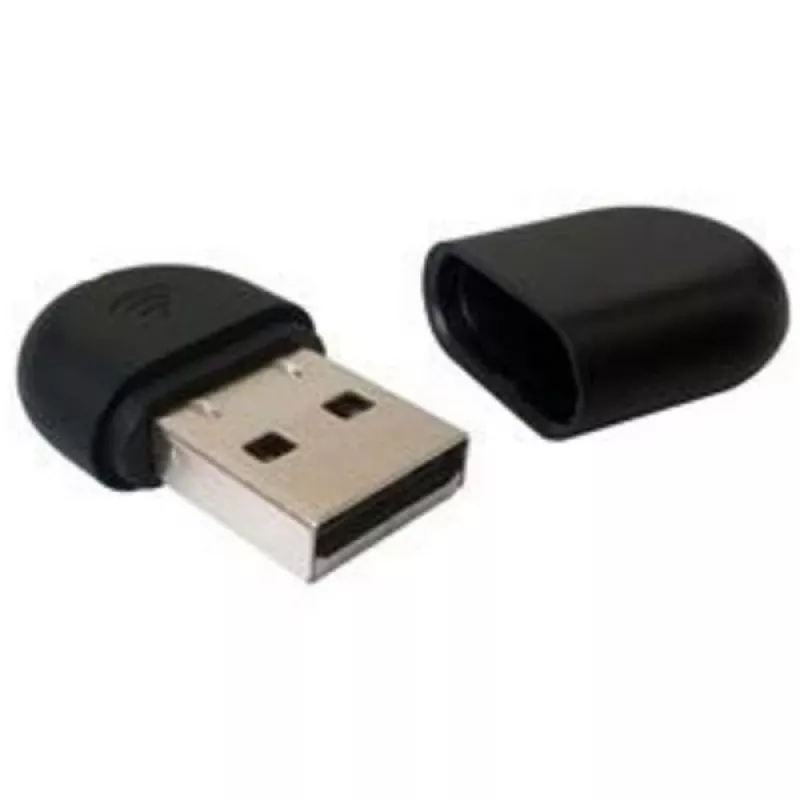
Wireless Adapter Yealink WF40 150 Mbit/s USB WLAN Wi-Fi 4

Wireless Adapter Yealink WF40 150 Mbit/s USB WLAN Wi-Fi 4
R1,056
The Yealink WF40 Wi‑Fi USB Dongle is a compact wireless adapter that connects via USB and provides Wi‑Fi 4 (IEEE 802.11n) connectivity with a maximum data rate of 150 Mbit/s. Designed for office environments, the WF40 enables IP phones and other USB‑equipped devices to join existing wireless network... Read More
Stock 33 Code 1207245 Brand Yealink Model 1300060 Warranty 2 Years

Shipping & Returns

Estimated delivery Thursday, October 1
You will be kept updated through our detailed tracking system
Payment options
EFTPayFastBank CardSnapScanZapperGoogle PayApple PayMobicredMoreTymePay on Arrival

The Yealink WF40 Wi‑Fi USB Dongle is a compact wireless adapter that connects via USB and provides Wi‑Fi 4 (IEEE 802.11n) connectivity with a maximum data rate of 150 Mbit/s. Designed for office environments, the WF40 enables IP phones and other USB‑equipped devices to join existing wireless networks quickly and with minimal setup.

Advantages

The WF40 offers a small form factor, low power consumption and plug‑and‑play operation, allowing fast deployment without complex configuration. Compliance with IEEE 802.11b/g/n standards ensures broad compatibility and stable throughput, while the 150 Mbit/s transmission rate supports typical voice and data office tasks.

Suitable for

  • Connecting IP phones to wireless networks
  • Adding WLAN capability to USB devices in small offices
  • Environments requiring simple, low‑power wireless adapters

Key specifications

  • Brand: Yealink
  • Model: WF40 (MPN: USB WF40)
  • Interface: USB
  • Standards: IEEE 802.11b / 802.11g / 802.11n (Wi‑Fi 4)
  • Maximum data rate: 150 Mbit/s
  • Colour: Black
  • Connectivity technology: Wireless (WLAN)

How to use

Plug the Yealink WF40 into an available USB port on the target device and allow the host system to detect the adapter. For most modern systems the device will install and operate in plug‑and‑play mode. Use the host device’s network settings to select the local Wi‑Fi network and enter credentials as required. After connection, verify network quality and check that voice or data services operate as expected.

Recommendations

Place the WF40 in a USB port with unobstructed line of sight to the access point where possible, and avoid placing it near large metal objects or other strong RF sources to maximize signal strength and throughput.
Key Highlights
  • Reliable Connection
  • Ease-of-use
  • Plug and Play
  • High Transmission Rate
  • Lower Power Consumption
  • Wireless
  • USB 2.0 WLAN
  • 150 Mbit/s
  • Wi-Fi
  • Component for: IP Phone
Specifications
Bandwidth
2.4 GHz
Bandwidth (first)
2.4 GHz
Component for
IP Phone
Connectivity technology
Wireless
Depth
26.9 mm
Harmonized System (HS) code
85176990
Height
8 mm
Host interface
USB
Interface
WLAN
Internal
No
Maximum data transfer rate
150 Mbit/s
Networking standards
IEEE 802.11b, IEEE 802.11g, IEEE 802.11n
Operating temperature (T-T)
0 - 50 °C
Product colour
Black
Security algorithms
64-bit WEP, 128-bit WEP, 152-bit WEP, WPA2-PSK
Storage temperature (T-T)
-40 - 85 °C
Top Wi-Fi standard
Wi-Fi 4 (802.11n)
USB version
2.0
Wi-Fi
Yes
Wi-Fi standards
802.11b, 802.11g, Wi-Fi 4 (802.11n)
Width
18 mm
WLAN data transfer rates supported
150 Mbit/s

Leaflet

Open Leaflet
Price history over the last 6 months
Wireless Adapter Yealink WF40 150 Mbit/s USB WLAN Wi-Fi 4
Current
R1,056
Lowest
R739
Highest
R1,750
Change 24H
+R22   +2%
Week
-R40   -4%
Month
+R121   +13%

Popular products in this category

WhatsApp
Hi, I’m DistriNode’s AI assistant. I can help you find products, compare options, create quote PDFs, or open support requests.