Account Contact
Your Cart
Pay the courier with no extra fees.
Need help? DistriNode AI can handle any task on our site.

Video Cable Adapter USB Type-C HDMI ShiverPeaks BS10-56025

Video Cable Adapter USB Type-C HDMI ShiverPeaks BS10-56025
R496
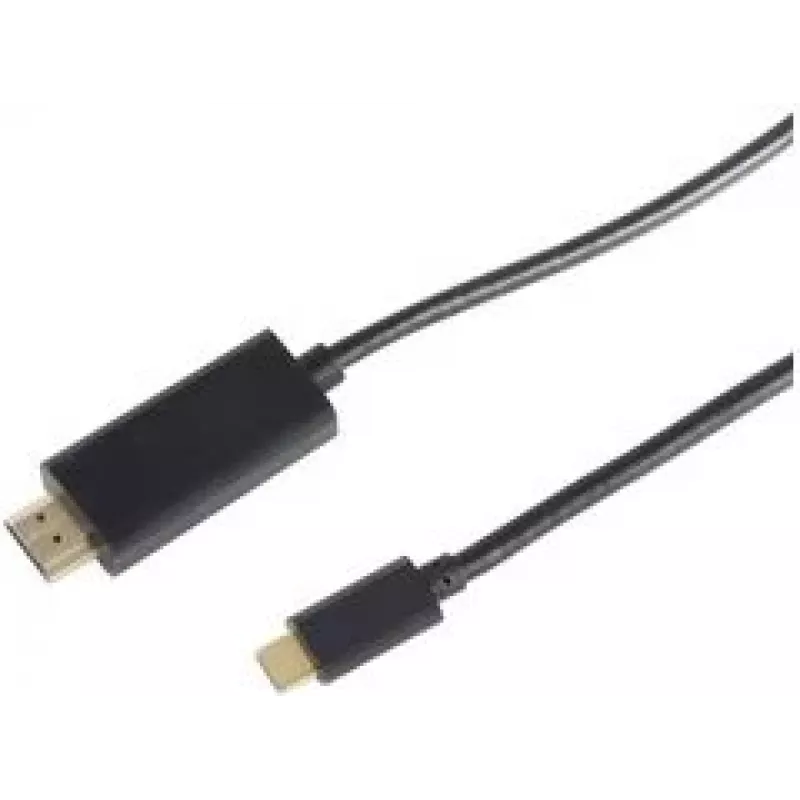
The ShiverPeaks BS10-56025 is a 1 m video cable adapter that converts a USB Type-C output to an HDMI display input. Designed for direct connection between compatible laptops, tablets or smartphones and monitors, TVs or projectors, this compact cable supports straightforward transmission of video and... Read More
Stock 226 Code 1514675 Brand SHIVERPEAKS Model BS10-56025 Warranty 2 Years

Shipping & Returns

Estimated delivery Tuesday, October 6
You will be kept updated through our detailed tracking system
Payment options
EFTPayFastBank CardSnapScanZapperGoogle PayApple PayMobicredMoreTymePay on Arrival

The ShiverPeaks BS10-56025 is a 1 m video cable adapter that converts a USB Type-C output to an HDMI display input. Designed for direct connection between compatible laptops, tablets or smartphones and monitors, TVs or projectors, this compact cable supports straightforward transmission of video and audio signals over a single lead. Its black finish and molded connectors offer a tidy, low-profile connection for meetings, home entertainment or mobile work setups.

Advantages

This USB Type-C to HDMI adapter provides plug-and-play operation without additional drivers on most devices, enabling quick setup for presentations or media playback. The 1 m length balances flexibility and minimal clutter, while the HDMI output delivers stable video and audio transmission. The cable’s compact form factor and durable molded ends reduce strain at connector points and simplify portability.

Suitable for

  • Connecting USB-C laptops and tablets to HDMI monitors and TVs
  • Delivering video and audio to projectors for presentations
  • Streaming video content from mobile devices to larger screens
  • Temporary home office or conference-room setups

Key specifications

  • Connector 1: USB Type-C
  • Connector 2: HDMI
  • Cable length: 1 m
  • Product colour: Black

How to use

Plug the USB Type-C end into a compatible source device that supports video output over USB-C. Connect the HDMI end to the display device’s HDMI input. Select the correct HDMI input on the display and, if necessary, set the source device to mirror or extend its display via the operating system display settings. No external power or software is usually required; ensure the source device supports Alternate Mode (DisplayPort over USB-C) or native USB-C video output.

Recommendations

For best results, use with devices that explicitly support video output via USB-C. Avoid sharp bends and excessive twisting of the cable near connectors to prolong service life. When connecting to high-resolution displays, confirm the source device’s supported output resolution and refresh rate to ensure optimal compatibility.

Key Highlights
  • Connecting USB-C laptops and tablets to HDMI monitors and TVs
  • Delivering video and audio to projectors for presentations
  • Streaming video content from mobile devices to larger screens
  • Temporary home office or conference-room setups
  • Connector 1: USB Type-C
  • Connector 2: HDMI
  • Cable length: 1 m
  • Product colour: Black
Specifications
Cable length
1 m
Connector 1
USB Type-C
Connector 1 form factor
Straight
Connector 1 gender
Male
Connector 2
HDMI
Connector 2 form factor
Straight
Connector 2 gender
Male
HDCP
Yes
Plug and Play
Yes
Product colour
Black
Quantity per pack
1 pc(s)
Price history over the last 6 months
Video Cable Adapter USB Type-C HDMI ShiverPeaks BS10-56025
Current
R496
Lowest
R485
Highest
R496
Change 24H
+R9   +2%
Week
—   
Month
—   

Popular products in this category

WhatsApp
Hi, I’m DistriNode’s AI assistant. I can help you find products, compare options, create quote PDFs, or open support requests.