Account Contact
Your Cart
Pay the courier with no extra fees.
Need help? DistriNode AI can handle any task on our site.

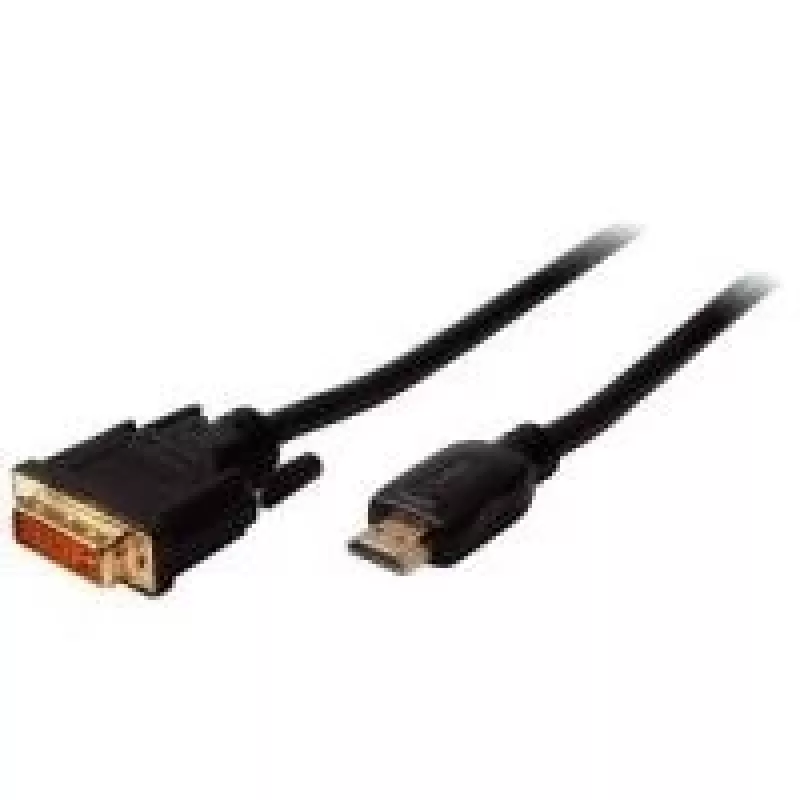
Video Cable Adapter ShiverPeaks BS77483 3m HDMI Type A DVI-D Black

Video Cable Adapter ShiverPeaks BS77483 3m HDMI Type A DVI-D Black
R357
The ShiverPeaks BS77483 3m HDMI Type A to DVI-D video cable adapter provides a direct wired connection between devices with HDMI Type A output and DVI-D input. Designed for transmitting digital video signals over a 3-metre length, this black adapter cable enables compatibility between modern HDMI so... Read More
Stock 14 Code 2205921 Brand SHIVERPEAKS Model BS77483 Warranty 2 Years

Shipping & Returns

Estimated delivery Tuesday, October 6
You will be kept updated through our detailed tracking system
Payment options
EFTPayFastBank CardSnapScanZapperGoogle PayApple PayMobicredMoreTymePay on Arrival

The ShiverPeaks BS77483 3m HDMI Type A to DVI-D video cable adapter provides a direct wired connection between devices with HDMI Type A output and DVI-D input. Designed for transmitting digital video signals over a 3-metre length, this black adapter cable enables compatibility between modern HDMI sources and DVI-D displays while maintaining a simple, single-cable setup.

Advantages

This 3 m cable adapter supports direct digital video transmission from HDMI Type A sources to DVI-D displays, reducing the need for additional converters. Its length offers flexibility for typical home, office, and presentation setups, while the single-cable design keeps installation straightforward. The black outer sheath contributes to a discreet appearance and helps protect the internal conductors for reliable signal transfer.

Suitable for

  • Connecting laptops, PCs, media players or game consoles with HDMI Type A output to monitors or projectors with DVI-D input
  • Office workstations where a digital video signal needs to be routed to DVI-only displays
  • Classroom or meeting-room AV setups requiring a simple HDMI-to-DVI connection over a moderate distance

Key specifications

  • Cable length: 3 metres
  • Connector types: HDMI Type A (Standard) to DVI-D
  • Signal type: digital video
  • Colour: black
  • Design: single-direction cable adapter for video-only connections

How to use

Insert the HDMI Type A plug into the HDMI output of the source device and connect the DVI-D plug to the DVI-D input on the display. Ensure both devices are powered off when making physical connections, then power them on and select the appropriate input on the display. This adapter transmits digital video only; audio will not be carried over the DVI-D connection and may require a separate audio connection if sound is needed.

Recommendations

For optimal performance, avoid sharp bends and excessive tension on the cable, keep connectors free of dust, and use within the 3 m length to maintain signal integrity. If audio is required, plan a separate audio link from the source to the display or external speakers.

Key Highlights
  • Connecting laptops, PCs, media players or game consoles with HDMI Type A output to monitors or projectors with DVI-D input
  • Office workstations where a digital video signal needs to be routed to DVI-only displays
  • Classroom or meeting-room AV setups requiring a simple HDMI-to-DVI connection over a moderate distance
  • Cable length: 3 metres
  • Connector types: HDMI Type A (Standard) to DVI-D
  • Signal type: digital video
  • Colour: black
  • Design: single-direction cable adapter for video-only connections
Specifications
AWG wire size
28
Cable length
3 m
Connector 1
HDMI Type A (Standard)
Connector 1 gender
Male
Connector 2
DVI-D
Connector 2 gender
Male
Data transfer rate
7.44 Gbit/s
Product colour
Black
Price history over the last 6 months
Video Cable Adapter ShiverPeaks BS77483 3m HDMI Type A DVI-D Black
Current
R357
Lowest
R346
Highest
R357
Change 24H
+R9   +3%
Week
—   
Month
—   

Popular products in this category

WhatsApp
Hi, I’m DistriNode’s AI assistant. I can help you find products, compare options, create quote PDFs, or open support requests.