Account Contact
Your Cart
Pay the courier with no extra fees.
Need help? DistriNode AI can handle any task on our site.

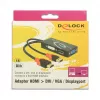
Video Cable Adapter DeLOCK 62959 HDMI USB DVI-I VGA 0.135m

Video Cable Adapter DeLOCK 62959 HDMI USB DVI-I VGA 0.135m
R1,523
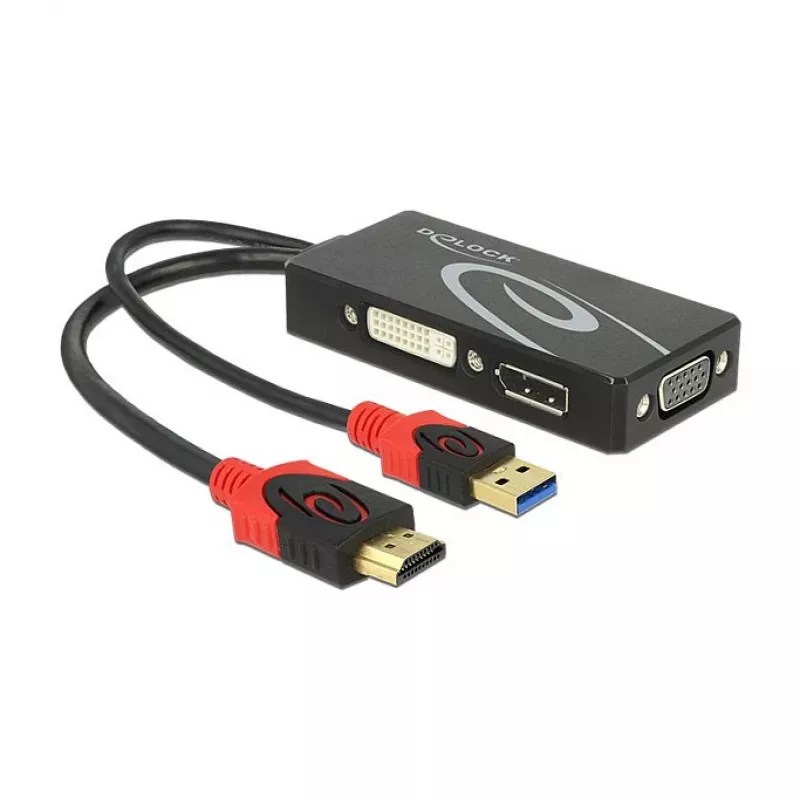
The DeLOCK 62959 video cable adapter allows a system to be extended with additional video outputs by providing HDMI and USB connectors on one end and DVI-I plus VGA (D-Sub) on the other. With a compact 0.135 m cable length and a combined HDMI + USB to DVI‑I + VGA design, the adapter enables connecti... Read More
Stock 100 Code 1721152 Brand DELOCK Model 62959 Warranty 2 Years

Shipping & Returns

Estimated delivery Thursday, October 1
You will be kept updated through our detailed tracking system
Payment options
EFTPayFastBank CardSnapScanZapperGoogle PayApple PayMobicredMoreTymePay on Arrival

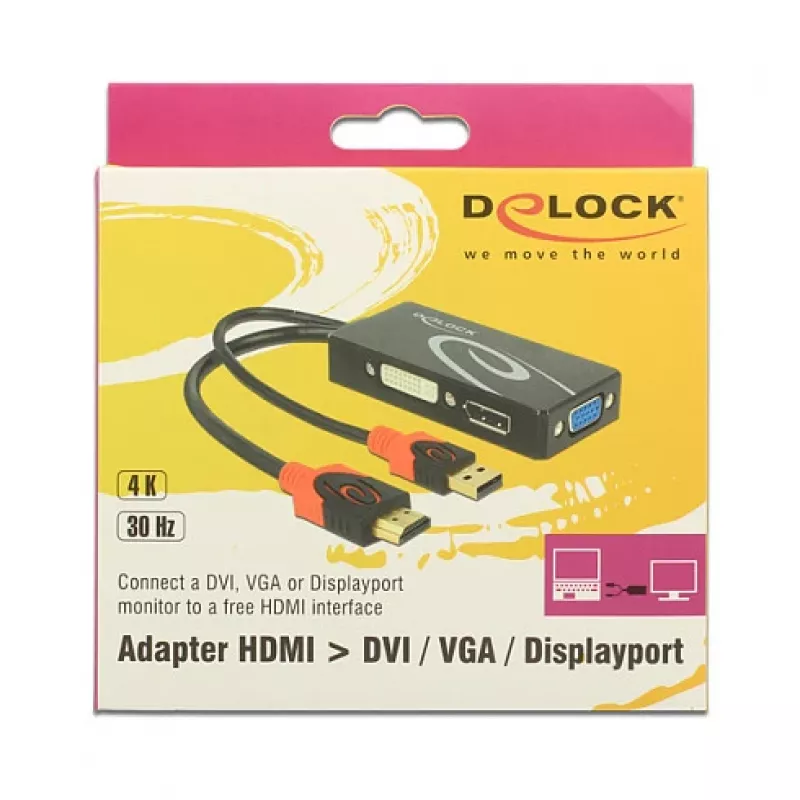
The DeLOCK 62959 video cable adapter allows a system to be extended with additional video outputs by providing HDMI and USB connectors on one end and DVI-I plus VGA (D-Sub) on the other. With a compact 0.135 m cable length and a combined HDMI + USB to DVI‑I + VGA design, the adapter enables connection of devices such as TVs, beamers/projectors and monitors to a single output source.

Advantages

The compact adapter combines HDMI and USB input with DVI‑I and VGA outputs in a single cable, saving space and reducing the number of separate adapters needed. Its short 0.135 m length is convenient for close-proximity setups and minimizes cable clutter. The adapter supports common display interfaces to enable straightforward plug-and-play connection to many screens and projectors.

Suitable for

  • Connecting a laptop or desktop HDMI output to a monitor with DVI‑I input
  • Connecting an HDMI source to a VGA (D-Sub) projector
  • Temporary or portable setups where a short adapter cable is sufficient

Key specifications

  • Brand: DELOCK
  • Model / MPN: 62959
  • EAN: 4043619629596
  • Connectors: HDMI + USB (one end) → DVI‑I + VGA (D‑Sub) (other end)
  • Cable length: 0.135 m
  • Colours: Black, Red

How to use

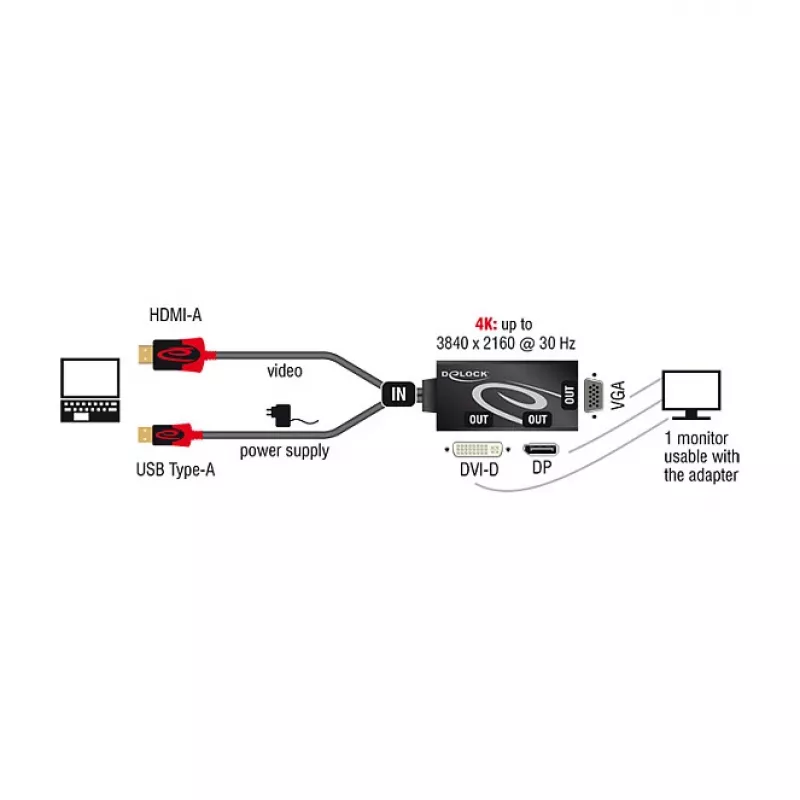
Connect the HDMI + USB end to the source device (for example a laptop or desktop HDMI output and a USB port if required). Plug the DVI‑I or VGA connector into the display device. Only one display output (either DVI‑I or VGA) can be used at a time. Ensure secure seating of connectors and select the correct input on the display device. No additional drivers are normally required for standard video output.

Recommendations

The adapter is intended for extending a single video output to legacy displays and projectors; avoid using it as a permanent long-reach solution due to its short cable length. Use the connector that matches the display for best compatibility and image quality.
Key Highlights
  • Connecting a laptop or desktop HDMI output to a monitor with DVI‑I input
  • Connecting an HDMI source to a VGA (D-Sub) projector
  • Temporary or portable setups where a short adapter cable is sufficient
  • Brand: DELOCK
  • Model / MPN: 62959
  • EAN: 4043619629596
  • Connectors: HDMI + USB (one end) → DVI‑I + VGA (D‑Sub) (other end)
  • Cable length: 0.135 m
  • Colours: Black, Red
Specifications
Cable length
0.135 m
Connector 1
HDMI + USB
Connector 1 gender
Male
Connector 2
DVI-I + VGA (D-Sub)
Connector 2 gender
Female
DisplayPort version
1.2
Harmonized System (HS) code
84733080
Maximum refresh rate
60 Hz
Maximum resolution
3840 x 2160
Product colour
Black, Red

Leaflet

Open Leaflet
Price history over the last 6 months
Video Cable Adapter DeLOCK 62959 HDMI USB DVI-I VGA 0.135m
Current
R1,523
Lowest
R1,469
Highest
R1,527
Change 24H
+R35   +2%
Week
+R51   +3%
Month
+R45   +3%

Popular products in this category

WhatsApp
Hi, I’m DistriNode’s AI assistant. I can help you find products, compare options, create quote PDFs, or open support requests.