Account Contact
Your Cart
Pay the courier with no extra fees.
Need help? DistriNode AI can handle any task on our site.

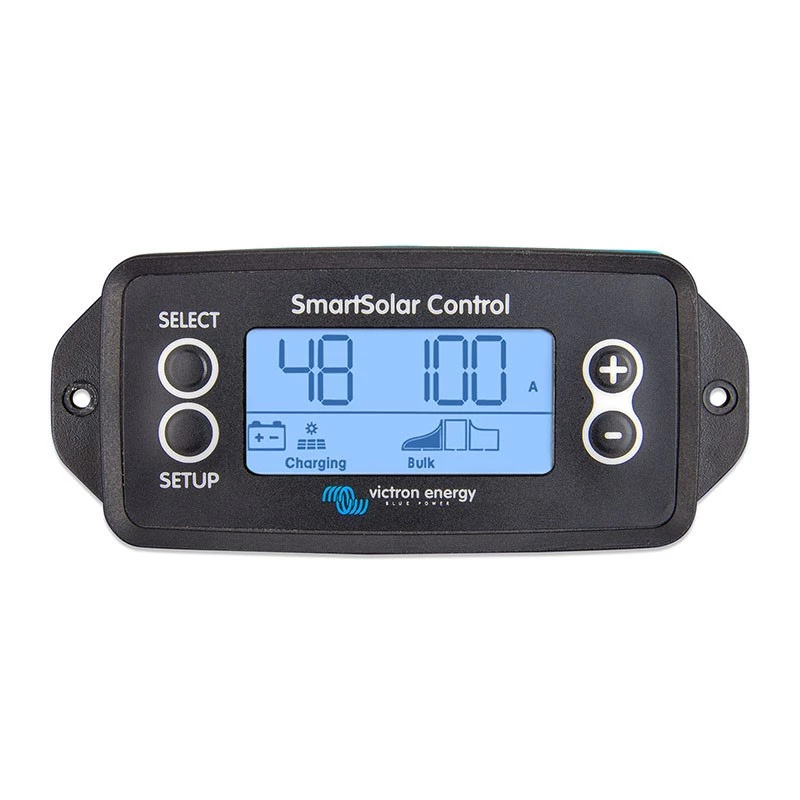
Victron Energy SmartSolar Control Screen - Remote Display for MPPT Charge Controllers, VE.Direct, LCD, Flush Mount

Victron Energy SmartSolar Control Screen - Remote Display for MPPT Charge Controllers, VE.Direct, LCD, Flush Mount
R877
Take full command of your Victron SmartSolar MPPT charge controller with the SCC900650010 Control Screen. This flush-mount remote display puts real-time PV power, battery voltage, and charge current at your fingertips, while also granting access to historical yield data and advanced settings—all thr... Read More
Stock 13 Code 3318547 Brand VICTRON ENERGY Model SCC900650010 Warranty 2 Years

Shipping & Returns

Estimated delivery Thursday, October 1
You will be kept updated through our detailed tracking system
Payment options
EFTPayFastBank CardSnapScanZapperGoogle PayApple PayMobicredMoreTymePay on Arrival

Take full command of your Victron SmartSolar MPPT charge controller with the SCC900650010 Control Screen. This flush-mount remote display puts real-time PV power, battery voltage, and charge current at your fingertips, while also granting access to historical yield data and advanced settings—all through a crisp monochrome LCD with backlight.

Overview

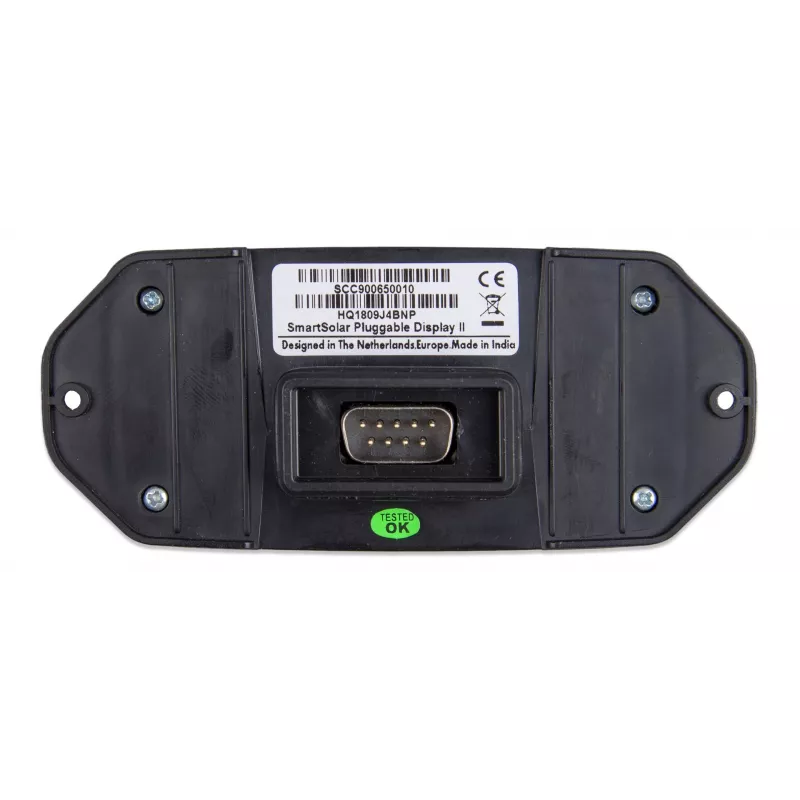
The SmartSolar Control Screen is a dedicated remote panel designed for seamless integration with Victron SmartSolar MPPT charge controllers equipped with a VE.Direct port. It connects via the included 1.5 m VE.Direct cable, drawing power directly from the charge controller—no separate power supply needed. The compact 68 x 68 mm front panel fits neatly into a 52 mm cut-out, making it ideal for dashboards, control cabinets, or anywhere you need convenient monitoring.

What stands out

  • Real-time monitoring of PV power, battery voltage, charge current, and more
  • Historical data display: total yield, maximum power, and other statistics
  • Adjust settings on the fly: battery parameters, load output, and street light function
  • Backlit monochrome LCD for clear visibility in all lighting conditions
  • Flush mount design with only 20 mm depth behind the panel
  • Powered directly from the charge controller via VE.Direct—no extra wiring

Technical details

  • Compatibility: Victron SmartSolar MPPT charge controllers with VE.Direct port
  • Display: Monochrome LCD with backlight
  • Connectivity: VE.Direct port (cable included, 1.5 m)
  • Power source: Powered via VE.Direct (from charge controller)
  • Mounting: Flush mount, front panel 68 x 68 mm, cut-out diameter 52 mm, depth 20 mm
  • Operating temperature: -20 to +50 °C
  • Front enclosure protection: IP20
  • User interface: Push buttons
  • Colour: Black

Our verdict

The SmartSolar Control Screen is the perfect companion for your Victron MPPT controller, offering a simple yet powerful way to monitor and adjust your solar system without needing a smartphone or computer. Its compact flush-mount design and direct VE.Direct connectivity make installation a breeze.

Specifications
Brand
Victron Energy
Brand compatibility
Victron SmartSolar MPPT Charge Controllers with VE.Direct port
Category
Remote Display
EAN
8719076043546
LED indicators
Yes
Model
SmartSolar Control Screen
MPN
SCC900650010
On/off switch
Yes
Operating temperature (T-T)
-20 - 50 °C
Product colour
Black
Weight
0.1 kg
Price history over the last 6 months
Victron Energy SmartSolar Control Screen - Remote Display for MPPT Charge Controllers, VE.Direct, LCD, Flush Mount
Current
R877
Lowest
R845
Highest
R877
Change 24H
+R27   +3%
Week
+R30   +4%
Month
—   

Popular products in this category

WhatsApp
Hi, I’m DistriNode’s AI assistant. I can help you find products, compare options, create quote PDFs, or open support requests.