Account Contact
Your Cart
Pay on delivery – no extra fees
Need help? Ask our AI

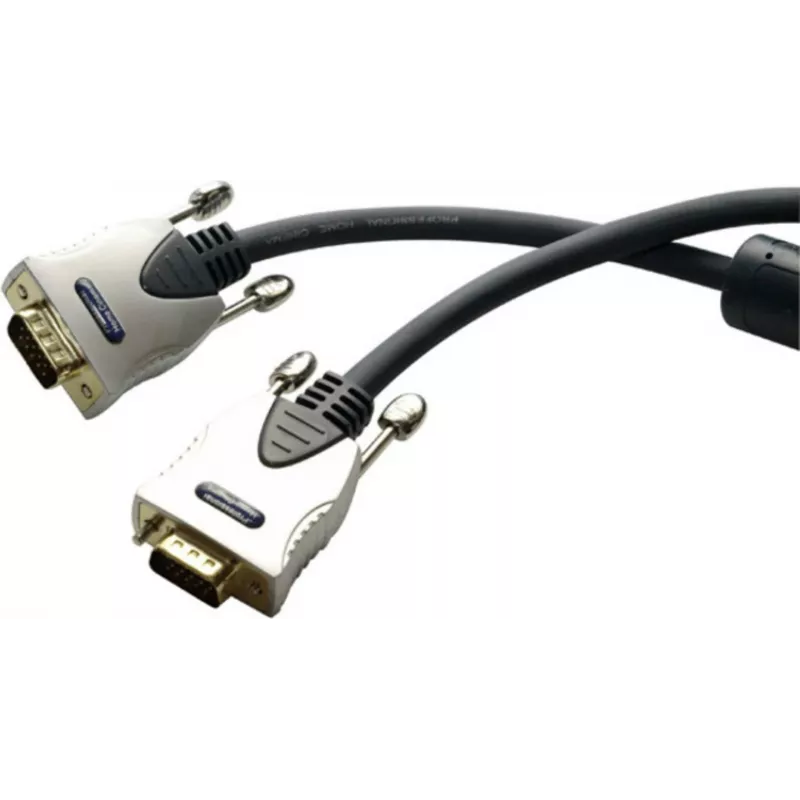
VGA cable ShiverPeaks SP78050-10 10 m Mini-VGA

VGA cable ShiverPeaks SP78050-10 10 m Mini-VGA
R687
The ShiverPeaks SP78050-10 10 m Mini-VGA cable provides a reliable analog video connection between a standard VGA (D-Sub) output and a device with a Mini‑VGA input. At 10 metres length, the cable is designed to transmit VGA video signals over extended distance while maintaining signal integrity for ... Read More
Stock Out Of StockNo Stock Code 2256296 Brand SHIVERPEAKS Model SP78050-10 Warranty 2 Years

Shipping & Returns

The ShiverPeaks SP78050-10 10 m Mini-VGA cable provides a reliable analog video connection between a standard VGA (D-Sub) output and a device with a Mini‑VGA input. At 10 metres length, the cable is designed to transmit VGA video signals over extended distance while maintaining signal integrity for common resolutions used in desktop monitors, projectors and portable displays. The cable's construction focuses on durability and consistent contact between connectors to reduce signal loss and intermittent connections.

Advantages

This VGA to Mini‑VGA cable supports stable analog video transmission over a long 10 m run, reducing the need for repeaters or extenders in many setups. Durable connectors and strain relief help protect against mechanical wear from repeated connection and movement. The cable is compatible with devices that provide a standard VGA output and displays or adapters that accept a Mini‑VGA input, enabling straightforward use without additional converters when both connector types are present.

Suitable for

  • Connecting a computer or laptop with VGA output to a monitor, projector or display with Mini‑VGA input
  • Classroom or conference-room installations requiring a long analog video cable
  • Home setups where a longer cable run is needed between source and display
  • Temporary AV installations for presentations or events

Key specifications

  • Cable length: 10 metres
  • Connector A: VGA (D-Sub 15-pin) male
  • Connector B: Mini‑VGA male
  • Signal type: Analog RGB video (VGA)
  • Construction: Shielded cable with molded connector housings and strain relief

How to use

Connect the VGA (D-Sub) end to the video output of the source device and insert the Mini‑VGA end into the display's Mini‑VGA input. Secure any thumbscrews if present to ensure a stable mechanical connection. Configure the source device's display settings for an appropriate resolution and refresh rate supported by the display. If the image quality is degraded at higher resolutions or longer distances, try lowering the resolution or reducing cable length where possible.

Recommendations

For best performance, route the cable away from large power cables and strong electromagnetic sources to minimise interference. Verify the display supports the selected resolution and use the shortest practical cable length for critical installations requiring the highest image fidelity.
Key Highlights
  • Connecting a computer or laptop with VGA output to a monitor, projector or display with Mini‑VGA input
  • Classroom or conference-room installations requiring a long analog video cable
  • Home setups where a longer cable run is needed between source and display
  • Temporary AV installations for presentations or events
  • Cable length: 10 metres
  • Connector A: VGA (D-Sub 15-pin) male
  • Connector B: Mini‑VGA male
  • Signal type: Analog RGB video (VGA)
  • Construction: Shielded cable with molded connector housings and strain relief
Specifications
Cable length
10 m
Cable material
Copper
Connector 1
VGA (D-Sub)
Connector 1 form factor
Straight
Connector 1 gender
Male
Connector 2
Mini-VGA
Connector 2 form factor
Straight
Connector 2 gender
Male
Connector contacts plating
Gold
Product colour
Blue
Price history is not available yet
We are still collecting enough daily price data for this product.

Popular products in this category

WhatsApp
Hi, I’m DistriNode’s AI assistant. I can help you find products, compare options, create quote PDFs, or open support requests.