Account Contact
Your Cart
Pay the courier with no extra fees.
Need help? DistriNode AI can handle any task on our site.

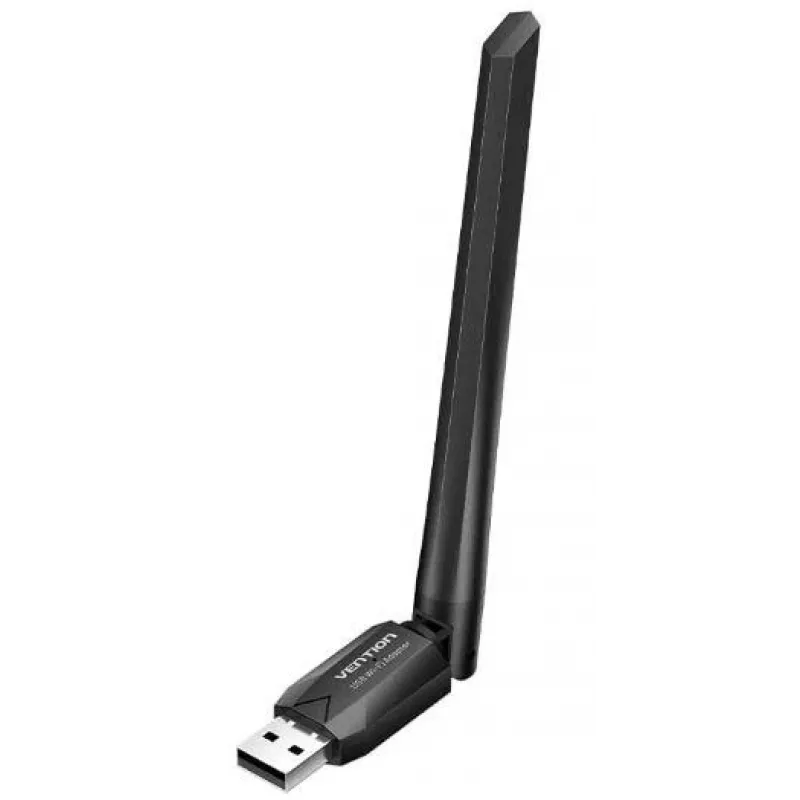
USB Wi‑Fi adapter Vention KDTB0 — dual‑band 650 Mbps (2.4/5 GHz) USB

USB Wi‑Fi adapter Vention KDTB0 — dual‑band 650 Mbps (2.4/5 GHz) USB
R315
Vention KDTB0 is a compact USB Wi‑Fi adapter that adds or upgrades wireless connectivity for desktops and laptops. It supports dual‑band operation on 2.4 GHz and 5 GHz and delivers data transmission speeds up to 650 Mbps, providing improved throughput and more stable wireless links for everyday inte... Read More
Stock 19 Code 772018 Brand VENTION Model KDTB0 Warranty 2 Years

Shipping & Returns

Estimated delivery Tuesday, September 29
You will be kept updated through our detailed tracking system
Payment options
EFTPayFastBank CardSnapScanZapperGoogle PayApple PayMobicredMoreTymePay on Arrival

Vention KDTB0 is a compact USB Wi‑Fi adapter that adds or upgrades wireless connectivity for desktops and laptops. It supports dual‑band operation on 2.4 GHz and 5 GHz and delivers data transmission speeds up to 650 Mbps, providing improved throughput and more stable wireless links for everyday internet tasks.

Advantages

The adapter offers dual‑band support for flexible connection options and up to 650 Mbps throughput for faster downloads and smoother streaming. Its USB interface enables simple plug‑and‑play installation on most computers, while the compact black design makes it portable and unobtrusive in home or office environments.

Suitable for

  • Upgrading a desktop or laptop to add Wi‑Fi capability
  • Streaming video and music on 2.4 GHz or 5 GHz networks
  • Casual online gaming and video calls
  • General web browsing and file downloads

Key specifications

  • Wireless frequency range: 2.4 GHz and 5 GHz (dual‑band)
  • Maximum data transmission speed: up to 650 Mbps
  • Interface: USB
  • Colour: black
  • Form factor: compact, portable USB adapter

How to use

Plug the Vention KDTB0 adapter into an available USB port on your desktop or laptop. The device typically installs via plug‑and‑play; if necessary, install drivers provided by the operating system or from the manufacturer. After installation, select the desired 2.4 GHz or 5 GHz wireless network and enter the network credentials to connect.

Recommendations

For best performance, place the adapter in a USB port with a clear line of sight to the wireless router and choose the 5 GHz band for higher throughput when within range; use 2.4 GHz for better range through walls and obstacles.
Key Highlights
  • Upgrading a desktop or laptop to add Wi‑Fi capability
  • Streaming video and music on 2.4 GHz or 5 GHz networks
  • Casual online gaming and video calls
  • General web browsing and file downloads
  • Wireless frequency range: 2.4 GHz and 5 GHz (dual‑band)
  • Maximum data transmission speed: up to 650 Mbps
  • Interface: USB
  • Colour: black
  • Form factor: compact, portable USB adapter
Price history over the last 6 months
USB Wi‑Fi adapter Vention KDTB0 — dual‑band 650 Mbps (2.4/5 GHz) USB
Current
R315
Lowest
R273
Highest
R441
Change 24H
+R31   +11%
Week
+R33   +12%
Month
+R42   +15%

Popular products in this category

WhatsApp
Hi, I’m DistriNode’s AI assistant. I can help you find products, compare options, create quote PDFs, or open support requests.