Account Contact
Your Cart
Pay the courier with no extra fees.
Need help? DistriNode AI can handle any task on our site.

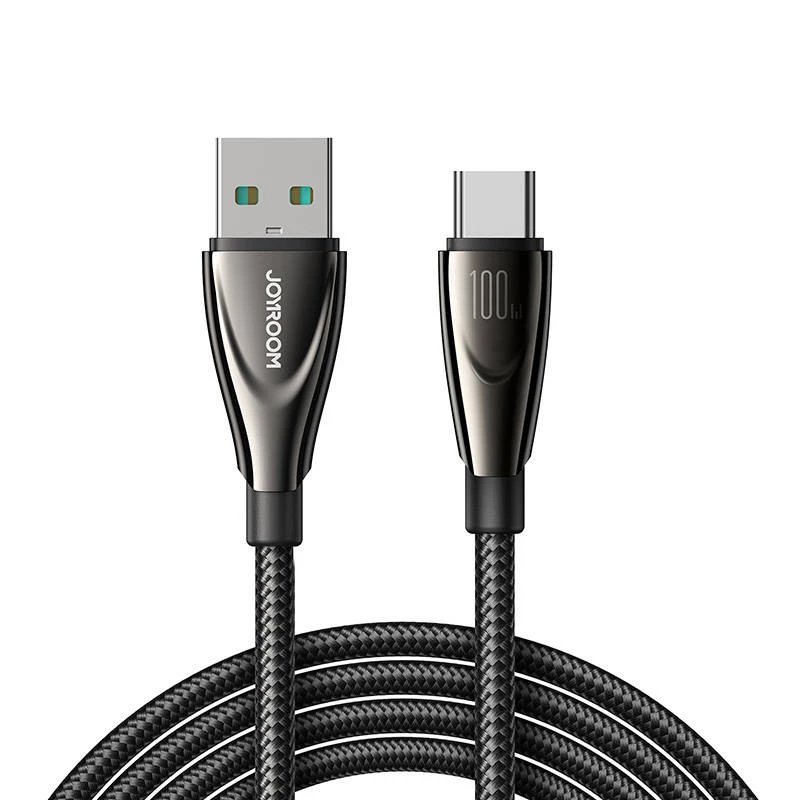
USB to USB-C cable Joyroom SA31-AC6 100W 1.2 m Black

USB to USB-C cable Joyroom SA31-AC6 100W 1.2 m Black
R283
Joyroom SA31-AC6 is a 1.2 m USB to USB-C cable designed for charging and data transfer between USB-A hosts and USB-C devices. With a rated power capacity of up to 100W, this cable supports high-power charging and simultaneous data connection for compatible laptops, tablets, smartphones, power banks ... Read More
Stock 435 Code 776552 Brand JOYROOM Model SA31-AC6 1.2m-Black Warranty 2 Years

Shipping & Returns

Estimated delivery Tuesday, October 6
You will be kept updated through our detailed tracking system
Payment options
EFTPayFastBank CardSnapScanZapperGoogle PayApple PayMobicredMoreTymePay on Arrival

Joyroom SA31-AC6 is a 1.2 m USB to USB-C cable designed for charging and data transfer between USB-A hosts and USB-C devices. With a rated power capacity of up to 100W, this cable supports high-power charging and simultaneous data connection for compatible laptops, tablets, smartphones, power banks and chargers. The 1.2 meter length balances reach and portability for everyday use.

Advantages

The cable supports up to 100W power delivery for faster charging of capable devices while also enabling data transfer. Constructed with reinforced connectors and a braided outer jacket, it offers improved mechanical durability and flexibility in typical everyday conditions. Its USB-A to USB-C termination provides broad compatibility with legacy USB-A chargers, computers and many modern USB-C devices.

Suitable for

  • Charging laptops, tablets and smartphones that accept USB-C power input (when used with a suitable charger)
  • Connecting USB-A hosts such as older computers or wall chargers to USB-C devices
  • Transferring data between a USB-A port and a USB-C device at standard USB 2.0 speeds
  • Using with power banks and USB-A chargers that support high-wattage output

Key specifications

  • Cable type: USB-A (USB) to USB-C
  • Rated power delivery: up to 100 W
  • Length: 1.2 m
  • Color: Black
  • Typical data transfer capability: up to 480 Mbps (USB 2.0 class)
  • Outer construction: braided jacket with reinforced connector housings

How to use

Connect the USB-A end to a compatible host such as a wall charger, computer or power bank, and plug the USB-C end into the device to be charged or accessed for data transfer. Ensure the host (charger or port) supports the required power output for high-wattage charging. For data transfer, use the cable while the device is powered on and follow the operating system prompts to access files or enable data modes.

Recommendations

Use a charger or USB-A port rated for the desired power level to achieve maximum charging speed. Avoid bending the cable sharply near the connector ends and disconnect by pulling the connector rather than the cable. Inspect connectors periodically for debris and keep contacts dry to maintain reliable charging and data transfer.

Key Highlights
  • Charging laptops, tablets and smartphones that accept USB-C power input (when used with a suitable charger)
  • Connecting USB-A hosts such as older computers or wall chargers to USB-C devices
  • Transferring data between a USB-A port and a USB-C device at standard USB 2.0 speeds
  • Using with power banks and USB-A chargers that support high-wattage output
  • Cable type: USB-A (USB) to USB-C
  • Rated power delivery: up to 100 W
  • Length: 1.2 m
  • Color: Black
  • Typical data transfer capability: up to 480 Mbps (USB 2.0 class)
  • Outer construction: braided jacket with reinforced connector housings
Price history over the last 6 months
USB to USB-C cable Joyroom SA31-AC6 100W 1.2 m Black
Current
R283
Lowest
R255
Highest
R286
Change 24H
+R26   +10%
Week
+R28   +11%
Month
+R27   +11%

Popular products in this category

WhatsApp
Hi, I’m DistriNode’s AI assistant. I can help you find products, compare options, create quote PDFs, or open support requests.