Account Contact
Your Cart
Pay the courier with no extra fees.
Need help? DistriNode AI can handle any task on our site.

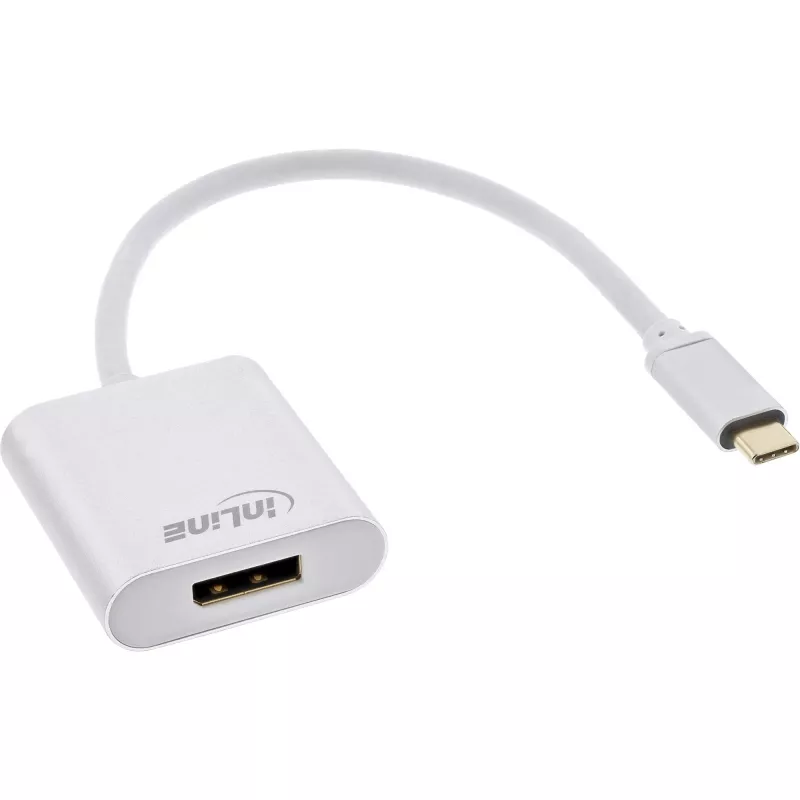
USB Display Converter InLine 64102S USB-C to DisplayPort 4K 60Hz

USB Display Converter InLine 64102S USB-C to DisplayPort 4K 60Hz
R628
The InLine 64102S USB Display Converter connects computers or devices with a USB Type-C port that supports DisplayPort Alternate Mode to DisplayPort monitors, transmitting both video and audio. The short 0.2 m silver cable provides a tidy connection and supports resolutions up to 3840 x 2160 at 60 H... Read More
Stock 190 Code 1487749 Brand INLINE Model 64102S Warranty 2 Years

Shipping & Returns

Estimated delivery Tuesday, October 6
You will be kept updated through our detailed tracking system
Payment options
EFTPayFastBank CardSnapScanZapperGoogle PayApple PayMobicredMoreTymePay on Arrival

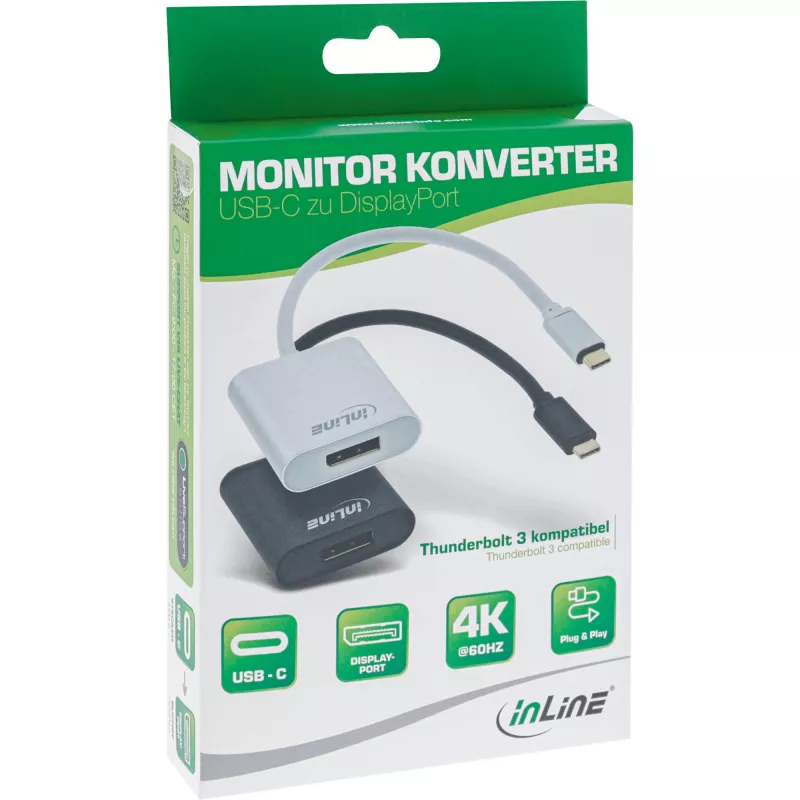
The InLine 64102S USB Display Converter connects computers or devices with a USB Type-C port that supports DisplayPort Alternate Mode to DisplayPort monitors, transmitting both video and audio. The short 0.2 m silver cable provides a tidy connection and supports resolutions up to 3840 x 2160 at 60 Hz with RGB and YCbCr 4:4:4. The adapter is compatible with Thunderbolt 3, USB 3.1 and VESA DisplayPort 1.2 standards and is USB powered for plug-and-play operation.

Advantages

This USB-C to DisplayPort adapter supports 4K@60Hz with full chroma sampling, requires no external power supply, and offers compatibility with Thunderbolt 3 and DisplayPort Alternate Mode. The compact 0.2 m cable and silver finish provide a space-saving, unobtrusive connection suitable for desktop and mobile setups.

Suitable for

Key specifications

How to use

Connect the USB Type-C plug to a computer or device that supports DisplayPort Alternate Mode (or to a Thunderbolt 3 port). Plug the DisplayPort connector into the monitor. The adapter transmits video and audio automatically; operating systems from Windows 7/8/10 and macOS 10.9 or newer recognize the display. No driver installation is typically required.

Recommendations

Ensure the source device’s USB-C port supports DisplayPort Alternate Mode—this is often indicated by a DisplayPort logo next to the port. For optimal image quality, use monitors and cables that support 4K@60Hz and set the display resolution and refresh rate in the system display settings.
Key Highlights
  • Connecting USB-C laptops or tablets to DisplayPort monitors
  • 4K video playback and streaming at 60 Hz
  • Presentations and desktop productivity with external displays
  • Thunderbolt 3-equipped computers requiring DisplayPort output
  • Model: InLine 64102S
  • Connectors: USB Type-C (plug) to DisplayPort (socket)
  • Supported resolution: up to 3840 x 2160 @60Hz (RGB, YCbCr 4:4:4)
  • Cable length: 0.2 m
  • Standards: USB 3.1 compatible, VESA DisplayPort 1.2
  • Power: USB powered (no external power supply required)
  • Color: Silver
Specifications
Cable length
0.2 m
Connector 1
USB Type-C
Connector 1 gender
Male
Connector 2
DisplayPort
Connector 2 gender
Female
Connector contacts plating
Gold
Data transfer rate
5 Gbit/s
Depth
200 mm
Dimensions (WxDxH)
41 x 200 x 14 mm
Height
14 mm
Mac operating systems supported
Mac OS X 10.9 Mavericks, Mac OS X 11.0 Big Sur
Maximum resolution
3840 x 2160 pixels
Package depth
170 mm
Package height
30 mm
Package weight
65 g
Package width
120 mm
Plug and Play
Yes
Product colour
Silver
Weight
27 g
Width
41 mm
Windows operating systems supported
Windows 10

Leaflet

Open Leaflet

Document

Open Document
Price history over the last 6 months
USB Display Converter InLine 64102S USB-C to DisplayPort 4K 60Hz
Current
R628
Lowest
R592
Highest
R671
Change 24H
+R29   +5%
Week
+R36   +6%
Month
-R2   0%

Popular products in this category

WhatsApp
Hi, I’m DistriNode’s AI assistant. I can help you find products, compare options, create quote PDFs, or open support requests.