Account Contact
Your Cart
Pay the courier with no extra fees.
Need help? DistriNode AI can handle any task on our site.

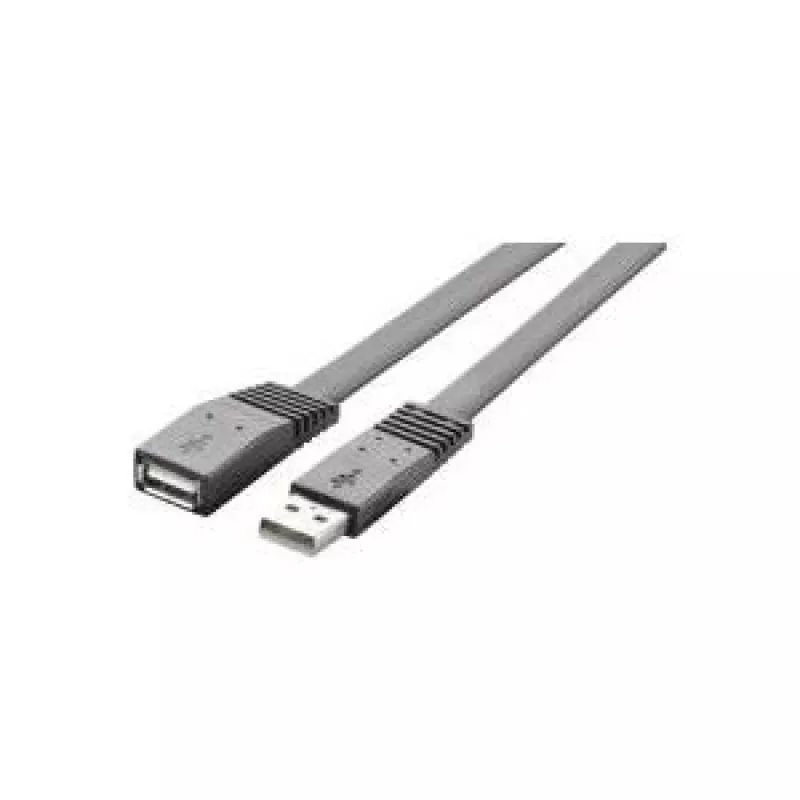
USB cable Renkforce RF-4087404 — 1 m, USB A to USB A, USB 2.0, 480 Mbit/s, black

USB cable Renkforce RF-4087404 — 1 m, USB A to USB A, USB 2.0, 480 Mbit/s, black
R384
Renkforce RF-4087404 is a 1 m USB 2.0 cable with USB A to USB A connectors, designed for short, reliable data connections between devices with standard USB A ports. The cable supports USB 2.0 data transfer speeds up to 480 Mbit/s and has a compact black jacket suitable for home and office environmen... Read More
Stock 954 Code 2223711 Brand RENKFORCE Model 1362468 Warranty 2 Years

Shipping & Returns

Estimated delivery Wednesday, October 7
You will be kept updated through our detailed tracking system
Payment options
EFTPayFastBank CardSnapScanZapperGoogle PayApple PayMobicredMoreTymePay on Arrival

Renkforce RF-4087404 is a 1 m USB 2.0 cable with USB A to USB A connectors, designed for short, reliable data connections between devices with standard USB A ports. The cable supports USB 2.0 data transfer speeds up to 480 Mbit/s and has a compact black jacket suitable for home and office environments where a direct link or temporary connection is needed.

Advantages

The cable provides a straightforward solution for connecting compatible USB A devices without adapters or complex setups. Its 1 m length reduces cable clutter while allowing flexible placement of devices on a desk or workstation. With USB 2.0 compatibility and standardized USB A connectors at both ends, the cable supports common peripherals and direct device-to-device data transfer where allowed by hardware. The black outer sheath offers a neutral look that integrates with most setups.

Suitable for

  • Connecting external hard drives or enclosures with USB A ports
  • Linking printers, scanners or multifunction devices to a host with USB A
  • Data transfer between compatible consumer devices with USB A connectors
  • Temporary connections for troubleshooting, device configuration, or file copying

Key specifications

  • Cable length: 1 m
  • Connector type: USB A to USB A
  • USB standard: USB 2.0
  • Maximum data rate: up to 480 Mbit/s
  • Colour: black
  • Intended use: data transfer and basic peripheral connections

How to use

Insert each USB A connector into the corresponding USB A port on the devices you want to connect. Ensure both devices are powered on and that their USB ports support host or peripheral roles as required for direct connections. For file transfers, use the operating system’s file management tools or device-specific software. Disconnect the cable by pulling the connector straight out from the port to avoid stressing the cable or port.

Recommendations

Use the cable for short-distance connections in home or office settings. Avoid excessive bending near the connector ends and do not use the cable for charging devices that require higher power levels than USB 2.0 can provide. Verify device compatibility before attempting direct device-to-device connections, since some hardware may not support USB A to A links for data transfer.

Key Highlights
  • Connecting external hard drives or enclosures with USB A ports
  • Linking printers, scanners or multifunction devices to a host with USB A
  • Data transfer between compatible consumer devices with USB A connectors
  • Temporary connections for troubleshooting, device configuration, or file copying
  • Cable length: 1 m
  • Connector type: USB A to USB A
  • USB standard: USB 2.0
  • Maximum data rate: up to 480 Mbit/s
  • Colour: black
  • Intended use: data transfer and basic peripheral connections
Price history over the last 6 months
USB cable Renkforce RF-4087404 — 1 m, USB A to USB A, USB 2.0, 480 Mbit/s, black
Current
R384
Lowest
R374
Highest
R384
Change 24H
+R10   +3%
Week
—   
Month
—   

Popular products in this category

WhatsApp
Hi, I’m DistriNode’s AI assistant. I can help you find products, compare options, create quote PDFs, or open support requests.