Account Contact
Your Cart
Pay the courier with no extra fees.
Need help? DistriNode AI can handle any task on our site.

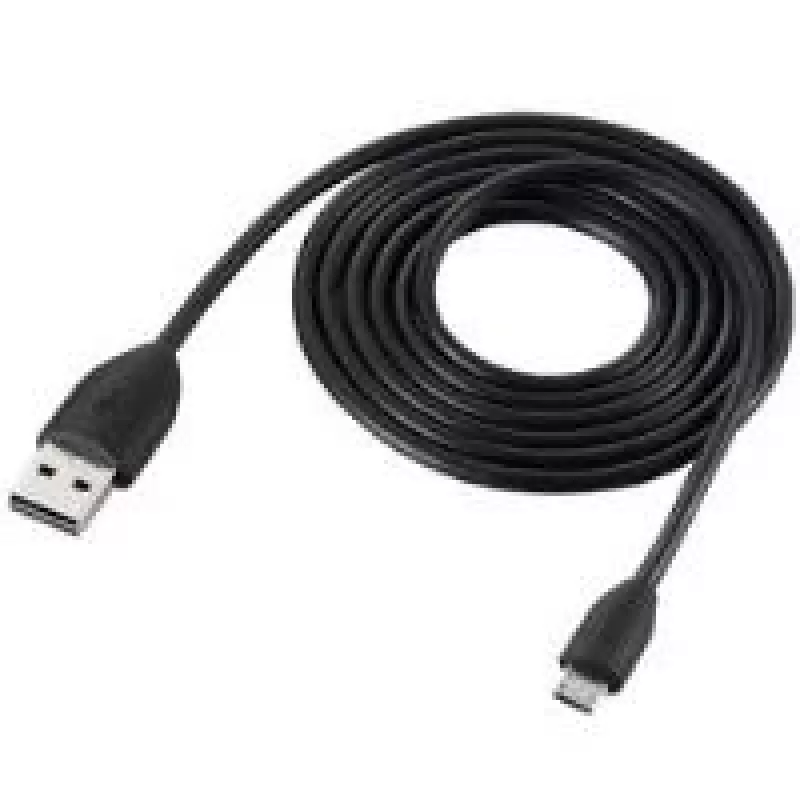
USB Cable HTC DC M410 Micro-USB A to USB A Black

USB Cable HTC DC M410 Micro-USB A to USB A Black
R323
HTC DC M410 USB cable with a Micro-USB A connector on one end and a USB A connector on the other, designed for charging and synchronizing HTC mobile phones. The cable supports USB 2.0 for high-speed data transfer and offers a reliable wired connection between your phone and PC or charger. The black ... Read More
Stock 395 Code 2201788 Brand HTC Model DC M410 Warranty 2 Years

Shipping & Returns

Estimated delivery Tuesday, October 6
You will be kept updated through our detailed tracking system
Payment options
EFTPayFastBank CardSnapScanZapperGoogle PayApple PayMobicredMoreTymePay on Arrival

HTC DC M410 USB cable with a Micro-USB A connector on one end and a USB A connector on the other, designed for charging and synchronizing HTC mobile phones. The cable supports USB 2.0 for high-speed data transfer and offers a reliable wired connection between your phone and PC or charger. The black finish provides a neutral, unobtrusive look suitable for everyday use.

Advantages

The cable provides simple, fast and reliable data exchange and supports high-speed USB 2.0 transfer. Its male-to-male Micro-USB A to USB A configuration ensures compatibility with HTC phones that use a Micro-USB connector and with standard USB ports on PCs and chargers. The compact black design is practical for regular charging and syncing tasks.

Suitable for

  • Charging HTC phones with a Micro-USB port
  • Synchronizing data between HTC phones and a PC
  • Connecting HTC devices to USB chargers or power banks

Key specifications

  • Connector 1: Micro-USB A
  • Connector 2: USB A
  • USB version: USB 2.0 (high-speed)
  • Product colour: Black
  • Manufacturer part number (MPN): DC-M410
  • EAN: 8717371869755

How to use

Insert the Micro-USB A connector into the Micro-USB port of your HTC phone and plug the USB A connector into a computer USB port or a USB charger. Once connected, use the phone’s settings to select the desired USB mode (charging, file transfer, or media transfer). For synchronization, initiate file transfer from your PC or use your device’s sync software.

Recommendations

For optimal performance, use with devices that support Micro-USB A and USB 2.0. Avoid bending the cable sharply near the connectors and disconnect by pulling the connector rather than the cable to prolong its lifespan.
Key Highlights
  • Charging HTC phones with a Micro-USB port
  • Synchronizing data between HTC phones and a PC
  • Connecting HTC devices to USB chargers or power banks
  • Connector 1: Micro-USB A
  • Connector 2: USB A
  • USB version: USB 2.0 (high-speed)
  • Product colour: Black
  • Manufacturer part number (MPN): DC-M410
  • EAN: 8717371869755
Specifications
Connector 1
Micro-USB A
Connector 1 gender
Male
Connector 2
USB A
Connector 2 gender
Male
Product colour
Black
USB version
USB 2.0
Price history over the last 6 months
USB Cable HTC DC M410 Micro-USB A to USB A Black
Current
R323
Lowest
R313
Highest
R323
Change 24H
+R9   +3%
Week
—   
Month
—   

Popular products in this category

WhatsApp
Hi, I’m DistriNode’s AI assistant. I can help you find products, compare options, create quote PDFs, or open support requests.