Account Contact
Your Cart
Pay the courier with no extra fees.
Need help? DistriNode AI can handle any task on our site.

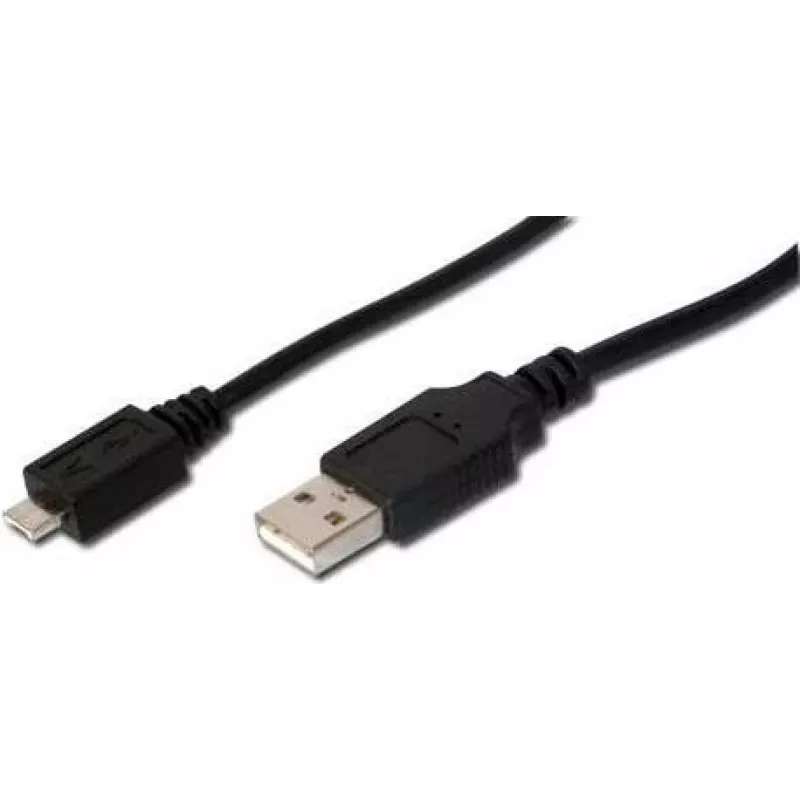
USB Cable Digitus 1.8m USB 2.0 USB A Micro-USB A Black

USB Cable Digitus 1.8m USB 2.0 USB A Micro-USB A Black
R308
The Digitus 1.8m USB 2.0 cable with USB A to Micro-USB A connectors provides a reliable wired connection for external USB devices to hosts such as PCs, notebooks or USB hubs. The cable supports High-Speed USB 2.0 data transfer up to 480 Mbps, features magnetic shielding to reduce interference and ni... Read More
Stock 14 Code 2216122 Brand DIGITUS Model AK-300109-018-S Warranty 2 Years

Shipping & Returns

Estimated delivery Tuesday, October 6
You will be kept updated through our detailed tracking system
Payment options
EFTPayFastBank CardSnapScanZapperGoogle PayApple PayMobicredMoreTymePay on Arrival

The Digitus 1.8m USB 2.0 cable with USB A to Micro-USB A connectors provides a reliable wired connection for external USB devices to hosts such as PCs, notebooks or USB hubs. The cable supports High-Speed USB 2.0 data transfer up to 480 Mbps, features magnetic shielding to reduce interference and nickel-plated contacts for improved conductivity and durability. With a length of 1.8 m and a black finish, it is suitable for everyday data transfer and device connection tasks.

Advantages

Dense magnetic shielding ensures stable signal transmission and reduced electromagnetic interference over longer distances. The USB 2.0 standard offers data rates up to 480 Mbps for typical peripherals. Nickel-plated contacts increase contact reliability and resist corrosion, while the 1.8 m length gives flexibility in device placement.

Suitable for

  • Connecting digital cameras and mobile phones (devices with Micro-USB A socket) to PCs or laptops
  • Data transfer between external USB devices and USB hosts (PC, notebook, USB hub)
  • Everyday charging and syncing of compatible Micro-USB A devices

Key specifications

  • Connector 1: USB A
  • Connector 2: Micro-USB A
  • USB version: USB 2.0 (High-Speed)
  • Maximum data rate: up to 480 Mbps
  • Cable length: 1.8 m
  • Product colour: Black
  • Contacts: nickel-plated

How to use

Plug the USB A connector into the host device (PC, notebook or USB hub) and insert the Micro-USB A connector into the external device's Micro-USB A socket (for example a camera or phone). Ensure both connectors are fully seated. The host operating system should detect the connected device automatically for data transfer or charging. Avoid forcing the connectors and align them correctly before insertion.

Recommendations

For stable transfers, keep the cable away from strong electromagnetic sources and avoid sharp bends. Use the cable for USB 2.0 compatible devices to achieve the specified data rates and replace the cable if contacts show visible wear or corrosion.
Key Highlights
  • Connecting digital cameras and mobile phones (devices with Micro-USB A socket) to PCs or laptops
  • Data transfer between external USB devices and USB hosts (PC, notebook, USB hub)
  • Everyday charging and syncing of compatible Micro-USB A devices
  • Connector 1: USB A
  • Connector 2: Micro-USB A
  • USB version: USB 2.0 (High-Speed)
  • Maximum data rate: up to 480 Mbps
  • Cable length: 1.8 m
  • Product colour: Black
  • Contacts: nickel-plated
Specifications
Cable length
1.8 m
Conductor material
Copper
Connector 1
USB A
Connector 1 gender
Male
Connector 2
Micro-USB A
Connector 2 gender
Male
Connector contacts plating
Nickel
Magnetically shielded
Yes
Maximum data transfer rate
0.48 Gbit/s
Number of products included
1 pc(s)
Package depth
10 mm
Package height
180 mm
Package weight
60 g
Package width
160 mm
Product colour
Black
USB version
USB 2.0
Price history over the last 6 months
USB Cable Digitus 1.8m USB 2.0 USB A Micro-USB A Black
Current
R308
Lowest
R288
Highest
R308
Change 24H
+R19   +7%
Week
—   
Month
—   

Popular products in this category

WhatsApp
Hi, I’m DistriNode’s AI assistant. I can help you find products, compare options, create quote PDFs, or open support requests.