Account Contact
Your Cart
Pay the courier with no extra fees.
Need help? DistriNode AI can handle any task on our site.

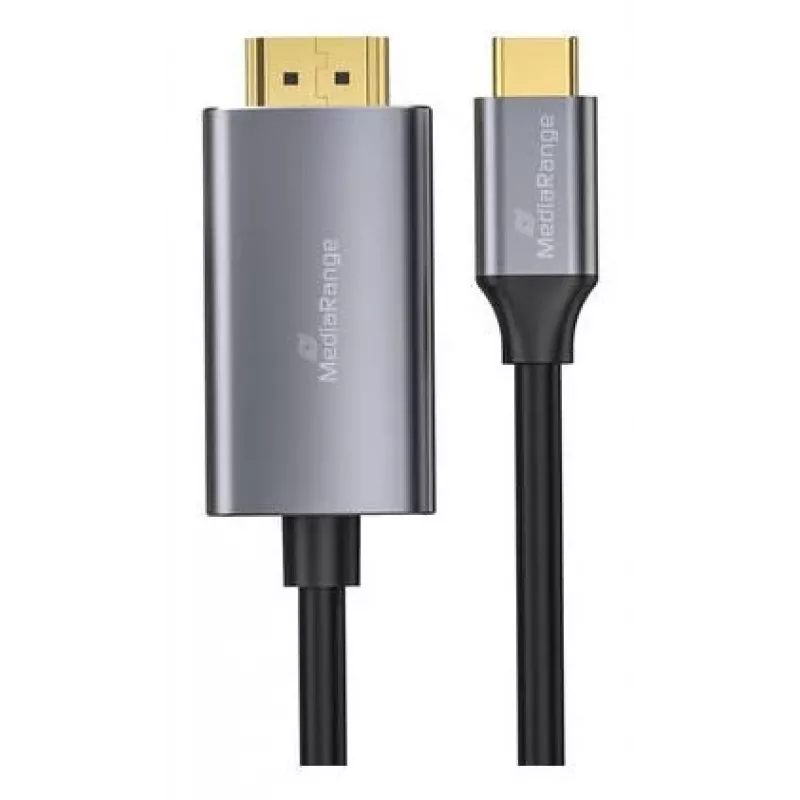
USB-C to HDMI video adapter cable MediaRange MRCS217 1.8 m, USB-C (DisplayPort Alt Mode) to HDMI output

USB-C to HDMI video adapter cable MediaRange MRCS217 1.8 m, USB-C (DisplayPort Alt Mode) to HDMI output
R543
MediaRange MRCS217 is a 1.8 m USB-C to HDMI video adapter cable that connects devices with a USB-C port supporting DisplayPort Alt Mode to HDMI displays. The single-cable solution enables direct wired video output to TVs, monitors and projectors without additional power or separate adapters. The cab... Read More
Stock 18 Code 1205388 Brand MEDIARANGE Model MRCS217 Warranty 2 Years

Shipping & Returns

Estimated delivery Wednesday, October 7
You will be kept updated through our detailed tracking system
Payment options
EFTPayFastBank CardSnapScanZapperGoogle PayApple PayMobicredMoreTymePay on Arrival

MediaRange MRCS217 is a 1.8 m USB-C to HDMI video adapter cable that connects devices with a USB-C port supporting DisplayPort Alt Mode to HDMI displays. The single-cable solution enables direct wired video output to TVs, monitors and projectors without additional power or separate adapters. The cable supports mirror and extended display modes from compatible laptops, tablets and smartphones and is designed for straightforward use in meeting rooms, home entertainment and mobile workflows.

Advantages

The cable offers a compact, plug-and-play connection that eliminates the need for separate dongles or multi-piece adapters. With a 1.8 m length it provides flexible placement between source device and display while maintaining a tidy setup. Using the USB-C DisplayPort Alt Mode ensures direct digital transmission for consistent image quality and low latency. The integrated HDMI output is compatible with common HDMI displays and supports typical resolutions for presentations and video playback.

Suitable for

  • Connecting laptops to external monitors for extended desktop or mirrored displays
  • Streaming video from tablets or smartphones to TVs
  • Presentations using projectors in meeting rooms or classrooms
  • Home entertainment setups requiring a reliable wired video link

Key specifications

  • Connector A: USB-C supporting DisplayPort Alt Mode
  • Connector B: HDMI output
  • Cable length: 1.8 m
  • Function: video transmission for mirror and extended displays
  • Compatibility: devices with USB-C DisplayPort Alt Mode

How to use

Connect the USB-C end to a compatible device that supports DisplayPort Alt Mode and insert the HDMI end into the HDMI input of a TV, monitor or projector. Select the correct HDMI input on the display and, if necessary, choose screen mirroring or extended desktop mode in the device’s display settings. No external power is typically required; ensure the source device’s USB-C port supports video output. For optimal performance, use displays and source devices set to supported resolutions and refresh rates.

Recommendations

For reliable operation, avoid excessive bending near the connector ends and keep the cable clear of sharp edges. If you experience no signal, verify that the source device’s USB-C port supports DisplayPort Alt Mode and check the display input selection. For long-term installations, route the cable away from heat sources and heavy foot traffic to preserve connector integrity.
Key Highlights
  • Connecting laptops to external monitors for extended desktop or mirrored displays
  • Streaming video from tablets or smartphones to TVs
  • Presentations using projectors in meeting rooms or classrooms
  • Home entertainment setups requiring a reliable wired video link
  • Connector A: USB-C supporting DisplayPort Alt Mode
  • Connector B: HDMI output
  • Cable length: 1.8 m
  • Function: video transmission for mirror and extended displays
  • Compatibility: devices with USB-C DisplayPort Alt Mode
Price history over the last 6 months
USB-C to HDMI video adapter cable MediaRange MRCS217 1.8 m, USB-C (DisplayPort Alt Mode) to HDMI output
Current
R543
Lowest
R532
Highest
R860
Change 24H
+R10   +2%
Week
+R11   +2%
Month
+R6   +1%

Popular products in this category

WhatsApp
Hi, I’m DistriNode’s AI assistant. I can help you find products, compare options, create quote PDFs, or open support requests.