Account Contact
Your Cart
Pay the courier with no extra fees.
Need help? DistriNode AI can handle any task on our site.

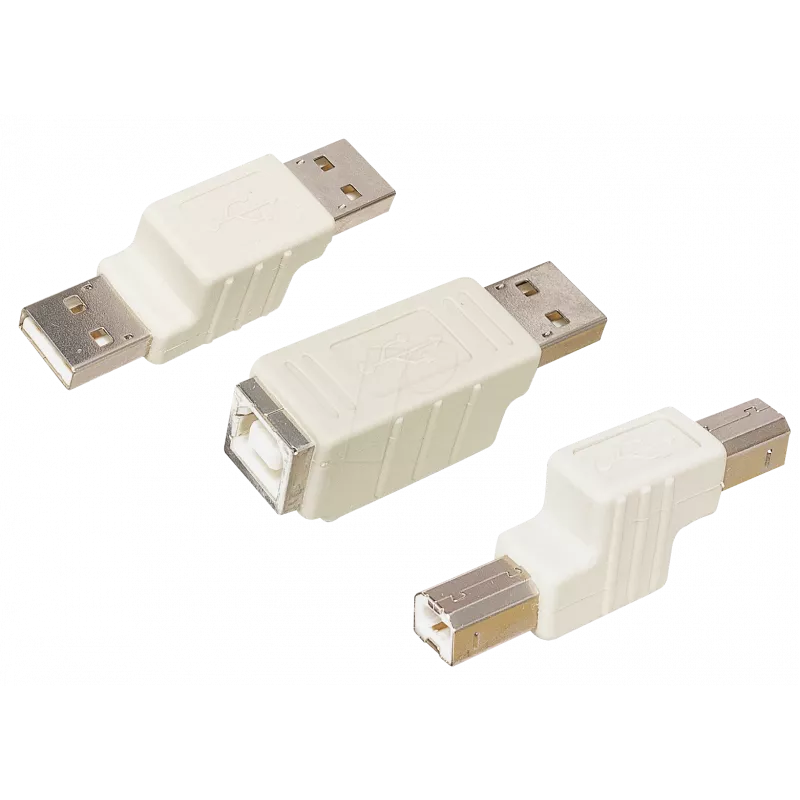
USB adapter ShiverPeaks BST-BST 77042 — B-plug to B-plug cable adapter

USB adapter ShiverPeaks BST-BST 77042 — B-plug to B-plug cable adapter
R259
USB adapter ShiverPeaks BST-BST 77042 is a passive connector designed to join two USB Type B male cables directly. The adapter provides a straight B-plug to B-plug connection that allows users to extend or connect USB B-equipped devices such as printers, scanners and some audio or industrial periphe... Read More
Stock 10 Code 2352841 Brand SHIVERPEAKS Model 77042 Warranty 2 Years

Shipping & Returns

Estimated delivery Tuesday, October 6
You will be kept updated through our detailed tracking system
Payment options
EFTPayFastBank CardSnapScanZapperGoogle PayApple PayMobicredMoreTymePay on Arrival

USB adapter ShiverPeaks BST-BST 77042 is a passive connector designed to join two USB Type B male cables directly. The adapter provides a straight B-plug to B-plug connection that allows users to extend or connect USB B-equipped devices such as printers, scanners and some audio or industrial peripherals without altering signal routing. Its compact form factor makes it suitable for use where space is limited and a short, reliable mechanical join between two cables is required.

Advantages

The adapter is passive and requires no power or drivers, ensuring plug-and-play compatibility with standard USB devices using Type B connectors. Its simple construction minimizes signal degradation over a short join and avoids introducing active electronics that could affect device communication. The compact inline design reduces strain on cable plugs and keeps the connection tidy where two B-ended cables must be joined.

Suitable for

  • Connecting two USB Type B male cables to extend length for printers and scanners
  • Linking peripherals with B-type ports in small office or home setups
  • Temporary connections when relocating equipment or replacing a cable segment

Key specifications

  • Connector type: USB Type B male to USB Type B male (straight B-plug to B-plug)
  • Function: Passive cable adapter for joining or short extension
  • Compatibility: Standard USB devices that use Type B connectors (e.g., printers, scanners)
  • Design: Compact inline housing to minimize space and strain

How to use

To use the adapter, align each USB Type B male plug from the two cables with the corresponding adapter ends and insert until seated. Ensure both cable plugs are fully engaged to secure the connection and avoid intermittent contacts. The adapter is intended for short joins or temporary extensions; for longer runs or where signal integrity is critical, use a single continuous cable rated for the desired USB specification.

Recommendations

Use the ShiverPeaks BST-BST adapter for short, low-complexity joins between two B-ended USB cables and avoid relying on it for permanent or long-distance connections. Check that connected devices operate correctly after joining and prefer a single certified cable when maintaining guaranteed USB performance matters.

Key Highlights
  • Connecting two USB Type B male cables to extend length for printers and scanners
  • Linking peripherals with B-type ports in small office or home setups
  • Temporary connections when relocating equipment or replacing a cable segment
  • Connector type: USB Type B male to USB Type B male (straight B-plug to B-plug)
  • Function: Passive cable adapter for joining or short extension
  • Compatibility: Standard USB devices that use Type B connectors (e.g., printers, scanners)
  • Design: Compact inline housing to minimize space and strain
Price history over the last 6 months
USB adapter ShiverPeaks BST-BST 77042 — B-plug to B-plug cable adapter
Current
R259
Lowest
R249
Highest
R259
Change 24H
+R9   +4%
Week
—   
Month
—   

Popular products in this category

WhatsApp
Hi, I’m DistriNode’s AI assistant. I can help you find products, compare options, create quote PDFs, or open support requests.