Account Contact
Your Cart
Pay the courier with no extra fees.
Need help? DistriNode AI can handle any task on our site.

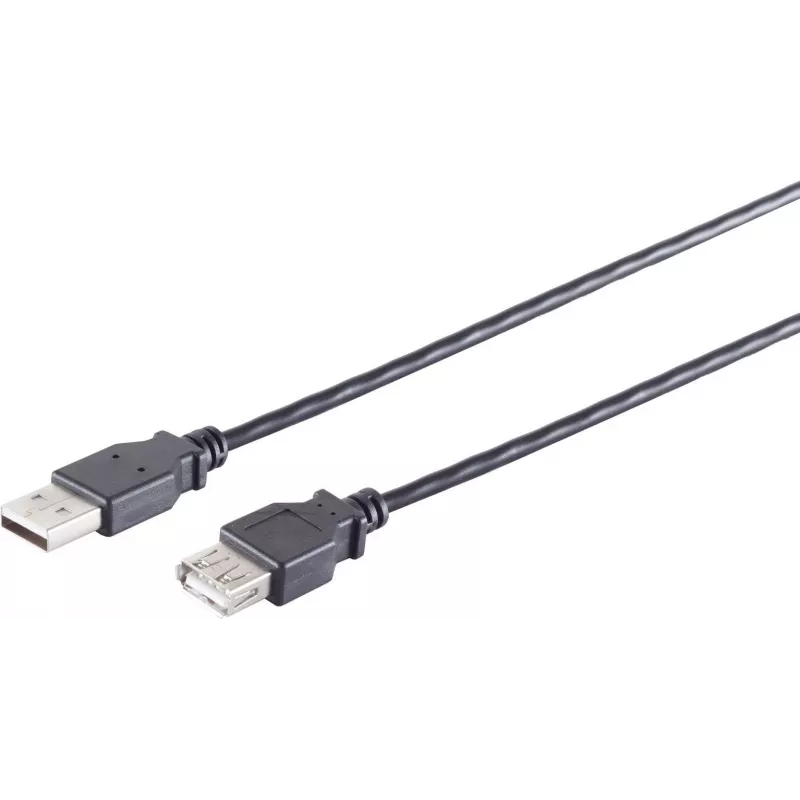
USB A to USB A cable ShiverPeaks 13-24025, USB 2.0, 1 m, black

USB A to USB A cable ShiverPeaks 13-24025, USB 2.0, 1 m, black
R292
ShiverPeaks 13-24025 is a USB A to USB A cable designed for USB 2.0 connections. With a 1 m length and a black finish, this cable provides a straightforward wired link between devices that feature USB A ports. It supports USB 2.0 transfer rates up to 0.48 Gbit/s, enabling file transfer and device co... Read More
Stock 1335 Code 2352475 Brand SHIVERPEAKS Model 13-24025 Warranty 2 Years

Shipping & Returns

Estimated delivery Tuesday, October 6
You will be kept updated through our detailed tracking system
Payment options
EFTPayFastBank CardSnapScanZapperGoogle PayApple PayMobicredMoreTymePay on Arrival

ShiverPeaks 13-24025 is a USB A to USB A cable designed for USB 2.0 connections. With a 1 m length and a black finish, this cable provides a straightforward wired link between devices that feature USB A ports. It supports USB 2.0 transfer rates up to 0.48 Gbit/s, enabling file transfer and device communication where both ends use standard USB A connectors.

Advantages

The cable offers a standardized USB A to USB A connection compatible with many legacy peripherals and host devices. Its 1 m length balances reach and cable management for desktop and mobile setups. Support for USB 2.0 ensures reliable data transfer speeds for typical file exchange and device synchronization tasks. The black finish provides a neutral appearance that blends with most environments.

Suitable for

  • Connecting older external drives, hubs or peripherals that use USB A ports
  • Data transfer between two devices fitted with USB A sockets
  • Basic charging of devices when charging over USB A-to-A is supported by the devices
  • Temporary connections for configuration, firmware updates or device recovery

Key specifications

  • Connector types: USB A to USB A
  • USB version: USB 2.0 (up to 0.48 Gbit/s)
  • Cable length: 1 m
  • Colour: Black

How to use

Insert each USB A connector into the corresponding USB A port on the two devices you intend to connect. Ensure both devices support direct USB A-to-A connections for the intended function (data transfer or charging). When transferring data, set the appropriate mode on each device (for example, host or peripheral) according to the device documentation. Avoid forcing the connector into the port; the connector should seat smoothly when oriented correctly.

Recommendations

Do not use this cable to connect two host devices (such as two PCs) unless both devices explicitly support USB A-to-A connections or a dedicated transfer mode; doing so may risk damage. For reliable data transfer, keep the cable away from sources of strong electromagnetic interference and avoid kinking or tightly bending the cable to maintain signal integrity.

Key Highlights
  • Connecting older external drives, hubs or peripherals that use USB A ports
  • Data transfer between two devices fitted with USB A sockets
  • Basic charging of devices when charging over USB A-to-A is supported by the devices
  • Temporary connections for configuration, firmware updates or device recovery
  • Connector types: USB A to USB A
  • USB version: USB 2.0 (up to 0.48 Gbit/s)
  • Cable length: 1 m
  • Colour: Black
Specifications
Cable jacket material
Polyvinyl chloride (PVC)
Cable length
1 m
Connector 1
USB A
Connector 1 form factor
Straight
Connector 1 gender
Male
Connector 2
USB A
Connector 2 form factor
Straight
Connector 2 gender
Female
Maximum data transfer rate
0.48 Gbit/s
Product colour
Black
Quantity per pack
1 pc(s)
USB version
USB 2.0
Price history over the last 6 months
USB A to USB A cable ShiverPeaks 13-24025, USB 2.0, 1 m, black
Current
R292
Lowest
R282
Highest
R292
Change 24H
+R10   +3%
Week
—   
Month
—   

Popular products in this category

WhatsApp
Hi, I’m DistriNode’s AI assistant. I can help you find products, compare options, create quote PDFs, or open support requests.