Account Contact
Your Cart
Pay the courier with no extra fees.
Need help? DistriNode AI can handle any task on our site.

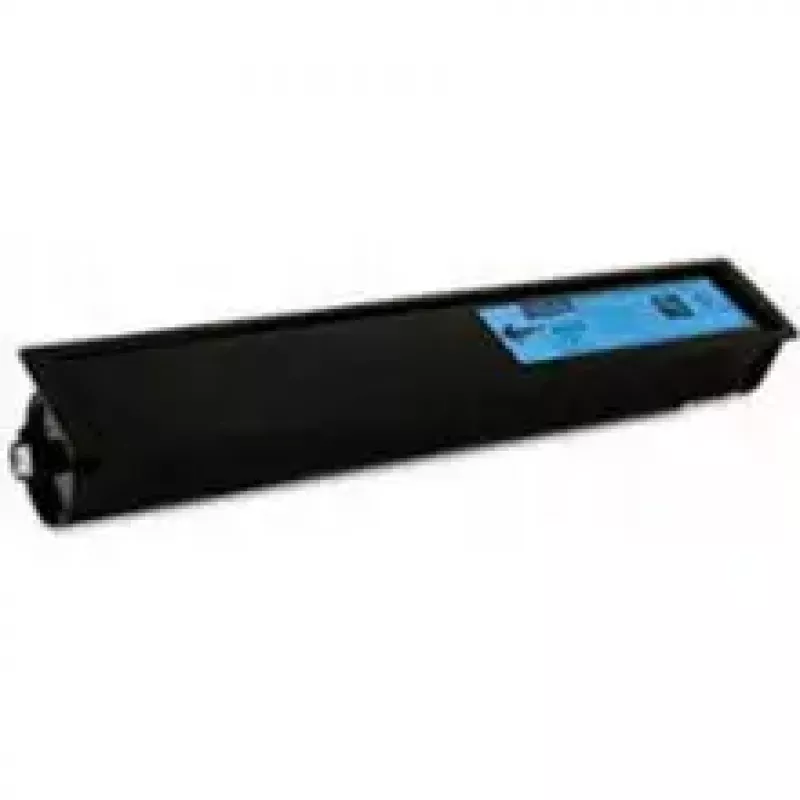
Toner Toshiba T-FC34EC TFC34EC Cyan 6000 pages

Toner Toshiba T-FC34EC TFC34EC Cyan 6000 pages
R2,528
The Toshiba T-FC34EC TFC34EC Cyan toner cartridge delivers cyan prints with a rated yield of up to 6000 pages. Designed for laser printers, this single-pack toner provides consistent colour density and clear text output across mixed print jobs. The cartridge is intended for use in compatible Toshiba... Read More
Stock 2 Code 2568292 Brand TOSHIBA Model 6A000001809 Warranty 2 Years

Shipping & Returns

Estimated delivery Wednesday, October 7
You will be kept updated through our detailed tracking system
Payment options
EFTPayFastBank CardSnapScanZapperGoogle PayApple PayMobicredMoreTymePay on Arrival

The Toshiba T-FC34EC TFC34EC Cyan toner cartridge delivers cyan prints with a rated yield of up to 6000 pages. Designed for laser printers, this single-pack toner provides consistent colour density and clear text output across mixed print jobs. The cartridge is intended for use in compatible Toshiba devices and supports routine office and home printing needs where accurate cyan reproduction and reliable page yield are required.

Advantages

This cyan toner offers stable print quality and predictable page yield, helping maintain consistent colour results for graphics and documents. The cartridge is easy to install and replace, and its laser-based design minimises the risk of smudging and ensures sharp text. Using a dedicated cyan toner reduces the need for frequent replacements compared with combined colour units, enabling more efficient supplies management.

Suitable for

  • Office documents with coloured charts and graphics
  • Marketing materials and brochures requiring accurate cyan tones
  • Small business printing with moderate monthly volumes
  • Home users needing reliable colour prints for photos and school work

Key specifications

  • Colour: Cyan
  • Estimated page yield: up to 6000 pages
  • Print technology: Laser printing
  • Pack quantity: 1 cartridge

How to use

Remove the cartridge from its packaging, gently shake it side to side to distribute toner evenly if recommended by the printer manual, and insert it into the designated cyan slot of the compatible Toshiba laser printer until it clicks into place. After installation, print a test page or run a colour alignment procedure from the printer’s control panel to verify installation and colour balance. Follow the printer manufacturer’s maintenance guidelines to ensure optimal performance.

Recommendations

Store the toner cartridge in a cool, dry place and avoid exposure to direct sunlight or extreme temperatures. Use original or manufacturer-recommended supplies for best compatibility and colour consistency. Dispose of used cartridges according to local electronic waste regulations or participate in recycling programs where available.

Key Highlights
  • Office documents with coloured charts and graphics
  • Marketing materials and brochures requiring accurate cyan tones
  • Small business printing with moderate monthly volumes
  • Home users needing reliable colour prints for photos and school work
  • Colour: Cyan
  • Estimated page yield: up to 6000 pages
  • Print technology: Laser printing
  • Pack quantity: 1 cartridge
Specifications
Colour toner page yield
11500 pages
Compatibility
Toshiba e-studio 287cs
Operating relative humidity (H-H)
20 - 80
Operating temperature (T-T)
10 - 40
Package type
Box
Print technology
Laser printing
Printing colours
Cyan
Quantity per pack
1 pc(s)
Storage relative humidity (H-H)
10 - 90
Storage temperature (T-T)
-20 - 40
Type
Original
Price history over the last 6 months
Toner Toshiba T-FC34EC TFC34EC Cyan 6000 pages
Current
R2,528
Lowest
R2,488
Highest
R2,861
Change 24H
+R16   +1%
Week
+R39   +2%
Month
+R30   +1%

Popular products in this category

WhatsApp
Hi, I’m DistriNode’s AI assistant. I can help you find products, compare options, create quote PDFs, or open support requests.