Account Contact
Your Cart
Pay on delivery – no extra fees
Need help? Ask our AI

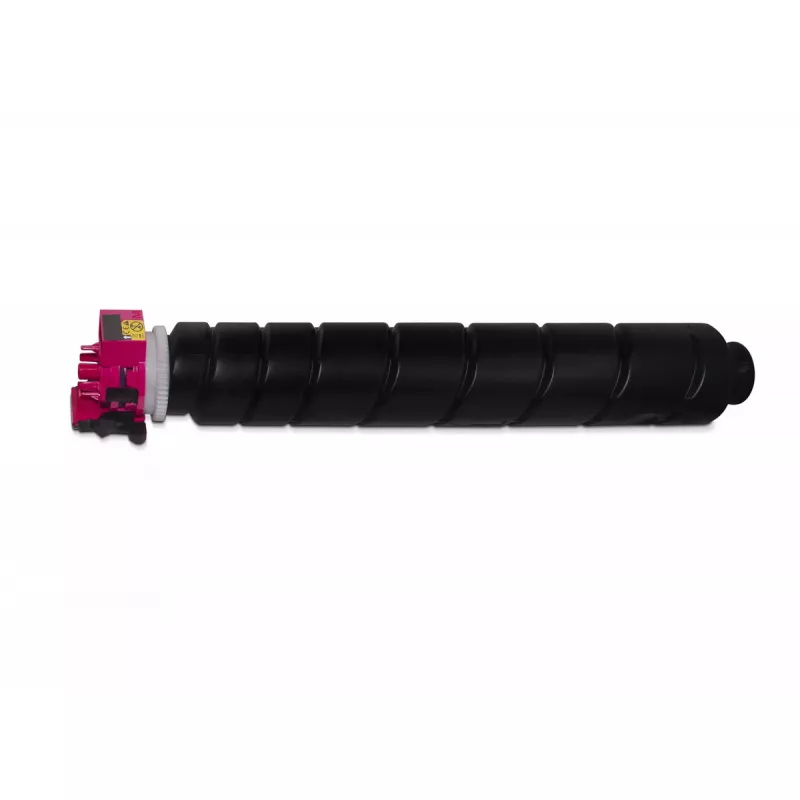
Toner Freecolor Kyocera TASKalfa 4052ci TK-8525M 20000 pages Magenta

Toner Freecolor Kyocera TASKalfa 4052ci TK-8525M 20000 pages Magenta
R2,201
Freecolor Toner for Kyocera TASKalfa 4052ci TK-8525M in Magenta delivers consistent, high-density magenta output with an expected yield of up to 20,000 pages. Designed to match the color and performance needs of professional office environments, this single-pack toner supports sharp text and vivid c... Read More
Stock Out Of StockNo Stock Code 2569783 Brand FREECOLOR Model K40224F7 Warranty 2 Years

Shipping & Returns

Freecolor Toner for Kyocera TASKalfa 4052ci TK-8525M in Magenta delivers consistent, high-density magenta output with an expected yield of up to 20,000 pages. Designed to match the color and performance needs of professional office environments, this single-pack toner supports sharp text and vivid color graphics for reports, presentations and marketing materials. The product is compatible with KYOCERA devices and is supplied as one unit with a compact weight that facilitates handling and installation.

Advantages

This magenta toner provides stable color reproduction and uniform coverage across large print runs, helping maintain predictable color balance between jobs. The formulation reduces the risk of streaking and minimizes the need for reprints. Its compact packaging and lightweight construction simplify storage and replacement, while compatibility with Kyocera TASKalfa series printers supports reliable operation within standard maintenance procedures.

Suitable for

  • Office documents with color charts and infographics
  • Marketing materials and full-color brochures
  • Presentations and reports requiring accurate magenta tones
  • High-volume departmental printing

Key specifications

  • Color: Magenta
  • Estimated page yield: up to 20,000 pages
  • Pack quantity: 1 piece
  • Compatible with: KYOCERA TASKalfa 4052ci series
  • Unit weight: approximately 0.302 kg

How to use

Turn off the printer and allow it to cool if necessary. Open the front cover of the Kyocera TASKalfa 4052ci, remove the empty toner container according to the device instructions, and take the replacement toner from its packaging. Insert the new magenta toner into the correct compartment until it locks into place, then close the cover and power the printer back on. Run a test print or color calibration from the device menu to confirm proper installation and color alignment.

Recommendations

Store the toner in a cool, dry place away from direct sunlight and strong magnetic fields. Use within the manufacturer’s recommended shelf life for best results. For consistent color output, perform routine printer maintenance and regular color calibration, and use compatible cleaning supplies and parts specified for Kyocera TASKalfa devices.
Key Highlights
  • Office documents with color charts and infographics
  • Marketing materials and full-color brochures
  • Presentations and reports requiring accurate magenta tones
  • High-volume departmental printing
  • Color: Magenta
  • Estimated page yield: up to 20,000 pages
  • Pack quantity: 1 piece
  • Compatible with: KYOCERA TASKalfa 4052ci series
  • Unit weight: approximately 0.302 kg
Specifications
Black toner cartridges quantity
0
Brand compatibility
KYOCERA
Colour toner cartridges quantity
1
Colour toner page yield
20000 pages
Compatibility
COPYSTAR CS 3552 CI, 4052 CI KYOCERA TASKalfa 3552 CI, 3553 CI, 4052 CI, 4053 CI
Printing colours
Magenta
Product colour
Black, Magenta
Quantity per box
1 pc(s)
Quantity per pack
1 pc(s)
Supply type
Single pack
Type
Compatible
Weight
0.302 kg
Price history over the last 6 months
Toner Freecolor Kyocera TASKalfa 4052ci TK-8525M 20000 pages Magenta
Current
R2,201
Lowest
R1,837
Highest
R2,273
Change 24H
+R321   +17%
Week
+R304   +16%
Month
-R11   0%

Popular products in this category

WhatsApp
Hi, I’m DistriNode’s AI assistant. I can help you find products, compare options, create quote PDFs, or open support requests.